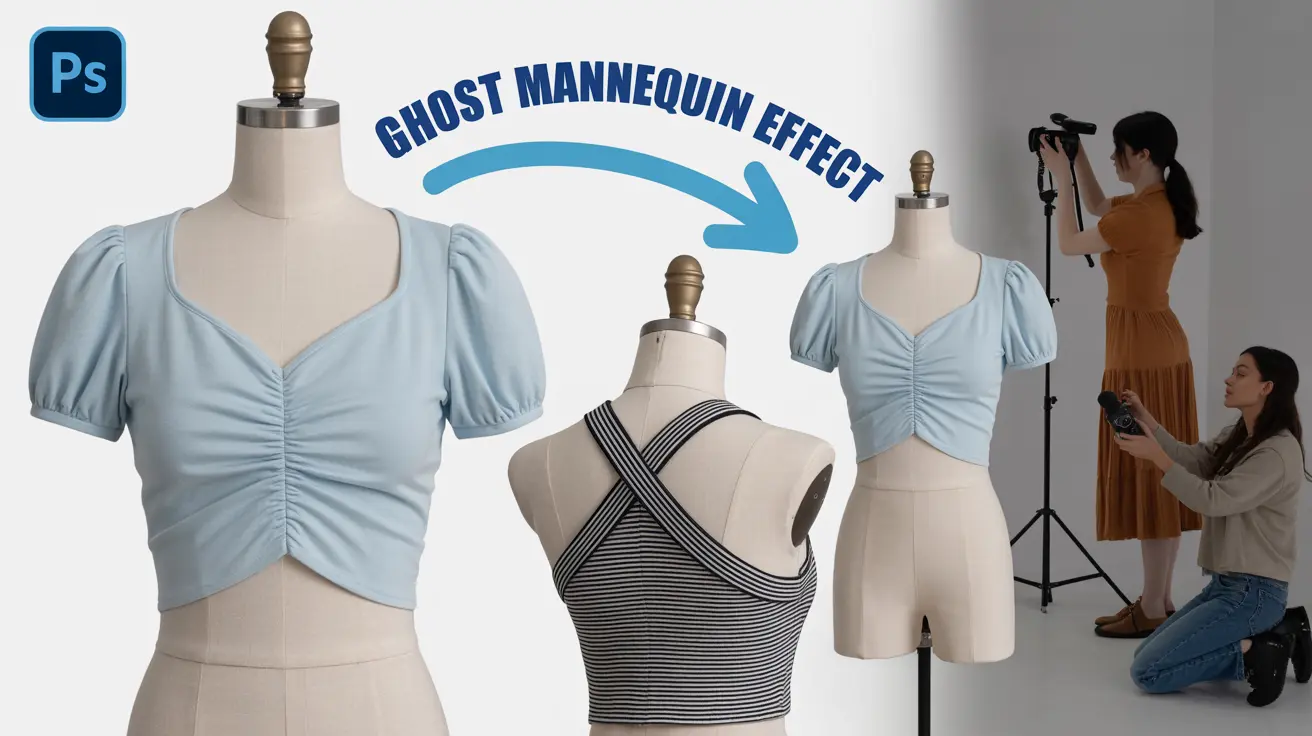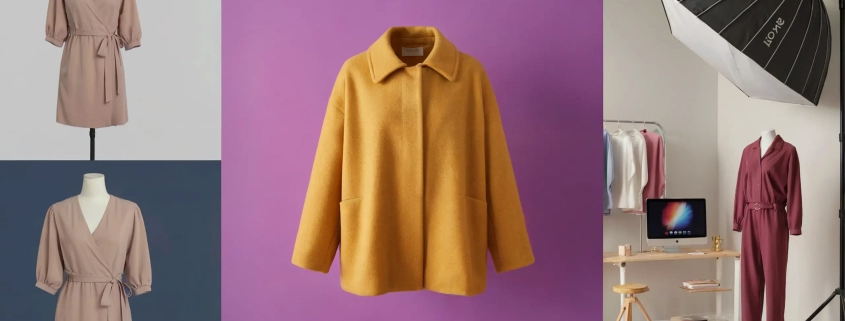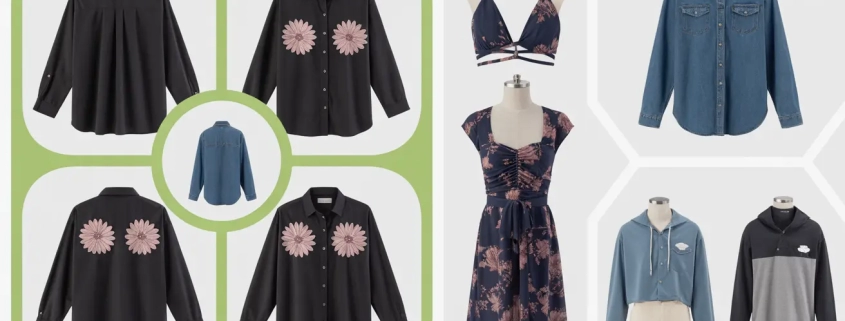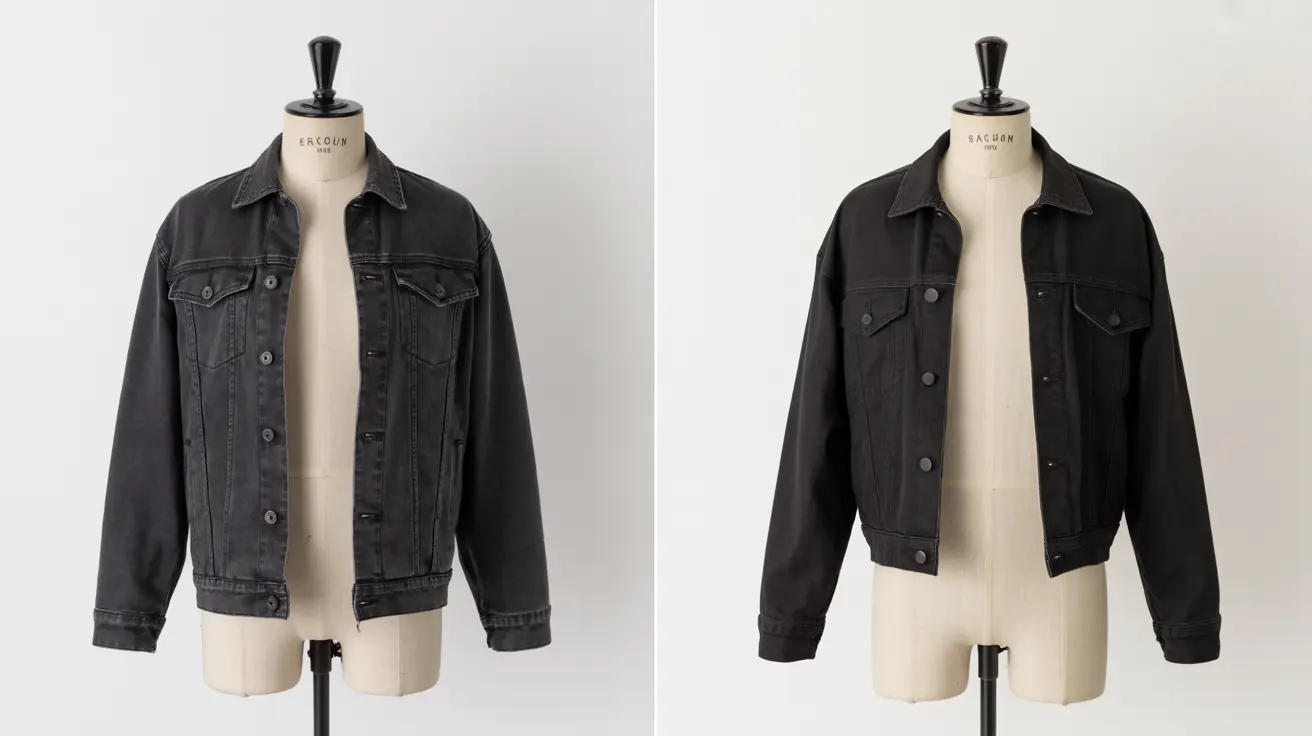
How to Do Ghost Mannequin Photography | The Best Invisible Technique Explained
How to Do Ghost Mannequin Photography

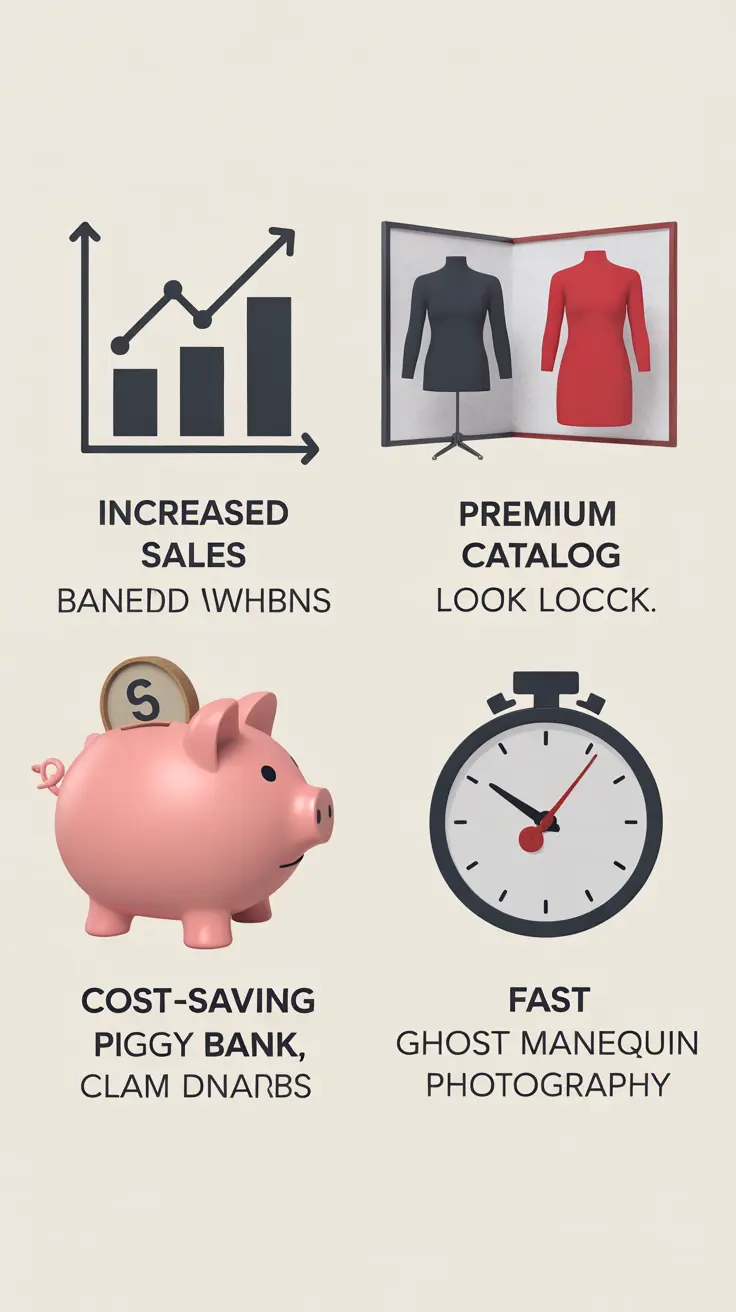
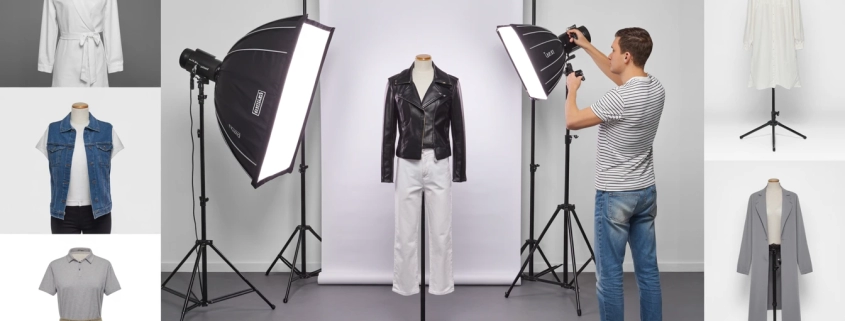
Let’s be real: photographing clothes isn’t always as easy as hanging them on a hanger and snapping a picture. You want your products to pop to show the fit, form, and flow of the fabric as if someone is wearing them. But hiring a model for every shot? That gets expensive fast. That’s where ghost mannequin photography steps in a little visual trickery with a big impact.

Imagine this: your product looks like it’s floating, perfectly shaped, clean, and distraction-free. It’s like giving your clothes their own runway moment without the model. I’ve used this for years, both DIY and with a professional ghost mannequin service, and it always creates that “wow” moment that makes shoppers stop scrolling. I’ve used this technique for years, both DIY and through outsourcing to pros like Expert Clipping, and it always delivers that “wow” factor that makes shoppers stop scrolling.

Let’s explore what ghost mannequin photography is, why it works, and whether you should DIY or let a ghost mannequin service provider handle the editing.

What is Ghost Mannequin Photography?

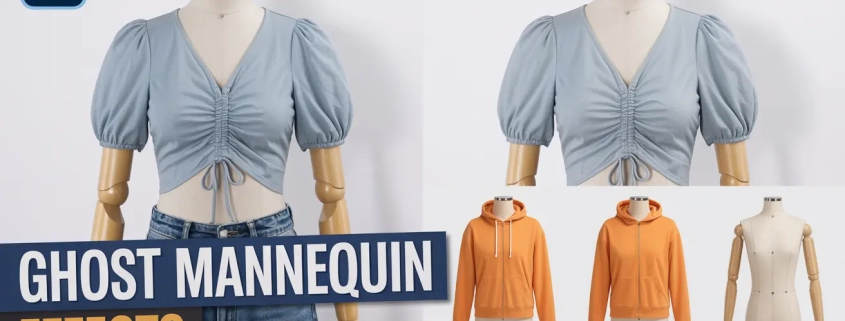
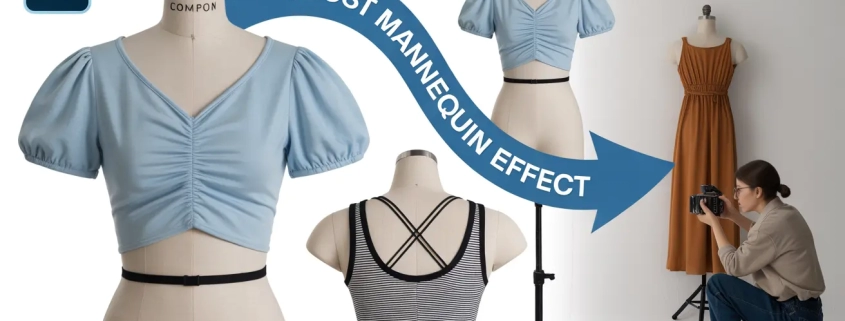
Ghost mannequin photography also called invisible mannequin or hollow man photography is a technique where multiple images are combined to create the illusion that the garment is being worn by an invisible model.

This style keeps the focus on the fit and structure without any human or mannequin distractions. It gives that polished, professional look you see on top fashion websites like Zara or H&M.

Quick Answer for Snippet: Ghost mannequin photography creates a 3D look for garments by combining front and inside photos, removing the mannequin in editing.

Why Is It So Important in Fashion E-Commerce?

Because it sells literally.

🧠 Research shows that using professional product photo retouching services like ghost mannequin images can boost sales by up to 40% compared to flat lay or hanger shots.

It shows:

  • Accurate fit
  • Volume and texture
  • Neckline, sleeves, and inner tags (when needed)

📈 Quick Tip: Brands using ghost mannequin photos reduce returns by up to 22% due to better customer expectations.

What Equipment Do You Need?

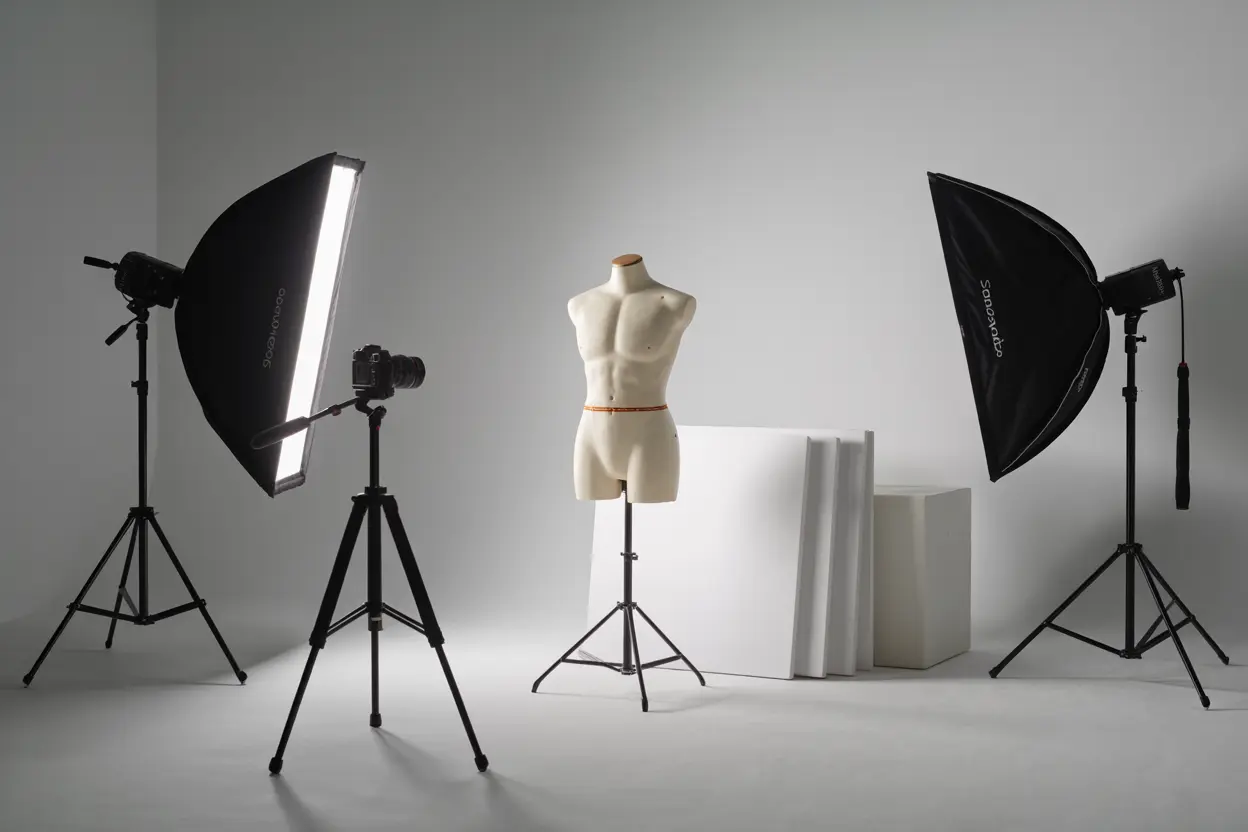
Here’s your starter pack:

Equipment Purpose
DSLR or Mirrorless Camera Captures high-res images
Tripod Keeps shots consistent
Studio Lights (Softboxes or Umbrellas) Avoids harsh shadows
White Background or Lightbox For clean, distraction-free shots
Ghost Mannequin (Modular preferred) Easy to detach for neck/sleeve joints
Clamps, Pins, or Tapes Helps tailor garment on mannequin

🎯 Bonus Tip: A matte white mannequin works best—it doesn’t reflect light and keeps editing easy.

How to Do Ghost Mannequin Photography (Step-by-Step)

Let’s walk through this like we’re shooting together in a studio:

  1. Dress the mannequin neatly. Use pins or clips at the back for a fitted look.
  2. Shoot the front view, ensuring symmetry.
  3. Take a shot of the inside (usually neck and sleeve area) with the garment turned inside-out or held open.
  4. Repeat for the back view if needed.
  5. Maintain consistent lighting across shots.

📸 Pro Insight: Always shoot in RAW if possible it gives more control in post.

How to Photograph Inside Garments

This is the secret sauce of ghost mannequin.

  • For neck joints, turn the garment inside-out and tape the neckline flat.
  • Place it on a foam board or hang it in front of a neutral background.
  • Light it evenly to avoid shadows that don’t match the main shot.

🎯 Key Tip: Match angles and distance with the front shot so they blend during editing.

Editing Ghost Mannequin Images Like a Pro

You can do this in Photoshop or use a clipping path service provider like Expert Clipping.

Steps by Steps:

  1. Open both the front and inside image.
  2. Use the Pen Tool or Select Subject to isolate the garment.
  3. Layer the inside shot behind the front image.
  4. Align, mask, and blend to make it look like one seamless piece.
  5. Retouch wrinkles, stray threads, and color correct.

🧠 Expert Hack: Expert Tip: Use feathering for smooth edges. Or save time by outsourcing to a ghost mannequin service.

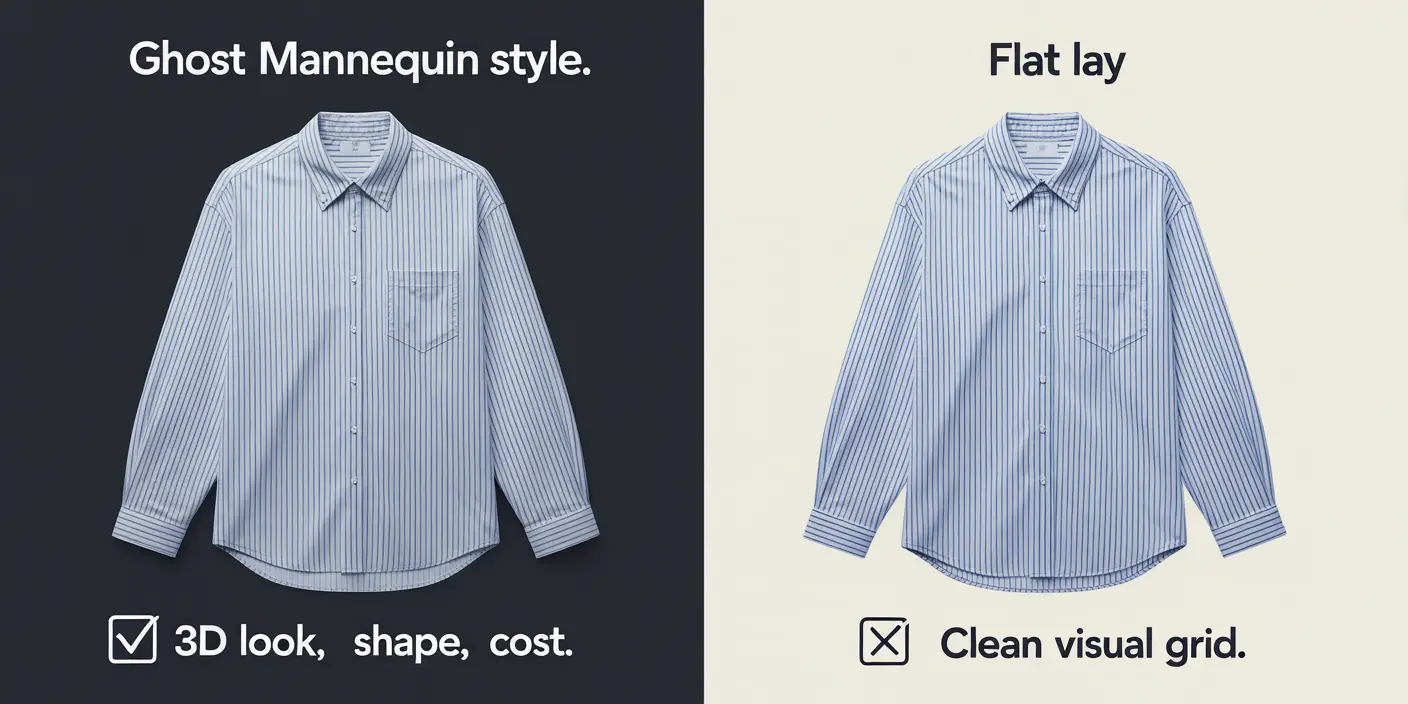
Ghost Mannequin vs Flat Lay: Which One Wins?

Feature Ghost Mannequin Flat Lay
Realistic Fit ✅ Yes ❌ No
3D Depth ✅ Yes ❌ No
Time to Shoot ⏳ More ⏱️ Less
Professional Look ⭐⭐⭐⭐⭐ ⭐⭐
Editing Required ✅ More ❌ Less
Best For E-Commerce, Catalogs Social Media, Casual Shops

👉 TL;DR: Use flat lay for simplicity, ghost mannequin for conversions.

When to Use Ghost Mannequin Photography

  • Launching new collections
  • Selling on Amazon, Shopify, Etsy
  • Running paid ads
  • Creating product pages with 360° views

❌ Don’t use it for:

  • Stretchy items (e.g. swimwear without padding)
  • Extremely sheer fabric

Common Mistakes and How to Avoid Them

🔴 Overexposed lighting
🔴 Uneven alignment between shots
🔴 Missing the inside garment photo
🔴 Harsh edges during editing
🔴 Not retouching creases

Fix: Shoot with care and use a photo retouching service for pro-level results.

Should You DIY or Outsource the Editing?

Let’s be honest: ghost mannequin editing takes time, patience, and skill.

If you:

  • Have 10+ SKUs per shoot
  • Need quick turnaround
  • Want pixel-perfect results
  • Hate Photoshop

Then using a professional clipping path service provider is the smart move.

🎁 Request Your First 3 Images Free → Test the quality risk-free.

Where to Get the Best Ghost Mannequin Service

Look for:

  • Fast turnaround (24–48 hrs)
  • Professional Photoshop editing
  • Neck, sleeve, and bottom joint capability
  • Photo background removal service
  • Color correction and retouching

📌 Expert Clipping ticks all those boxes.

Feature Expert Clipping Others
Free Trial ✅ Yes ❌ No
Delivery Time ⏱️ 24–48 hrs ⏳ 3–5 days
Bulk Discount 💰 Yes ❌ Rare
Revisions ✅ Included ⛔ Extra cost
Quality Control ⭐ Pro-Level ⚠️ Varies

Ghost Mannequin Photography

Customer Reviews: What Real Users Say

⭐⭐⭐⭐⭐
“Expert Clipping saved us 40+ hours of editing for our winter collection. The invisible mannequin edits are flawless!”
Lisa J., Fashion Brand Owner

⭐⭐⭐⭐⭐
“I’m not great at Photoshop, so outsourcing ghost mannequin photos to Expert Clipping has been a game changer for my Etsy shop.”
Jordan D., Handmade Apparel Seller

⭐⭐⭐⭐
“Turnaround was fast, and they nailed the neck joints. Just wish I had found them sooner.”
Alex M., Product Photographer

Checklist: Are You Ghost-Mannequin-Ready?

  • Have a high-res camera or smartphone?
  • Got a ghost mannequin (modular preferred)?
  • Know how to photograph the inside of garments?
  • Ready to edit or outsource to Expert Clipping?
  • Want to increase conversions on your product pages?

🟩 If you checked 3 or more, you’re ready to ghost!

Pricing Table & Bulk Offers

Quantity Price Per Image Turnaround Offer
1–20 $2.99 48 hrs
21–100 $2.49 24–48 hrs Subscribe & Save
101–500 $1.99 24 hrs Bulk Saver
500+ Custom Quote ASAP Get Instant Cost Estimate

👉 Request a Free Quote or Try 3 Images Free.

Final Thoughts: Is Ghost Mannequin Right for You?

If you’re serious about selling fashion online, ghost mannequin photography is a must. It shows your clothes in the best light—clear, clean, and ready to convert.

Let Expert Clipping handle the editing while you focus on scaling your brand.

FAQs

01. Can I do ghost mannequin photography with a phone?
Yes! Modern smartphones with good lighting and editing can achieve ghost mannequin shots, especially when paired with expert post-production.
02. What’s the easiest way to remove the mannequin?
Photoshop’s Select Subject + layering. Or use a background removal service.
03. Should I shoot both front and inside views?
Absolutely. Without the inside view (e.g. neck or sleeves), the ghost effect looks incomplete.
04. Do ghost mannequin photos improve conversions?
Yes, studies show ghost mannequin images can increase eCommerce sales by up to 40%.
05. How can I test if Expert Clipping is right for me?
Try your first 3 edits free—no risk.
How to Remove Mannequin from Photo: Best Methods, Tools & Tips (Explained)

Remove Mannequin from Photo

If you’ve ever wondered “How do brands get that clean, floating apparel look online?”, you’re not alone! This technique, often called the ghost mannequin effect, transforms regular product photos into polished, professional images that boost sales and brand trust. In this detailed guide, we’ll explore remove a mannequin from a photo, why it matters, and share expert tips from Expert Clipping your trusted partner for affordable, high-quality ghost mannequin service.

What is the Ghost Mannequin Effect?

The ghost mannequin effect (also known as invisible mannequin) removes the visible mannequin, letting apparel appear naturally shaped yet “floating.” Imagine you’re shopping online: instead of flat, lifeless photos, you see a realistic 3D view—almost as if the garment is worn by an invisible model. That’s the magic!

This effect helps customers see the fit, neckline, and details—building trust and encouraging purchase.

Why Remove Mannequins from Product Photos?

Here’s why it matters:

✅ Looks clean, premium, and professional
✅ Keeps the garment’s natural shape
✅ Matches marketplace image guidelines
✅ Increases click-through & conversion rates

Using a professional ghost mannequin service provider can save time and give the best results.

Best Tools & Software for Mannequin Removal

Tool Best For Why Use It?
Adobe Photoshop (Pen Tool) High precision Control over every curve
Content-Aware Fill Quick fixes Auto-removes background
Clone Stamp Fine details Fix textures and spots
AI Editors (Remove.bg, etc.) Simple edits Faster but less precise

👉 Which one is better? For professional results, Photoshop (with manual pen tool) is king.

Step-by-Step: How to Remove a Mannequin in Photoshop

Ready? Here’s how pros do it:

1️⃣ Open your product photo in Photoshop
2️⃣ Use the Pen Tool to trace around the garment
3️⃣ Create a new layer with your selection
4️⃣ Remove the mannequin areas
5️⃣ Use Clone Stamp or Content-Aware Fill for holes
6️⃣ Add missing neck part or inner back if needed
7️⃣ Refine edges (feather: 0.3–0.5px)
8️⃣ Add realistic drop shadows
9️⃣ Save as transparent PNG or on white background

💡 Pro tip: Always shoot on a plain background for cleaner edits. If you don’t have editing skills, choose a ghost mannequin service. They can do it fast and keep your photos clean.

Pen Tool vs. Content-Aware Fill: Which One’s Better?

Feature Pen Tool Content-Aware Fill
Precision ⭐⭐⭐⭐⭐ ⭐⭐
Speed ⭐⭐ ⭐⭐⭐⭐
Best for Complex shapes Simple, flat areas
Final look Crisp edges Sometimes blurry

👉 Professional editors almost always prefer the Pen Tool for accuracy.

Adding Neck Parts & Drop Shadows for Realism

After mannequin removal, adding the neck part (inner collar) makes the garment look 3D. Drop shadows ground the product visually, preventing it from floating unrealistically.

Checklist:

  • Neck part shot separately
  • Blend smoothly
  • Add light, realistic shadows (not too harsh)

This step can boost perceived quality and even sales.

Common Mistakes & How to Avoid Them

🚫 Jagged edges → Use feathering
🚫 Overusing auto tools → Stick to manual edits for complex clothes
🚫 Wrong lighting → Match shadows to photo light source
🚫 Missing neck parts → Always shoot them

Manual vs. AI Mannequin Removal: Pros & Cons

Manual Editing AI Tools
Quality ⭐⭐⭐⭐⭐ ⭐⭐
Cost Higher Lower/free
Time Slower Faster
Best for Professional photos Casual, small batches

Expert Clipping uses both: manual editing for perfect results, and AI to speed up simple tasks.

Why trust Expert Clipping?

At Expert Clipping, we offer ghost mannequin services, product photo retouching services, and more.
Our team works fast, keeps quality high, and our prices are fair.
Need a test? Try our free trial.

Checklist Before Starting Mannequin Editing

✅ Shoot on white or grey background
✅ Capture neck parts and sleeves separately
✅ Use high-resolution photos
✅ Keep consistent lighting
✅ Decide final output size (web, print)

📝 Subscribe & save on bulk editing with Expert Clipping.

Where to Learn & Who Should Use Ghost Mannequin Editing?

📍 Where? YouTube, Adobe tutorials, blogs like this.
👤 Who? Fashion brands, photographers, e-commerce sellers, print & marketing agencies.

If you don’t have time? Hire experts! Get instant cost estimate.

Pricing: Get Instant Cost Estimate

Service Starting From Turnaround
Ghost Mannequin $0.39/image 6–24 hrs
Background Removal $0.25/image 3–12 hrs
Shadow/Neck Add $0.10–0.20/image add-on

📦 Request your first 3 images free to test quality!

Customer Reviews: Why Brands Love Expert Clipping

“We saved hours every week! Photos look stunning and sales went up.” – Jane, Boutique Owner

“Tried the free trial. Quality was better than expected, fast delivery too.” – Mark, Amazon Seller

“Perfect edits for our cookbook. Will order again!” – Priya, Fashion Brand

FAQs

Q1: Can I remove mannequins with free tools?
Yes, but results might be rough. Photoshop or professional services are better.

Q2: Why use ghost mannequin instead of flat lay?
It shows the garment’s shape naturally, making it look premium.

Q3: Should beginners use the pen tool?
Yes! It’s worth learning for clean edges.

Q4: Is the ghost mannequin effect necessary?
For fashion e-commerce—almost always yes.

Q5: Do mannequins hurt online sales?
Visible mannequins can look unprofessional; removal usually increases clicks.

Conclusion: Ready to Transform Your Photos?

Removing mannequins isn’t just photo editing—it’s storytelling. It shows your products in the best light, builds brand trust, and can boost sales.

Expert Clipping is here to help, whether you need a quick edit or full catalog processing. Remember:

  • Request your first 3 images free
  • Get instant cost estimate
  • Subscribe & save on bulk editing

Let’s turn ordinary photos into scroll-stopping visuals!

Extra Snippet-Ready Q&A for Featured Snippets

What’s the fastest way to remove a mannequin?
Use Photoshop’s content-aware fill for quick edits, but pen tool is best for quality.

How do you keep the natural shape?
Add neck parts & refine edges to keep the garment’s true form.

Which tools give the cleanest results?
Photoshop pen tool + clone stamp for detail work.

Can beginners use free tools?
Yes, but practice is key. Results vary compared to pro editing.

Why do e-commerce stores use ghost mannequin?
For a premium, realistic look that increases buyer confidence.


If you’d like, I can also generate:
✅ Featured image
✅ Pricing calculator table
✅ Printable checklist PDF

Would you like me to create those next?

How to Shoot Ghost Mannequin | The Complete Beginner-to-Pro Guide

How to Shoot Ghost Mannequin

Why Ghost Mannequin Photography is the Secret Sauce for Apparel Brands

Ever seen those crisp, floating fashion product images where clothes seem to wear themselves? That’s the magic of ghost mannequin services. It gives clothing a 3D shape without showing any models or mannequins. If you’re selling apparel online, this trick is like adding seasoning to bland food—it turns a basic image into something mouthwatering and clickable.

Whether you’re a solo seller or a big brand, ghost mannequin images add a pro-level look that builds trust and boosts sales. In this guide, I’ll walk you through tools, editing, and even where to get affordable help from a professional ghost mannequin service provider.

What is Ghost Mannequin Photography?

Ghost mannequin photography also called invisible mannequin—is a method used to photograph clothing so that the mannequin disappears in post-editing. This makes it look like the garment is floating, giving it depth and shape.

Short answer: It’s a photo editing technique where the mannequin is removed digitally, creating a 3D floating look for fashion products.

Think of it like removing training wheels from a bike you still get support during the shoot, but the final product looks polished and independent.

What Does the Ghost Mannequin Effect Look Like?

The final image has no model or mannequin, just the clothing shaped perfectly, like an invisible person is wearing it. You’ll often see this on Zara or ASOS.

Short answer: It gives clothes a full-bodied shape without showing the mannequin or model.

📸 Pro Tip: Show the front, back, and inner neck area for a premium look.

Why Use Ghost Mannequin Photography?

Here’s why top fashion stores use this technique:

  • Clean, professional look
  • Focus stays on the clothing
  • Increases customer trust
  • Higher conversion rates

Short answer: It enhances the product’s appeal and builds brand credibility.

According to Shopify, ghost mannequin images convert 20–30% better than flat lay photos!

Equipment Needed for Ghost Mannequin Photography at Home

You don’t need a fancy studio. Here’s your starter kit:

  • DSLR or smartphone with good resolution
  • Tripod (for consistent angles)
  • Plain white background
  • Ghost mannequin (removable chest/neck)
  • Softbox lighting or natural light

Checklist Table:

Item Essential? Affordable Alternatives
DSLR Camera Smartphone with 12MP+
Tripod Stack of books (temporary)
White Background White bedsheet or wall
Ghost Mannequin Foam board or hanger hacks
Lighting Use window light near noon

How to Shoot Ghost Mannequin Photos: Step-by-Step

Step 1: Dress the mannequin neatly. Use clips or pins to tighten the fabric.
Step 2: Photograph the front view. Then shoot the back and inner label area.
Step 3: Maintain consistent angles and lighting.
Step 4: Edit out the mannequin or use clipping path services to remove it.

Short answer: Take multiple shots of the garment front, back, and inside—and combine them digitally.

📦 Tip: Don’t forget to iron the clothes! Wrinkles kill the look.

Editing Ghost Mannequin Photos in Photoshop

If you’re handy with Photoshop, here’s what to do:

  • Use the Pen Tool to cut out the mannequin
  • Layer front and back shots
  • Blend shadows for realism
  • Save in high resolution

Short answer: Use selection and layer masks to remove the mannequin and reveal inner garment shots.

Or skip the hassle and let photo retouching services handle it fast.

👉 Get your first 3 images free!

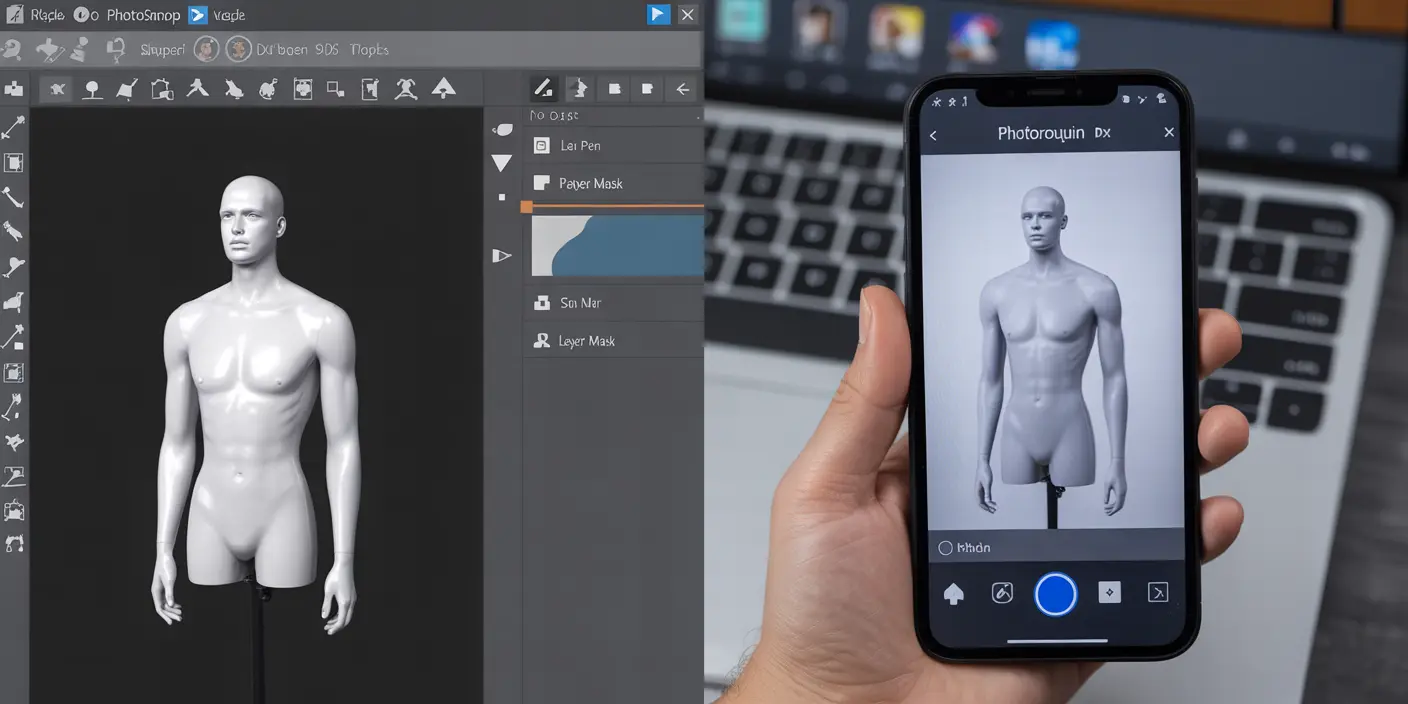
Best Apps for Ghost Mannequin Editing

If Photoshop isn’t your thing, try:

  • Photoroom (Beginner-friendly)
  • Canva Pro (basic background removal)
  • Remove.bg (one-click mannequin eraser)

Short answer: Use Photoroom for quick mobile edits; Photoshop for professional control.

Ghost Mannequin vs Flat Lay Photography

Feature Ghost Mannequin Flat Lay
3D Shape ✅ Yes ❌ No
Realism ✅ High ⚠️ Moderate
Editing Required ✅ More ✅ Less
Conversion Rate ✅ High ⚠️ Low to Medium

Short answer: Ghost mannequin looks more professional and realistic than flat lay.

Common Mistakes in DIY Ghost Mannequin Edits

  • Skipping the inner neck shot
  • Inconsistent lighting
  • Crooked camera angles
  • Poor background removal

Short answer: Missing key angles or poor editing can ruin the effect.

⚠️ Always shoot extra photos just in case.

When to Use Ghost Mannequin Photos vs Live Models

Use ghost mannequins when:

  • You want consistency
  • You’re on a tight budget
  • You sell many SKUs

Use live models when:

  • Selling lifestyle fashion
  • Emphasizing emotion/fit

Short answer: Ghost mannequin works best for product listings; models for brand stories.

Should You Outsource Ghost Mannequin Editing?

If you lack time or Photoshop skills, definitely consider outsourcing.

Short answer: Outsourcing saves time, ensures quality, and boosts professionalism.

✅ Need help? Try professional ghost mannequin services or photo retouching services.
Also, explore related product photo retouching for a complete look.

Where to Get Ghost Mannequin Services: Expert Clipping

We at Expert Clipping specialize in:

  • Ghost mannequin editing
  • 24-hour delivery
  • Bulk discounts
  • Free trials

Short answer: Expert Clipping offers affordable, high-quality ghost mannequin service.

💬 “Request Your First 3 Images Free” and test our quality today.

Pricing Table: DIY vs Professional Service

Feature DIY Expert Clipping
Time 1–2 hrs per image 24-hr delivery
Cost Free (but time-consuming) Starting $1.99/image
Skill Needed High None
Revisions Manual Free revisions

🧮 Get Instant Cost Estimate for your bulk image project.

Real Customer Reviews of Expert Clipping

⭐️⭐️⭐️⭐️⭐️ “Expert Clipping made my store look 10x more professional. Super fast and affordable!” — Lena, Dropshipper

⭐️⭐️⭐️⭐️⭐️ “Tried DIY for weeks, then used Expert Clipping. Never going back.” — Raj, Boutique Owner

⭐️⭐️⭐️⭐️⭐️ “They nailed the ghost mannequin look! Highly recommend for fashion brands.” — Steph, Apparel Designer

Conclusion & Key Takeaways

Ghost mannequin photography is more than just a trend—it’s a proven strategy for standing out in fashion ecommerce. Whether you’re shooting with a phone or DSLR, the results can look stunning with the right technique—or with help from pros like Expert Clipping.

✅ Use consistent lighting
✅ Always shoot interior garment shots
✅ Outsource if you want speed + perfection

Request Your First 3 Images Free and see the magic for yourself.


FAQs

  1. What’s the easiest way to remove a mannequin from a clothing photo?
    Use apps like Photoroom or hire a service like Expert Clipping for fast results.
  2. Can I do ghost mannequin photography using just a smartphone?
    Absolutely! Use good lighting and follow basic composition rules.
  3. Should I photograph both front and back views?
    Yes, and don’t forget the inner neckline to complete the ghost effect.
  4. Are ghost mannequin images better than flat lay shots?
    Yes. They create a 3D look and convert more customers.
  5. How can I make ghost mannequin edits faster?
    Use batch editing tools—or outsource to Expert Clipping for speed and precision.

Ready to elevate your product photos? 👉 Get Instant Cost Estimate or Request Your First 3 Images Free with Expert Clipping.

,

What is Ghost Mannequin Photography? Explained for eCommerce & Fashion Brands

Ghost Mannequin Photography

Ever wondered how clothing in online stores looks like it’s floating on an invisible body? That’s ghost mannequin photography—a game-changing technique in the world of eCommerce. Imagine your product wearing an invisible superhero cape that helps it stand out without distractions. In this short guide, we’ll explain it step by step. Plus, meet Expert Clipping, your trusted partner for professional ghost mannequin service.

Whether you’re a fashion brand, product photographer, or online seller, this article is your go-to resource. We’ll also introduce Expert Clipping, your reliable partner for professional ghost mannequin services.

What is Ghost Mannequin Photography?

Ghost mannequin photography is a photo editing technique where the mannequin is removed to make clothes appear as if they’re worn by an invisible model.

This technique creates a clean, professional look that allows the product’s shape and fit to shine. It’s widely used in fashion and apparel industries to show clothes without the distraction of a model or mannequin.


What is the Mannequin Ghost Effect?

It’s the magical moment when the mannequin vanishes from your clothing photo, but the shape stays perfect—as if a ghost is wearing it. The final image looks polished and retail-ready. This effect gives products a 3D shape, which flat lays just can’t deliver.


Difference Between Flat Lay and Ghost Mannequin

Feature Flat Lay Ghost Mannequin
Perspective Top-down 3D Front View
Depth Flat Dimensional
Focus Texture Fit & Shape
Visual Appeal Casual Professional

Short Answer: Flat lay shows clothes laid out flat, while ghost mannequin gives them a life-like 3D shape.


Why Ghost Mannequin is Ideal for eCommerce

Ghost mannequin images enhance product visibility, boost customer trust, and increase conversions.

Why it works:

  • Gives a realistic idea of fit.
  • Looks cleaner and more professional.
  • Eliminates distractions.
  • Fast, scalable, and cost-effective.

Expert Clipping makes this even easier by offering a Request Your First 3 Images Free option. Try before you commit!


How Does Ghost Mannequin Photography Work?

It combines photography and post-production. First, multiple photos are taken of the clothing on a mannequin. Then, the mannequin is removed using photo editing tools, and images are combined.

Think of it like a puzzle each shot is a piece, and editing is how we put it all together.

It’s a mix of photos and editing.

  1. Take multiple shots on a mannequin.

  2. Cut out the mannequin using the Pen Tool.

  3. Combine images to get the invisible look.

Think of it like solving a puzzle.

Step-by-Step Process

  1. Shoot Front & Back on a mannequin.
  2. Shoot Neckline/Hollow Area separately.
  3. Remove Mannequin in Photoshop.
  4. Merge Layers to create the invisible look.
  5. Color correct and export.

Tip: For top results, consistency in lighting and angles is key.

Best Equipment You’ll Need

Equipment Purpose
DSLR Camera High-res images
Tripod Stability
Studio Lighting Consistent exposure
Invisible Mannequin Holds shape
Backdrop Clean background


Editing: How to Remove the Mannequin in Photoshop

  1. Use pen tool to cut the mannequin.
  2. Merge hollow part image.
  3. Use layer masks for seamless blend.
  4. Retouch edges, remove shadows.

Or save time: use our ghost mannequin service provider.

Where to Use Ghost Mannequin Images

  • Online Stores
  • Lookbooks
  • Social Media Ads
  • Catalogs
  • Print Brochures

These images make your product the star anywhere you show them.

Best Practices for High-Quality Results

  • Always use consistent lighting.
  • Maintain proper garment positioning.
  • Avoid wrinkles and folds.
  • Keep camera angles uniform.
  • Use high-resolution images for editing.

Who Benefits from Ghost Mannequin Photography?

  • Fashion Brands
  • Online Retailers
  • Product Photographers
  • Dropshippers
  • Printing & Marketing Agencies

Basically, anyone selling clothing online!

When and Where to Use This Technique

When: Product launches, seasonal collections, store upgrades.

Where: Shopify, Amazon, Etsy, Instagram, Print Catalogs.

Ghost mannequin images look consistent across platforms—branding gold!

Cost & Affordability: Is It Expensive?

Service Average Cost/Image
DIY $5–$8 (time-consuming)
Freelancer $7–$15
Expert Clipping From $0.49/image

Want a deal? Click Get Instant Cost Estimate or “Subscribe & Save on Bulk Editing.

Bonus: Other Helpful Services

While editing, you may also need:

Comparison Table: Ghost Mannequin vs Alternatives

Method Cost Quality Turnaround Best For
Live Models High High Slow Premium fashion
Flat Lay Low Medium Fast Casual brands
Ghost Mannequin Medium High Fast All clothing brands


Customer Reviews & Why Brands Love Expert Clipping

“We switched to Expert Clipping and saw a 23% bump in sales! Their ghost mannequin service is flawless and quick. Highly recommend!” – Fashion Plus Co.

“Tried 3 images free, and was instantly sold. Quality, price, and support are unmatched.” – Online Apparel Store Owner

“Expert Clipping saved our holiday campaign. Their edits made our catalog pop!” – Creative Agency Lead

Request Your First 3 Images Free and experience the Expert Clipping difference.

Conclusion

Ghost mannequin photography isn’t just a trend it’s a strategic asset for eCommerce brands. It’s clean, affordable, and makes your products pop. With Expert Clipping by your side, you get expert-level editing without lifting a finger.

Whether you’re just starting out or scaling your store, ghost mannequin service can seriously boost your visual game.

FAQs

  1. Can ghost mannequin photography be done at home?
    Yes, but it requires proper lighting, camera, and editing software—or you can outsource to save time.
  2. Does ghost mannequin photography work for kids’ clothing?
    Absolutely! The technique works for all sizes and styles.
  3. Is ghost mannequin better than live models?
    For budget and consistency—yes. For lifestyle appeal—live models may still win.
  4. How fast is the turnaround with Expert Clipping?
    Typically 12–24 hours. Faster with subscription plans.
  5. Are there alternatives to ghost mannequin photography?
    Yes—flat lay, 3D rendering, live models. But none balance cost and quality quite like ghost mannequin.

Ready to level up your product images?
👉 Request Your First 3 Images Free or Get Instant Cost Estimate at Expert Clipping—where quality meets affordability.

How to Create Ghost Mannequin Effect: Step-by-Step Guide for Stunning Product Images

How to Create Ghost Mannequin Effect

When you browse top fashion websites, have you ever noticed those stylish floating garments like they’re worn by invisible people? That’s the ghost mannequin effect in action. In this detailed guide, we’ll unpack what it is, how to do it (even at home!), and why brands from e-commerce stores to fashion designers love it. We’ll also sprinkle in customer reviews, comparison tables, and real-world tips to keep it practical and fun.

So, ready to lift the curtain on this ‘invisible magic’? Let’s go!

What is Ghost Mannequin Photography?

Ghost Mannequin Photography editing

Ghost mannequin photography also called invisible mannequin is a clever product photography technique. It makes clothes look as if they’re floating without showing the mannequin or model. This style is perfect for e-commerce because it highlights the garment’s shape, fit, and details.

Think of it like showing your product on an invisible hanger but with a natural, 3D effect.

🛒 Why Is Ghost Mannequin Important for E-commerce?

Important for E-commerce

Boosts sales – Shoppers see the natural shape, making them more confident to buy.
Looks professional – Gives a high-end, catalog-ready feel.
Cost-effective – No need to hire models for every product.
Faster turnaround – Especially when you use a ghost mannequin service provider like Expert Clipping.

“After switching to ghost mannequin images, our cart abandonment dropped by 15%!” – Tara, boutique owner


📸 Equipment & Setup Checklist

Equipment & Setup

Here’s what you need to get started:

Must Have Nice to Have
White mannequin (detachable arms/neck) Reflectors
DSLR or mirrorless camera Softboxes for softer shadows
Tripod Foam boards for neckline & sleeve inserts
White or grey backdrop Light meter for precision
Photoshop or editing app Premium lenses

👉 Tip: Even a smartphone can work if lighting and angles are right!

✂️ How to Create Ghost Mannequin Effect Step by Step

Step 1: Dress your mannequin neatly (pin excess fabric at the back).
Step 2: Photograph the front and back.
Step 3: Take insert shots of inner labels, necklines, or sleeves.
Step 4: Open images in Photoshop (or apps like Photoroom).
Step 5: Mask out the mannequin parts.
Step 6: Merge insert shots to fill empty spaces.
Step 7: Add natural shadows for realism.
Step 8: Save in web-ready format.

“We learned the steps from Expert Clipping’s blog, then let their team handle the editing for flawless results!” – Leo, Shopify seller

Want to enhance your workflow even further? Consider pairing this with photo retouching services to ensure top-tier visual output.

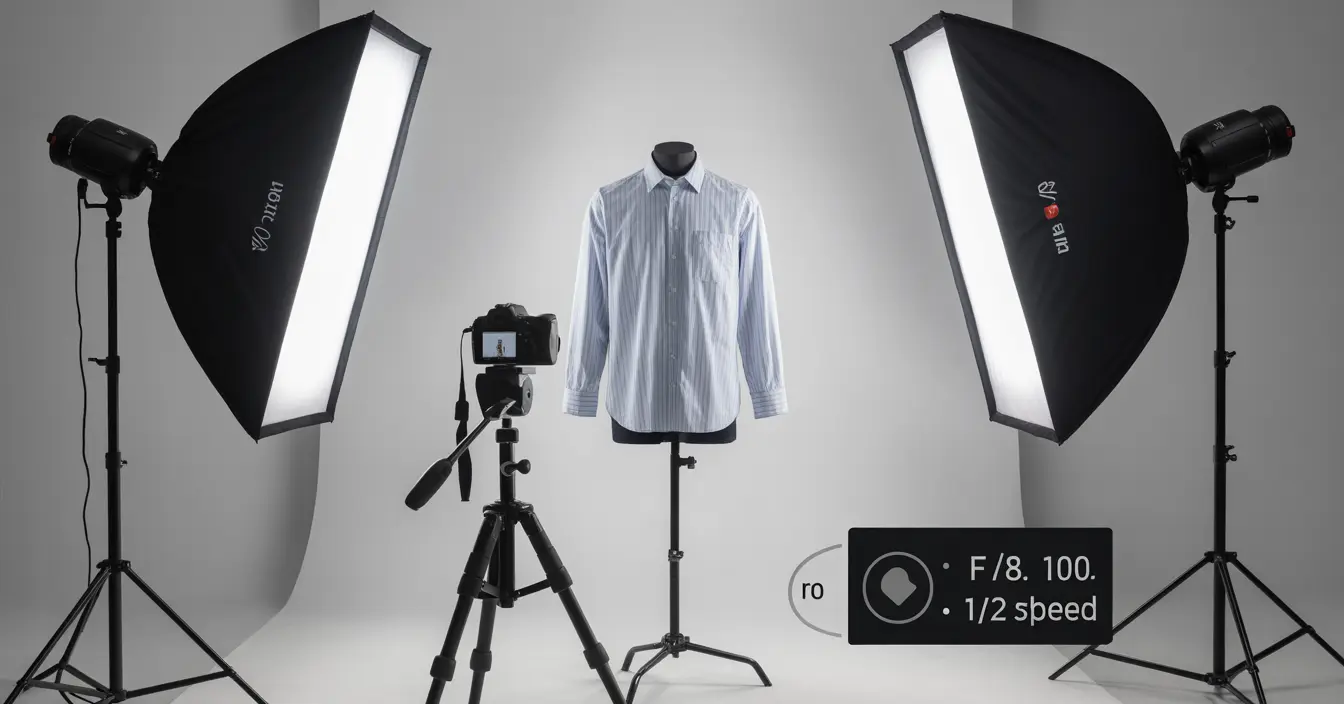
📷 Camera Settings & Shooting Tips

Camera Settings & Shooting

Setting Recommended
ISO 100–400
Aperture f/8–f/11 for sharpness
Shutter Speed 1/125 or faster
White Balance Custom/Daylight

✅ Use a tripod for consistency.
✅ Keep lighting soft to avoid harsh shadows.

🖌 Editing: Photoshop & App Alternatives

Photoshop Tools & App

Which Photoshop tools work best?

  • Pen Tool: Precise cutouts.
  • Layer Masks: Non-destructive edits.
  • Clone Stamp: Fix wrinkles.

Apps for beginners:

*“Photoroom makes ghost mannequin editing easy—even for someone like me!” – Ava, Etsy seller

📊 Comparison: Ghost Mannequin vs Flat Lay

Comparison

Ghost Mannequin Flat Lay
Shows garment shape
Looks 3D
Cost Medium Low
Best for Tops, dresses, jackets Scarves, jeans, kidswear

Need help deciding? Try both and Request Your First 3 Images Free from Expert Clipping.

⏰ When & Who Should Use Ghost Mannequin?

Best for:

  • Fashion brands & designers
  • Online retailers & dropshippers
  • Product photographers

When:

  • New collection launches
  • E-commerce sales pages
  • Catalog shoots

“Small brands benefit too it’s cheaper than live models!”

📍 Where to Learn & Buy Affordable Mannequins

Learn online:

  • YouTube tutorials
  • Expert Clipping’s blog guides
  • Udemy courses

Buy mannequins:

Store Price Range
Amazon $60–$150
Mannequin Mall $100–$250
Local photo supply stores Varies

Tip: Start with a torso mannequin; upgrade later.

🏆 Expert Clipping Ghost Mannequin Service

Why choose Expert Clipping?

✅ 24/7 service
✅ Affordable pricing (from $0.39/image)
✅ Hybrid manual + AI editing
✅ 3-step QC
✅ Bulk discounts → Subscribe & Save on Bulk Editing
Get Instant Cost Estimate with our calculator

“They saved us hours weekly and boosted our image quality overnight!”

If you’re also looking for professional ghost mannequin service with exceptional turnaround and pricing, Expert Clipping is the right fit.

Ghost Mannequin Effect

❤️ Real Customer Reviews & Success Stories

Customer Feedback
Emma, Boutique Owner “Expert Clipping’s ghost mannequin service made our website look premium.”
Dan, Amazon Seller “Fast, pixel-perfect edits. Love the free trial!”
Zoe, Photographer “Now I can focus on shooting, not editing.”


💰 Pricing, Offers & Free Trials

Service Price Starts Offer
Ghost mannequin editing $0.39/image Request Your First 3 Images Free
Bulk editing Custom Subscribe & Save on Bulk Editing

Need custom quote? Click Get Instant Cost Estimate.

✅ FAQs

Q1. Can I do ghost mannequin photography at home with just my phone?
Yes! Good lighting and a steady tripod help a lot.

Q2. Is ghost mannequin editing hard for beginners?
The basics are simple; complex edits are best outsourced.

Q3. Do ghost mannequin images really boost sales?
Yes—clearer images mean more trust, leading to higher conversions.

Q4. Which garments work best for ghost mannequin?
Shirts, dresses, jackets—anything where fit matters.

Q5. Where can small businesses get affordable ghost mannequin editing?
Try Expert Clipping—fast, affordable, and high quality.

🎉 Conclusion

Whether you’re a big brand or small store, ghost mannequin photography makes your products look premium, professional, and ready to sell. DIY or partner with Expert Clipping—either way, your catalog will stand out.

Want to see the difference? 👉 Request Your First 3 Images Free today.

How Do You Get the Ghost Mannequin Effect? Expert Tips, Tools & Secrets

Get the Ghost Mannequin Effect

Why the Ghost Mannequin Effect Is the Real Game-Changer in Fashion Photography

Ever looked at those sleek, 3D images of clothing online and wondered, “How do they make it look like it’s floating?” That’s the ghost mannequin effect, and it’s magic for eCommerce. It’s not about trickery it’s smart photography and editing. Whether you’re a fashion startup or a pro studio, knowing how to pull off this effect is key.

At Expert Clipping, we’ve helped thousands of brands showcase their apparel like pros—without needing a live model. And yes, we’re spilling all the secrets in this post.

What is Ghost Mannequin Photography?

The ghost mannequin effect, also called invisible mannequin photography, is a technique where garments are shot on a mannequin and edited to remove the mannequin later. This creates a hollow, 3D look, making the clothes appear as if worn by an invisible person.

👉 It gives shape, depth, and realism to product images—perfect for apparel eCommerce!

For best results, you can also use our professional ghost mannequin service.

What Does the Ghost Mannequin Effect Look Like?

Imagine a floating shirt with perfect symmetry, showing both the front and inner collar. No model. No mannequin. Just the garment in focus.

It’s clean, minimal, and allows customers to see the product’s true form.

Steps to Create the Ghost Mannequin Effect

Here’s how the magic happens:

  1. Photograph the front of the garment on a mannequin.
  2. Photograph the inside neck/sleeves separately.
  3. Remove the mannequin using Photoshop.
  4. Combine the exterior and interior shots.

➡️ It’s all about combining detail and structure.

Need help? See our ghost mannequin service provider page.

Equipment Needed for Ghost Mannequin Photography

To get started, you’ll need:

  • DSLR or mirrorless camera
  • Tripod
  • Studio lighting (or soft daylight)
  • A matte mannequin (torso or full-body)
  • Editing software (Photoshop, Photoroom, etc.)

Checklist:

Equipment Why It’s Needed
DSLR Camera For sharp, high-resolution images
Tripod To maintain consistent angles
Mannequin To style and shape clothing
Lighting Kit For even exposure and no harsh shadows
Photoshop For post-production edits


Ghost Mannequin vs. Flat Lay Photography

Feature Ghost Mannequin Flat Lay
3D Effect
Realism Limited
Shape & Fit Accurate Flat
Ideal For Apparel Accessories

🎯 If you want clothes to pop with shape—ghost mannequin wins hands down.


Why Use Ghost Mannequin Editing in E-commerce?

Because customers buy what they can visualize wearing. Ghost mannequin helps shoppers see fit, shape, and style—all without distractions like models or hangers.

📈 Stores using ghost mannequin photos report up to 50% more engagement.

How to Photograph Clothes for the Effect

  • Steam garments for a wrinkle-free finish.
  • Use clips/pins to adjust fit on the mannequin.
  • Shoot against a white or grey background.
  • Capture detailed shots of neck, sleeves, and inside parts.

🧠 Tip: Keep your camera angle consistent to avoid mismatched edits.

How Ghost Mannequin Editing Works in Photoshop

  1. Open both exterior and interior shots.
  2. Mask out the mannequin using Pen Tool or Select & Mask.
  3. Blend interior parts to create the hollow 3D effect.
  4. Adjust shadows, highlights, and alignment.

💡 Our clipping path service company team uses advanced tools to get clean results.

Choosing the Right Mannequin

Abstract matte white mannequins are best. They reduce glare and simplify editing.

Type Best For
Torso Mannequin Shirts, tops
Full-body Dresses, coats
Modular Swapping arms/legs easily

🎯 At Expert Clipping, we can edit any mannequin out—but modulars save shoot time.

When to Use Ghost Mannequin Photography

  • During new product launches
  • For catalog images
  • In marketplace listings (Amazon, Etsy)
  • When showcasing garment structure

🕒 Anytime you want your clothes to speak for themselves—ghost mannequin is the way.

Where to Get Ghost Mannequin Services

If you’re not into DIY editing, Expert Clipping offers:

  • Affordable pricing
  • 24-hour turnaround
  • Neck, sleeve, and bottom jointing
  • Bulk image discounts

🆓 Request Your First 3 Images Free – Try before you buy!

Who Should Use These Services?

  • eCommerce fashion stores
  • Marketplace sellers
  • Product photographers
  • Clothing startups

💼 Whether you’re shooting 10 products or 10,000, ghost mannequin adds polish and consistency.


Best Software for Ghost Mannequin Editing

Software Pros Best For
Photoshop Industry standard, powerful Professionals
Photoroom AI-based, beginner-friendly Quick edits
GIMP Free alternative Budget users

🎯 Pro tip: Combine AI with manual tools for the best results.


Common Mistakes in DIY Ghost Mannequin Editing

  • Not shooting interior shots
  • Misaligned edits (sleeve or collar)
  • Lighting inconsistencies
  • Over-retouching

😬 It’s easy to go from ghost to ghastly without proper editing skills.

Customer Reviews: What People Are Saying About Expert Clipping

“Expert Clipping helped us reduce our return rates by 28%—shoppers knew exactly what to expect.” — Lauren, Fashion Store Owner

“I tried editing myself and failed. Their free trial sold me instantly.” — Jason, eCommerce Seller

“Love the batch editing feature. Saved me days of work!” — Mira, Product Photographer

👍 Want the same? See our product photo retouching services.


Conclusion: Ready to Try the Ghost Mannequin Effect?

Ghost mannequin photography is more than a trend it’s a visual strategy that sells. Whether you DIY or let Expert Clipping handle the editing, it’s the best way to make your garments stand out online.

💬 Need help? Request a Quote or Get Instant Cost Estimate today.


FAQs

  1. Can I do ghost mannequin photography at home?
    Yes! With the right lighting, mannequin, and camera—you can shoot at home and outsource editing to experts like us.
  2. Does ghost mannequin editing increase conversions?
    Absolutely. It enhances trust, reduces uncertainty, and shows the garment fit clearly.
  3. Is it better than flat lay photography?
    Yes, especially for 3D garment presentation. Flat lay is great for accessories, but ghost mannequin wins for apparel.
  4. What garments work best with ghost mannequin?
    Tops, dresses, jackets, and shirts—anything that benefits from showcasing shape and fit.

5. How long does ghost mannequin editing take?
At Expert Clipping, we offer a 24-hour turnaround with rush options available.

, ,

Transform Your Product Images: A Comprehensive Guide to Retouch Photos with Ghost Mannequin Techniques

Ghost Mannequin Retouch Techniques

Introduction to Ghost Mannequin Techniques

The key element in presenting your merchandise online is by using excellent quality photographs. By utilizing ghost mannequin techniques you can achieve creating professional-looking product images without any visible support or interference. With this comprehensive guide on using ghost mannequin techniques to retouch photos for better product images and increased sales I’ll walk you through the entire process.

Professional photographers and online retailers often use ghost mannequin techniques to produce striking and realistic product images. Techniques involving image alteration and enhancement have been developed for eliminating evidence of supporting structures like mannequins from photographs. The result gives off an illusion that merchandise hangs freely in space. By improving your product images‘ visual appeal you can also enhance potential customers’ understanding of how well it fits and its shape.

The forthcoming passages aim to illustrate precisely what Photo Retouching involves together with why it holds such great value. A comprehensive outline detailing The Ghost Manikin Effect follows which leads us onto examining some significant advantages linked with employing such professional Services. Readers can anticipate learning about commonly utilized photo touch-up approaches and mastering the creation of the ghost mannequin illusion within their own product photographs via following my clear-cut process. Later on I’ll inspect ghost mannequin photography solutions designed specifically for companies along with the main online platforms that present those solutions.

What is Photo Retouching and its Importance

Photo retouching, also known as image editing or photo manipulation, is the process of altering an image to improve its quality, appearance, or composition. To change a photo’s appearance one could remove blemishes and adjust lighting while also altering backgrounds with special effects To ensure accurate representation of products coupled with maximum appeal towards potential buyers within the realm of Product Photography. Retouching stands out as an indispensable tool.

The role played by photo retouching in enhancing image quality cannot be overstated as it has a direct effect on driving online sales. Visual appeal holds utmost importance for shoppers while making purchases. As per the findings from Shopify’s study—it stands at 93%. By applying image touch-ups on all items available for purchase online it is possible to create a better visual experience for customers resulting in increased levels of happiness with purchases made.

The use of retouching techniques on product images can lead to improved aesthetics as well as a more unified visual identity for the brand it represents. Utilizing similar editing approaches on each photograph ensures cohesion between photographs which helps customers distinguish & remember details regarding one’s business.

Understanding the Ghost Mannequin Effect

It is common practice in the field of commercial photography to apply the “ghost mannequin effect,” giving the impression that an item of merchandise is either being worn by an invisible model or is just suspended in the air. This is accomplished by taking pictures of the object while it is propped up on a mannequin or other support, and then digitally removing the mannequin and any other visible supports from the final image.

The ghost mannequin effect is particularly popular in the fashion industry, as it allows brands to showcase their clothing and accessories in a more appealing and realistic way. Unlike traditional flat lay photography, the ghost mannequin effect gives customers a clear view of the product’s shape and fit, making it easier for them to envision how it will look on them.

One of the key benefits of using the ghost mannequin effect in your product photography is that it helps to create a more professional and polished appearance for your images. By removing any distractions or obstructions, you can ensure that the focus remains solely on the product, making it more likely that customers will be drawn to it and ultimately make a purchase.

Benefits of Using Ghost Mannequin Services

There are several benefits to using ghost mannequin services for your product photography, including:

Improved Product Presentation: Ghost mannequin techniques allow you to create professional-quality images that showcase your products in the best possible light. This can help to enhance your brand image, attract more customers, and ultimately increase sales.

Consistent Branding: By using ghost mannequin services, you can ensure that all of your product images have a consistent look and feel, helping to create a strong visual identity for your brand.

Time and Cost Savings: Outsourcing your product photography to a professional ghost mannequin service can save you time and money, as you won’t need to invest in expensive equipment or spend hours editing your images.

Expertise and Experience: Professional ghost mannequin services have years of experience and expertise in creating high-quality product images, ensuring that you get the best possible results for your business.

Increased Sales and Conversion Rates: High-quality, professional product images have been proven to increase sales and conversion rates, making ghost mannequin services an invaluable investment for your business.

Common Retouching Techniques in Photography

There are several common retouching techniques used in photography to enhance and perfect images. These include:

Color Correction: Adjusting the colors in an image to ensure accurate and consistent color representation.

Exposure Adjustment: Fixing issues related to overexposure or underexposure, such as blown-out highlights or too-dark shadows.

Cropping and Resizing: Altering the composition and dimensions of an image to improve its overall appearance and fit specific requirements.

Background Removal or Replacement: Removing an unwanted background or replacing it with a more suitable one to enhance the focus on the main subject.

Blemish and Spot Removal: Eliminating imperfections, such as dust, scratches, or stains, to create a cleaner and more polished image.

Sharpening and Noise Reduction: Enhancing the clarity and detail of an image while minimizing any unwanted noise or grain.

Image Manipulation and Compositing: Combining multiple images or elements to create a new, unique image, such as adding special effects or merging different exposures.

How to Achieve the Ghost Mannequin Effect in Product Images

Achieving the ghost mannequin effect in your product images requires a combination of careful planning, photography, and photo editing. Here are the basic steps involved in creating this effect:

Choose the Right Mannequin or Support: To create the ghost mannequin effect, you’ll need a mannequin or support that closely matches the shape and size of your product. Ideally, the mannequin should be adjustable and easy to remove or hide during the editing process.

Set Up Your Photo Studio: To ensure consistent, professional results, set up a dedicated photo studio with proper lighting, a clean background, and a tripod for your camera.

Photograph Your Product: Position your product on the mannequin or support, ensuring that it is properly aligned and free of wrinkles or creases. Take multiple photos from different angles, capturing all of the necessary details.

Edit Your Images: Using photo editing software, remove the mannequin or support from your images, leaving only the product visible. This may involve using tools such as the Clone Stamp, Healing Brush, or Patch Tool to seamlessly blend the product and background together.

Apply Final Touches: Once the ghost mannequin effect has been achieved, apply any additional retouching techniques as needed, such as color correction, exposure adjustment, or sharpening.

Step-by-Step Guide to Retouch Photos with Ghost Mannequin Techniques

To retouch photos with ghost mannequin techniques, follow these steps:

Import Your Images: Open your photo editing software and import the images you want to retouch.

Create a New Layer: Create a new layer in your editing software to work on, leaving the original image untouched.

Remove the Mannequin: Use the appropriate tools, such as the Pen Tool, Magic Wand, or Quick Selection Tool, to select and remove the mannequin or support from the image. Be careful not to accidentally remove any parts of the product.

Fill in the Missing Areas: Once the mannequin has been removed, you may need to fill in any missing areas of the product. This can be done using the Clone Stamp or Healing Brush tools.

Adjust the Product Shape: To ensure that the product appears natural and lifelike, you may need to adjust its shape slightly. This can be done using the Liquify or Warp tools.

Apply Retouching Techniques: Once the ghost mannequin effect has been achieved, apply any additional retouching techniques as needed, such as color correction, exposure adjustment, or sharpening.

Export Your Final Image: Once you are satisfied with your retouched image, save it in the appropriate file format and resolution for your intended use.

Ghost Mannequin Photography Services for Businesses

If you prefer to outsource your product photography, there are many professional ghost mannequin photography services available to help you create stunning, high-quality images. These services typicallyoffer a range of packages to suit different budgets and needs, with options for product photography, image retouching, and more.

When choosing a ghost mannequin photography service for your business, it’s important to consider factors such as their experience, expertise, and pricing. Look for a service that has a proven track record of producing high-quality images, and that offers transparent pricing and clear communication throughout the process.

Top Online Platforms Offering Ghost Mannequin Services

There are several online platforms that offer ghost mannequin services for businesses, making it easy to outsource your product photography and image editing needs. Here are some of the top platforms to consider:

Clipping Path India: With over 30 years of experience in image editing and retouching, Clipping Path India is a trusted provider of ghost mannequin services for businesses of all sizes.

Expert Clipping: Offering a range of product photography and image editing services, ExpertClipping is a popular choice for businesses looking to create high-quality product images.

RetouchUp: Specializing in image retouching and enhancement, RetouchUp offers a range of ghost mannequin services to help businesses create polished and professional product images.

Clipping Path Studio: With a team of experienced image editors and retouchers, Clipping Path Studio is a reliable and affordable option for businesses looking to outsource their product photography needs.

Image Editing HQ: Offering a range of image editing and retouching services, Image Editing HQ has a team of skilled professionals who can help you achieve the ghost mannequin effect and create stunning product images.

Conclusion and Next Steps for Transforming Your Product Images

In conclusion, ghost mannequin techniques are a powerful tool for transforming your product images and creating a more professional, polished appearance for your brand. By understanding the ghost mannequin effect, common retouching techniques in photography, and how to achieve this effect in your product images, you can create stunning visuals that drive sales and enhance your brand image.

Whether you choose to retouch your images in-house or outsource to a professional ghost mannequin service, it’s important to prioritize high-quality, visually appealing images that accurately represent your products and brand. By following the steps outlined in this guide and working with experienced professionals, you can take your product photography to the next level and achieve the results you want.

So why wait? Start transforming your product images today and see the difference it can make for your business!

, , , , , , ,

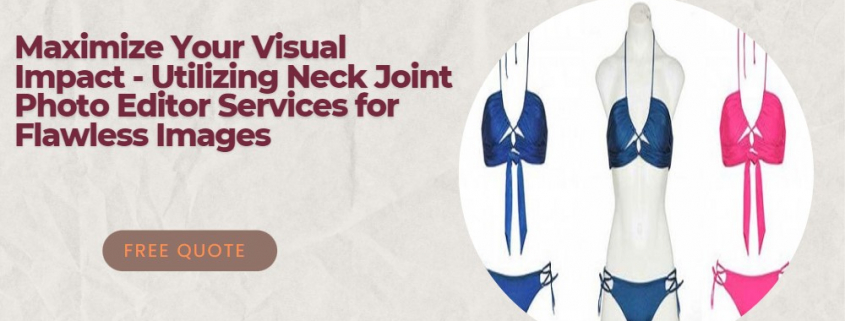
Maximize Your Visual Impact: Utilizing Neck Joint Photo Editor Services for Flawless Images

Neck Joint Photo Editor Services

Introduction to neck joint photo editor services

In the highly competitive world of marketing and branding, visual impact is crucial to catch your audience’s attention and make your products stand out. One essential aspect of creating a powerful visual statement is working with high-quality images that highlight your products’ best features. This is where neck joint photo editor services come into play.

Neck joint photo editor services specialize in manipulating images to create a seamless and professional appearance, particularly for garment and apparel businesses. These services are designed to showcase your products in the best possible light, emphasizing their unique features and details while maintaining a clean and polished look. This article will discuss the importance of visual impact in marketing and branding, the role of photo editing in creating flawless images, and how to find the best photo editing services near you.

Neck Joint Photo Editor Services

The importance of visual impact in marketing and branding

Visual impact is a crucial aspect of marketing and branding, as it can make or break a customer’s impression of your product. In today’s digital age, consumers are exposed to countless images daily, and a visually striking design can help your product stand out from the competition. A strong visual impact can evoke emotions, create a lasting impression, and ultimately influence purchasing decisions.

Several factors contribute to creating a powerful visual impact, including composition, color, texture, and lighting. However, the quality of your images is perhaps the most critical factor in determining whether your visual branding will be successful. High-quality images not only showcase your product’s best features but also help establish trust and credibility with your customers. This is why investing in professional photo editing services is essential for businesses that want to maximize their visual impact.

The role of photo editing in creating flawless images

Photo editing plays a vital role in creating flawless images that contribute to a strong visual impact. While a skilled photographer can capture stunning images, photo editing is necessary to refine these images and make them suitable for marketing and branding purposes. Photo editing can correct imperfections, enhance colors, adjust lighting, remove unwanted objects, and create a consistent visual style.

Different types of photo editing services cater to various industries and specific needs, such as product photography, fashion photography, and real estate photography. Among these services, neck joint photo editing is particularly relevant for the garment and apparel industry. This specialized service involves manipulating images of clothing items to create a seamless and professional appearance, which is essential for showcasing fashion products online and in print materials.

best Neck Joint Photo Editor Services

Different types of photo editing services

There are several types of photo editing services available, each catering to specific needs and industries. Some of the most common photo editing services include:

Product photo editing: This service focuses on enhancing product images for e-commerce websites and catalogs, ensuring that the products are displayed in the best possible light. This may include color correction, background removal, and adding shadows or reflections.

Fashion photo editing: Fashion photo editing involves retouching images of models and clothing items, enhancing the overall visual impact of the image. This may include skin retouching, color correction, and adjusting the lighting and contrast.

Real estate photo editing: This service is specifically tailored for property images, enhancing the visual appeal of real estate listings. Common tasks include correcting perspective, adjusting lighting and colors, and adding or removing objects to improve the overall composition.

Portrait photo editing: Portrait photo editing services focus on enhancing images of individuals or groups, ensuring that the subjects look their best. This may include retouching, color correction, and background removal.

Neck joint photo editing: As mentioned earlier, neck joint photo editing is a specialized service for the garment and apparel industry, which involves manipulating images to create a seamless and professional appearance.

Professional photo editor: Key features and benefits

A professional photo editor offers several key features and benefits that can help businesses maximize their visual impact. Some of these features and benefits include:

Expertise and experience: A professional photo editor has the necessary skills and experience to handle a wide range of photo editing tasks, ensuring that your images are of the highest quality.

Advanced tools and techniques: Professional photo editors use the latest tools and techniques to edit images, allowing for precise adjustments and enhancements.

Consistent visual style: By working with a professional photo editor, you can ensure that your images maintain a consistent visual style, which is essential for building a strong brand identity.

Fast turnaround time: Professional photo editors are efficient and can deliver high-quality edited images within a short timeframe, allowing your business to keep up with the fast-paced world of marketing and branding.

Cost-effective solution: Outsourcing photo editing tasks to a professional can save your business time and resources, allowing you to focus on other aspects of your marketing and branding efforts.

How to find the best photo editing services near me

Finding the best photo editing services near you may seem like a daunting task, but there are a few tips that can help you in your search. Here are some steps to follow when looking for a reliable photo editor service:

Ask for recommendations: One of the best ways to find a reputable photo editing service is by asking for recommendations from friends, colleagues, or industry peers. They may have worked with a professional photo editor in the past and can provide valuable insights into their experience.

Search online: Conducting an online search is another effective way to find photo editing services near you. You can use keywords such as “photo editing near me,” “photo editors near me,” or “professional photo editing services near me” to find local businesses offering these services.

Check reviews and testimonials: Before choosing a photo editor service, it’s essential to read reviews and testimonials from previous clients. This can give you an idea of the quality of their work and their level of customer satisfaction.

Review portfolios: A professional photo editor’s portfolio showcases their skills and expertise, allowing you to assess whether their style aligns with your needs. Make sure to review the portfolio thoroughly, paying particular attention to their work in your industry or niche.

Request a quote: Once you’ve shortlisted potential photo editing services, request a quote to compare their pricing and offerings. This will help you find a photo editor near you that fits your budget and requirements.

Tips for selecting a reliable photo editor service

Selecting a reliable photo editor service is essential for ensuring that your images are of the highest quality and contribute to a strong visual impact. Here are some tips to keep in mind when choosing a photo editor service:

Assess their expertise: Look for a photo editor service with experience in your specific industry or niche, as this indicates that they understand your unique requirements and can deliver the desired results.

Check their turnaround time: It’s essential to choose a photo editor service with a fast turnaround time, as this can help you keep up with the fast-paced world of marketing and branding.

Look for a transparent pricing structure: A reliable photo editor service should have a transparent pricing structure, allowing you to understand the costs involved and budget accordingly.

Ensure they offer a satisfaction guarantee: A satisfaction guarantee indicates that the photo editor service is confident in the quality of their work and is committed to meeting your expectations.

Consider their communication skills: Effective communication is crucial when working with a photo editor service, as this ensures that your needs and expectations are clearly understood.

ghost mannequin services

The process of neck joint photo editing

Neck joint photo editing is a specialized process that involves several steps to create a seamless and professional appearance for images of clothing items. Here’s a brief overview of the process:

Image preparation: The first step in neck joint photo editing is preparing the images for editing. This may involve resizing, cropping, or rotating the images as necessary.

Background removal: Next, the background of the image is removed, allowing the clothing item to be placed on a clean, white background, which is essential for e-commerce websites and catalogs.

Neck joint manipulation: The neck joint of the clothing item is then manipulated to create a seamless and natural appearance. This may involve adjusting the position of the collar, sleeves, or other elements to ensure that the garment looks realistic and visually appealing.

Color correction and enhancement: Finally, the image is color corrected and enhanced to ensure that it accurately represents the clothing item’s colors and textures. This may involve adjusting the brightness, contrast, and saturation levels, as well as applying filters and effects to create the desired visual impact.

The cost of hiring professional photo editing services near me

The cost of hiring professional photo editing services near you can vary depending on several factors, including the complexity of the editing tasks, the number of images, and the turnaround time required. Some photo editor services offer fixed pricing packages, while others charge on an hourly or per-image basis.

To get a better idea of the costs involved, it’s essential to request a quote from potential photo editing services near you. Keep in mind that the cheapest option may not always be the best choice, as the quality of their work may not meet your expectations. Instead, look for a photo editor near you that offers a balance of quality, expertise, and affordability.

Conclusion: Maximizing visual impact with neck joint photo editor services

In conclusion, neck joint photo editor services play a crucial role in creating flawless images that contribute to a strong visual impact. By investing in professional photo editing services, you can ensure that your images showcase your products in the best possible light, allowing your business to stand out from the competition.

When searching for a reliable photo editor service, remember to ask for recommendations, check reviews and testimonials, review portfolios, and request aquote to compare pricing and offerings. Also, keep in mind the importance of assessing their expertise, checking their turnaround time, looking for a transparent pricing structure, ensuring they offer a satisfaction guarantee, and considering their communication skills.

Neck joint photo editing is a specialized process that involves several steps, including image preparation, background removal, neck joint manipulation, and color correction and enhancement. This service is particularly relevant for the garment and apparel industry, where showcasing clothing items in the best possible light is essential for marketing and branding efforts.

The cost of hiring professional photo editing services near you can vary, but it’s essential to find a photo editor near you that offers a balance of quality, expertise, and affordability. By maximizing your visual impact with neck joint photo editor services, you can create a lasting impression on your customers, establish trust and credibility, and ultimately drive sales for your business.

,

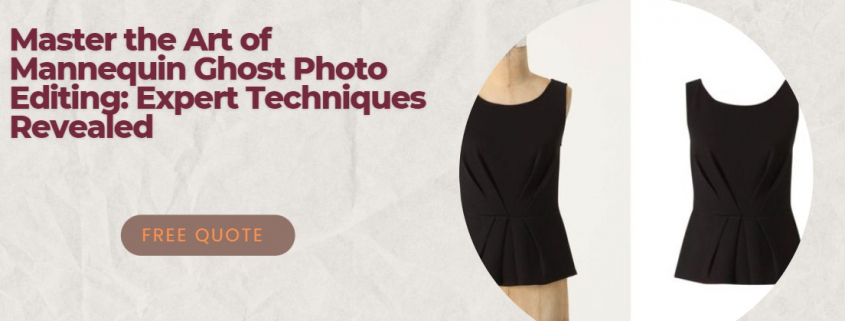
Master the Art of Mannequin Ghost Photo Editing: Expert Techniques Revealed

Mannequin Ghost Photo Editing Techniques

Introduction to Mannequin Ghost Photo Editing

As a professional photographer or an e-commerce business owner, you may already be familiar with the term “mannequin ghost.” This refers to a photo editing technique used primarily for e-commerce product images, where the mannequin or model is removed from the image, leaving just the clothing item. The result is a clean, professional-looking image that showcases the product without any distractions.

Mannequin ghost photo editing may seem like a daunting task, but with the right tools and techniques, you can master this skill and create stunning product images that will set your e-commerce store apart from the competition. In this comprehensive guide, we will dive deep into the world of mannequin ghost photo editing, exploring its importance in e-commerce, the essential tools and software, expert techniques, and much more.

So, without further ado, let’s begin our journey into the world of mannequin ghost photo editing and discover how you can become an expert in this highly sought-after skill.

Mannequin Ghost Photo Editing Techniques

The Importance of Ghost Mannequin Photography in E-commerce

In today’s highly competitive e-commerce landscape, high-quality product images are essential for attracting customers and driving sales. Ghost mannequin photography is one of the most effective ways to showcase clothing items, as it allows potential customers to see the product from all angles and get a better sense of how it would look on them.

By removing the mannequin or model from the image, you create a clean, consistent look across your entire product catalog. This not only enhances the overall aesthetic of your online store but also makes it easier for customers to compare different products and make informed purchasing decisions.

Furthermore, ghost mannequin photography can also help to reduce returns and exchanges, as customers have a clearer understanding of the product’s fit and appearance before they make a purchase. In short, investing in high-quality ghost mannequin photography and photo editing services can significantly improve your e-commerce store’s performance and boost your bottom line.

The Ghost Mannequin Effect: Explained

The ghost mannequin effect is achieved through a combination of photography and photo editing techniques. The process typically starts with photographing the clothing item on a mannequin or a model. The mannequin is usually either transparent or color-matched to the background, making it easier to remove during the editing process.

Once the photos are taken, they are edited using specialized software to remove the mannequin or model and create a ‘ghost’ effect. This involves carefully cutting out the mannequin from the image, leaving only the clothing item behind. The final step is to fill in any gaps or missing areas, such as the inside of a jacket or the back of a shirt, to create a seamless, professional finish.

The key to achieving a convincing ghost mannequin effect lies in the attention to detail during the editing process. This requires patience, skill, and a thorough understanding of the tools and techniques used in ghost mannequin photo editing.

Ghost Photo Editing Techniques

Essential Tools and Software for Ghost Mannequin Photo Editing

To create professional-quality ghost mannequin images, you’ll need access to the right tools and software. Here are some of the most popular and widely used programs in the industry:

Adobe Photoshop: Arguably the most powerful and versatile photo editing software available, Photoshop offers a wide range of tools and features that make it ideal for ghost mannequin photo editing. From precise selection tools to advanced layering and masking capabilities, Photoshop has everything you need to create stunning ghost mannequin images.

Adobe Lightroom: While not as feature-rich as Photoshop, Lightroom is a popular choice for photographers and photo editors due to its user-friendly interface and powerful image organization capabilities. Lightroom includes a range of basic editing tools, such as cropping, straightening, and color adjustments, making it a useful addition to your ghost mannequin editing toolkit.

GIMP: If you’re looking for a free alternative to Photoshop, GIMP (GNU Image Manipulation Program) is an excellent choice. While not as feature-rich as its paid counterparts, GIMP offers a range of essential editing tools and supports a wide variety of file formats, making it a viable option for those on a budget.

Capture One: This professional-grade photo editing software is another popular choice among photographers and editors, offering advanced color management and image processing capabilities. Capture One also includes a range of powerful selection and masking tools, making it well-suited for ghost mannequin photo editing.

In addition to the software, you’ll also need a graphic tablet or a mouse with good precision, as well as a high-resolution monitor to ensure accurate editing.

Step-by-Step Guide to Removing Mannequin from Photos

Now that you have an understanding of the tools and software required, let’s dive into a step-by-step guide for removing a mannequin from a photo:

Open the image in your editing software: Start by importing the image into your preferred photo editing software, such as Photoshop or GIMP.

Create a duplicate layer: Duplicate the background layer to preserve the original image.

Select the mannequin: Use the selection tools in your software, such as the Pen Tool, Lasso Tool, or Magic Wand Tool, to carefully select the mannequin. Be as precise as possible to avoid selecting any parts of the clothing item.

Remove the mannequin: Once the mannequin is selected, delete or mask the selected area to remove it from the image.

Clean up the edges: Use the Clone Stamp, Healing Brush, or Spot Healing Brush tools to clean up any rough or jagged edges where the mannequin was removed.

Fill in the gaps: If any parts of the clothing item are missing or incomplete after removing the mannequin, use the Clone Stamp or Patch Tool to fill in the gaps and create a seamless appearance.

Final adjustments: Once the mannequin has been removed and the image looks clean, make any final adjustments to the lighting, color, and contrast to ensure a professional finish.

Expert Techniques for Achieving a Professional Ghost Mannequin Effect

To achieve a truly convincing ghost mannequin effect, there are a few expert techniques to keep in mind:

Shoot multiple angles: When photographing the clothing item, be sure to capture multiple angles, including the front, back, and sides. This will make it easier to create a seamless, 3D effect during the editing process.

Use a transparent or color-matched mannequin: Using a transparent or color-matched mannequin will make it easier to remove during the editing process, resulting in cleaner, more professional-looking images.

Pay attention to the details: When editing your images, take the time to carefully examine each area, ensuring that all seams, buttons, and other details are accurately represented. This attention to detail will make the final image more convincing and realistic.

Use shadows and highlights to create depth: Adding subtle shadows and highlights to the clothing item can help to create a sense of depth and dimension, making the final image more visually appealing.

Invest in professional software: While there are free alternatives available, investing in professional-grade software, such as Adobe Photoshop, will provide you with more advanced tools and features, resulting in higher-quality images.

Common Challenges and Solutions in Ghost Mannequin Photo Editing

Ghost mannequin photo editing can be challenging, particularly for beginners. Here are some common challenges and solutions to help you overcome these obstacles:

Challenge: Difficulty selecting the mannequin: If you’re struggling to select the mannequin in your image, try using different selection tools, such as the Pen Tool, Lasso Tool, or Magic Wand Tool, to find the one that works best for you. You can also adjust the tolerance or feather settings to create a more accurate selection. Solution: Practice your selection skills and experiment with different tools to find the one that works best for your specific images.

Challenge: Jagged or rough edges after removing the mannequin: If you notice jagged or rough edges after removing the mannequin, this may be due to an inaccurate selection or a low-quality image. Solution: Use the Clone Stamp, Healing Brush, or Spot Healing Brush tools to clean up the edges and create a smoother appearance. Additionally, ensure that your images are high-resolution to avoid pixelation.

Challenge: Incomplete or missing areas of the clothing item: If parts of the clothing item are missing or incomplete after removing the mannequin, this may be due to a poor selection or gaps in the original image. Solution: Use the Clone Stamp or Patch Tool to fill in any gaps and create a seamless appearance. Be sure to closely examine the original image for any missing details and address them during the editing process.

Comparing Ghost Mannequin Services: What to Look For

If you’re considering outsourcing your ghost mannequin photo editing needs, there are several factorsto consider when evaluating different service providers. Here are some key elements to look for:

Quality of work: Look for a service provider that has a portfolio of high-quality ghost mannequin images. This demonstrates their expertise and attention to detail and gives you an idea of what you can expect from their services.

Turnaround time: Depending on your needs, you may require fast turnaround times for your ghost mannequin images. Look for a service provider that offers quick turnaround times without compromising on quality.

Pricing and packages: Ghost mannequin photo editing services can range from inexpensive to quite costly, depending on the provider and the complexity of the images. Look for a service provider that offers transparent pricing and packages to ensure that you’re getting a fair deal.

Customer service: When outsourcing your ghost mannequin photo editing needs, it’s important to work with a service provider that offers excellent customer service. Look for a provider that is responsive, helpful, and easy to communicate with.

Revisions and guarantees: Even with the most experienced service providers, there may be instances where you need revisions or adjustments to your ghost mannequin images. Look for a provider that offers free revisions and guarantees their work to ensure your satisfaction.

Top Online Resources for Learning Ghost Mannequin Photo Editing

If you’re interested in mastering the art of ghost mannequin photo editing, there are a variety of online resources available to help you learn. Here are some of the best resources to get you started:

Adobe Photoshop tutorials: Adobe offers a wide range of tutorials and courses for Photoshop, including many focused on ghost mannequin photo editing. These resources provide step-by-step guidance on using Photoshop’s selection and editing tools to create professional ghost mannequin images.

YouTube tutorials: YouTube is a treasure trove of free tutorials and walkthroughs on ghost mannequin photo editing. Search for specific topics, such as “how to remove a mannequin from a photo,” to find tutorials tailored to your needs.

Online courses: If you prefer a more structured learning experience, consider taking an online course in ghost mannequin photo editing. Platforms such as Udemy and Skillshare offer a variety of courses taught by experienced instructors.

Online forums and communities: Joining online forums and communities dedicated to photo editing can be a great way to learn from others and get feedback on your work. Look for groups focused specifically on ghost mannequin photo editing to connect with like-minded individuals.

Mastering the Art of Mannequin Ghost Photo Editing

As you can see, ghost mannequin photo editing is a valuable skill for e-commerce businesses and professional photographers alike. With the right tools, software, and techniques, you can create stunning, professional-quality product images that will set your online store apart from the competition.

Whether you’re just starting out or looking to improve your existing skills, there are plenty of resources available to help you master the art of mannequin ghost photo editing. So, what are you waiting for? Start exploring these resources and take your ghost mannequin photo editing to the next level today.

If you’re looking for professional ghost mannequin photo editing services, we offer high-quality, affordable solutions tailored to your needs. Contact us today to learn more!