, ,

iPhone Background Removal – Remove Background From Image iPhone

iPhone Background Removal

When I first learned how easy iPhone background removal was, I wondered why I didn’t try it sooner. If you’ve ever wanted to remove background from image iPhone style without stress, this is the guide you’ll want. I’ll walk you through simple steps, share what actually worked for me, and explain why tools like Expert Clipping can take your photos to a whole new level. Every section includes short, quick answers to help with search results and snippets.

What Is iPhone Background Removal?

iPhone background removal lets you cut out the subject from your photo with one tap.

iPhone background removal is Apple’s built-in shortcut that lets you lift a subject out of a photo. Think of it like peeling a sticker off a sheet the subject pops out cleanly while the rest disappears. This feature works on newer iPhones and feels almost magical because it takes only a second.

Why People Want To Remove Background From Image iPhone

People remove backgrounds on iPhone to make clean, sharp images for social media, business, or fun.

I’ve used this feature for product photos, profile pictures, and even quick memes. Removing backgrounds makes photos cleaner, more professional, and more fun to use. Whether you’re creating a thumbnail, a business flyer, or a cute sticker for your messages, remove background from image iPhone helps instantly.

How iPhone Photo Remove Background Works Instantly

The iPhone uses AI to detect the main subject and cut it out automatically.

The iPhone scans your picture, finds the person or object, and lifts it from the background. Apple trained this feature to understand shapes, edges, and lighting, so the final result often looks like a professional edit without doing anything manually.

Quick Method: Remove Background iPhone Photo In One Tap

Tap and hold the subject, then choose “Copy” or “Share,” and the background disappears.

Here’s the method I use most:

  1. Open Photos

  2. Choose your picture

  3. Tap and hold the subject

  4. Wait for the glowing outline

  5. Tap Copy or Share

  6. Save or paste your cutout

It feels like magic every time. The phone does everything for you.

How To Remove Background From Photo iPhone Using Files App

In Files, you can remove the background with a simple long-press menu.

Surprisingly, the Files app has a hidden background removal trick too:

  1. Save your image to Files

  2. Long-press the photo

  3. Tap Remove Background

  4. A new PNG file appears

This is perfect when you need a transparent image fast.

How To Erase Background iPhone Using Photos App

The Photos app identifies your subject so you can separate it from the background.

While the Photos app doesn’t have a button called “Erase Background,” the tap-and-hold feature works beautifully here. The app uses built-in intelligence to detect the subject. With one long press, you get a clean cutout ready to use anywhere.

Remove Background From Photo iPhone (Manual Methods)

You can use apps like Procreate, PicsArt, or Snapseed for manual background erasing.

If you want more control, use:

  • Procreate Pocket (for precise editing)

  • PicsArt (great free tool)

  • Snapseed (handy brush tools)

These let you zoom in and erase edges manually for perfect detail.

iPhone How To Remove Background From Photo In Messages

You can drag and drop a cutout directly into your iMessage conversation.

Try this:

  1. Open Photos

  2. Hold the subject until it pops out

  3. Drag with your finger

  4. Drop into Messages

It becomes a fun sticker instantly. I use this all the time in group chats.

Best Apps To Remove Background From Image On iPhone

Top apps include Expert Clipping, Canva, Remove.bg, and Adobe Express.

Here are apps that work well:

  • Expert Clipping (professional editors do it for you)

  • Canva (easy, fast, free)

  • Remove.bg (instant auto removal)

  • Adobe Express (solid results)

Each one has tools to give cleaner edges than the built-in iPhone feature.

Using Expert Clipping For Professional Edits

Expert Clipping provides human-edited, perfect background removal for business-grade photos.

If you need perfect, pixel-sharp results — especially for eCommerce, real estate, portraits, or product photographyExpert Clipping offers:

  • Background removal

  • Shadow and reflection editing

  • Color correction

  • Product photo retouching

When the iPhone tools aren’t enough, Expert Clipping gives professional results fast.

When To Use Manual vs. Automatic Background Removal

Short Answer: Use automatic for speed and manual for precision.

Automatic works great for:

  • Selfies

  • Simple objects

  • People photos

  • Clean backgrounds

Manual is better when:

  • Hair details need work

  • Edges are fuzzy

  • The background has similar colors to the subject

Tips For Cleaner Background Cuts On iPhone

Good lighting and contrast help the iPhone detect subjects better.

For best results:

  • Use bright light

  • Keep your subject sharp

  • Avoid messy backgrounds

  • Take photos with contrast

It helps the phone detect edges more cleanly.

Common Mistakes To Avoid When Removing Background

 Avoid blurry photos and low-light images for cleaner cutouts.

Mistakes include:

  • Shooting in dim light

  • Using zoom too much

  • Taking photos with clutter behind the subject

  • Using low-resolution images

Fix these, and your results improve instantly.

My Personal Experience With iPhone Background Removal

I rely on the iPhone’s background removal daily because it saves time.

I use this feature for product shots, thumbnails, and even fun stickers. Sometimes I depend on Expert Clipping when I want perfect results for clients. But for quick tasks? My iPhone does the job in seconds.

Final Thoughts

iPhone background removal is fast, simple, and powerful for everyday use.

Removing backgrounds on an iPhone is easier than ever. With built-in tools, apps, and services like Expert Clipping, anyone can create clean, professional-looking images fast — even without design skills.
iPhone Background Removal

FAQs

1. How do I remove background from image on iPhone?

You can long-press the subject in Photos and choose Copy or Share. The iPhone removes the background automatically.

2. Which iPhone models support background removal?

Mostly iPhones running iOS 16 or later, including iPhone XR and newer models.

3. Can I remove background from iPhone photos for free?

Yes! iPhone Photos and Files apps offer free built-in tools.

4. How do I get a transparent background on iPhone?

Use the Files app’s Remove Background feature to generate a transparent PNG.

5. What if the iPhone background removal looks messy?

Try using Expert Clipping or manual editing apps for sharper, more professional edges.

,

Comprehensive Guide to Professional Background Removal Services

Professional Background Removal Services Providers

Introduction

In the digital age, where visual content plays a crucial role in capturing attention and conveying messages effectively, the demand for professional background removal services has skyrocketed. Whether you’re a photographer, e-commerce business owner, or graphic designer, having high-quality images with seamless background removal is essential. In this comprehensive guide, we will delve into the world of background removal services, exploring the intricacies, benefits, and the top providers in the industry.

Professional Background Removal Services

Why Background Removal Services Matter

Visual aesthetics and attention to detail can significantly impact the overall impression of an image. Removing backgrounds with precision and finesse elevates the quality of an image and allows the subject to shine without distractions. Background removal services offer a wide range of benefits, including:


Enhanced Visual Appeal: By eliminating busy or irrelevant backgrounds, the focus is directed towards the subject, creating a cleaner and more visually appealing image.

Consistency and Branding: For e-commerce businesses, consistent background removal across product images ensures a cohesive and professional brand image.

Flexibility and Adaptability: Background removal allows for easy adaptation of images to different marketing collateral’s, websites, or social media platforms, increasing their versatility and usability.

Understanding the Process of Background Removal

Professional background removal services employ advanced techniques to achieve pixel-perfect results. Here is an overview of the typical process involved:

Background Removal Services

Image Selection: Clients provide the images they want to have the background removed. These images can be in various formats such as JPEG, PNG, or TIFF.

Evaluation and Preparation: Skilled graphic designers carefully evaluate the images to determine the complexity of the background removal required. They then prepare the images by isolating the subject and marking out the areas to be removed.

Manual Editing: Using industry-standard software like Adobe Photoshop, the graphic designers employ manual techniques like clipping paths, pen tools, or advanced selection tools to separate the subject from the background with precision.

Refinement and Quality Control: Once the background is removed, the image goes through refinement to ensure smooth edges and seamless integration into different backgrounds. Quality control checks are conducted to maintain the highest standards.

Delivery of Final Images: The edited images, now with transparent backgrounds, are delivered to the clients in their preferred file formats, ready to be used in various applications.

Top Providers of Background Removal Services

To help you choose the best background removal service for your specific needs, we have curated a list of reputable providers in the industry:

Clipping Path Center:

With their expertise in background removal, Clipping Path Center offers meticulous editing services for a wide range of industries, including photography, e-commerce, and advertising.

Pixelz:

Known for their exceptional background removal service, Pixelz delivers high-quality edited images with quick turnaround times, making them a popular choice among e-commerce businesses.

RetouchUp:

RetouchUp specializes in background removal and image editing, catering to photographers, studios, and creative professionals who seek impeccable results and reliable service.

Expert Clipping:

Offering comprehensive background removing services, ExpertClipping ensures that images are expertly edited, enhancing their overall appeal and allowing clients to make a lasting impression.

Remove.bg:

Powered by AI technology, Remove.bg provides an automated solution for background removal. It offers a quick and convenient service, especially for those who require background removal on a smaller scale.

Professional Background Removal

Conclusion

In today’s visually-driven world, investing in professional background removal services is a strategic decision that can significantly elevate the impact and quality of your images. Whether you are an e-commerce business owner, photographer, or graphic designer, the precision and expertise offered by top providers in the industry ensure that your images stand out and capture attention effectively. With their meticulous attention to detail, skilled graphic designers utilize advanced techniques to remove backgrounds seamlessly, enhancing visual appeal and maintaining brand consistency.

, ,

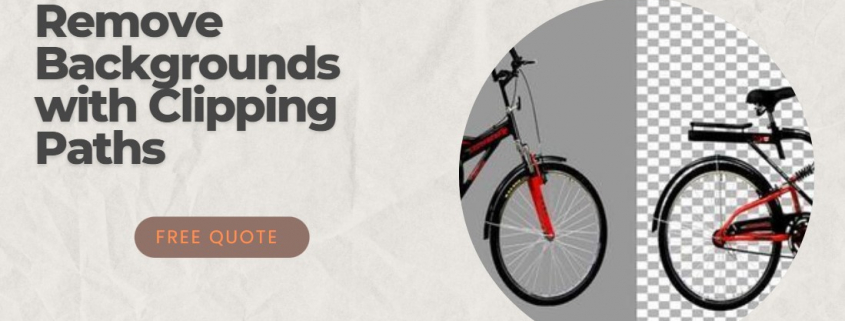
Remove Backgrounds with Clipping Paths

Clipping Path for Background Removal

Introduction to Background Removal

In the world of digital photography and image editing, the ability to remove backgrounds from images is crucial. Whether it’s for professional purposes or personal enjoyment, removing the background can help you achieve a cleaner, more polished look. This is especially important in product photography, where a clean and distraction-free image can make all the difference in capturing a customer’s attention.

Background removal is the process of isolating the main subject of an image and erasing the surrounding background. This can be done through various methods, which we will discuss in this article.

Clipping Path for Background Removal

In this article, we will take a deep dive into the world of background removal, focusing on the technique of clipping paths. We will explore the importance of removing backgrounds in images, discuss the benefits of professional photo background removal, and examine the different background removal techniques. We will also provide tips for improving product background removal and help you choose the right background removal service for your needs.

Understanding Clipping Paths

Clipping paths are a powerful tool in the world of image editing, allowing you to create a precise outline around the subject of an image. This outline, or path, can then be used to separate the subject from the background, making it easier to remove the background or replace it with something else.

Clipping path are created using vector graphics, which means they are made up of mathematical equations rather than pixels. This allows for smooth, clean edges and the ability to scale the image without losing quality. This is particularly important when working with high-resolution images, as a pixel-based selection may appear jagged or pixelated when scaled up.

Quality Clipping paths are created using specialized software, such as Adobe Photoshop or Illustrator. These programs offer a variety of tools for drawing and editing paths, including the Pen Tool, the Lasso Tool, and the Magic Wand Tool. Each tool has its own unique features and benefits, but all are designed to help you create accurate, professional-quality clipping paths.

Importance of Removing Backgrounds in Images

Removing backgrounds from images is essential for a variety of reasons. For one, it helps to focus the viewer’s attention on the main subject of the image, eliminating any distractions that may detract from its impact. This is especially important in product photography, where a clean and professional appearance can make all the difference in attracting customers and driving sales.

In addition to improving the overall aesthetic of an image, background removal also has practical applications. For example, it allows designers to create composite images by combining multiple elements from different sources. This can be useful in creating advertising materials, website designs, or even art pieces.

Furthermore, removing backgrounds can help to reduce the file size of an image, making it easier to share and store. This is particularly important in today’s digital world, where storage space is often at a premium and slow-loading images can be a major frustration for users.

Benefits of Professional Photo Background Removal

best Clipping Path for Background Removal

While there are many tools and techniques available for removing backgrounds from images, not all methods are created equal. Professional photo background removal offers a number of advantages over more amateur approaches, including:

  1. Precision: Professional background removal services use advanced tools and techniques to ensure that the main subject of the image is cleanly and accurately separated from the background. This results in a more polished and professional appearance, with smooth edges and no unwanted artifacts.
  2. Consistency: When you work with a professional background removal service, you can expect consistent results across all your images. This is particularly important for businesses that need to maintain a cohesive brand image across multiple platforms and marketing materials.
  3. Speed: Removing backgrounds from images can be a time-consuming process, especially if you’re working with a large number of images or complex subjects. Professional background removal services have the experience and expertise to work quickly and efficiently, saving you time and effort.
  4. Versatility: Professional background removal services are skilled in working with a wide range of image types, from product photos to portraits to landscape images. They can also handle a variety of file formats, including JPEG, PNG, TIFF, and more.
  5. Customization: By working with a professional background removal service, you can request specific changes or alterations to your images, such as adding a new background, adjusting colors, or applying special effects.

Various Background Removal Techniques

There are several techniques that can be used to remove backgrounds from images, each with its own set of advantages and disadvantages. Some of the most common methods include:

  1. Clipping Paths: As discussed earlier, clipping paths involve creating a precise vector outline around the subject of an image. This allows for clean, accurate background removal and is especially useful when working with high-resolution images or complex subjects.
  2. Magic Wand Tool: The Magic Wand Tool is a popular tool in image editing software like Adobe Photoshop, which allows you to select areas of similar color with a single click. This can be useful for removing solid-color backgrounds or those with a limited color range, but may struggle with more complex backgrounds or subjects with intricate details.
  3. Background Eraser Tool: The Background Eraser Tool is another option in image editing software, which works by erasing areas of the background while preserving the main subject. This tool can be useful for removing backgrounds with a lot of texture or detail, but may require more manual adjustments to achieve a clean result.
  4. Layer Masks: Layer masks are a more advanced technique that involves creating a separate layer for the main subject of the image and masking out the background. This allows for greater control over the background removal process and can result in cleaner, more professional results. However, this method may be more time-consuming and require a higher level of skill.
  5. AI-Powered Tools: In recent years, AI-powered tools have emerged that use machine learning algorithms to automatically remove backgrounds from images. These tools can be extremely fast and efficient, but may not always produce the same level of accuracy and precision as more manual methods.

How to Use Clipping Paths for Background Removal

Using clipping paths for background removal involves several steps, which we will outline below:

  1. Open the image in your editing software: Begin by opening the image you want to edit in your preferred image editing software, such as Adobe Photoshop.
  2. Select the Pen Tool: In the toolbar, choose the Pen Tool or a similar path-drawing tool. This will allow you to create the clipping path around your subject.
  3. Create your path: Carefully trace around the edges of your subject, clicking to create anchor points as you go. Be sure to zoom in for greater accuracy and use the various path editing tools to refine your path as needed.
  4. Close the path: Once you have traced around the entire subject, close the path by connecting the final anchor point to the first one. This will create a complete, closed path around your subject.
  5. Create a selection from the path: With the path completed, convert it into a selection. In Photoshop, this can be done by right-clicking on the path and choosing “Make Selection.”
  6. Remove the background: With the selection active, you can now remove the background by either deleting it or creating a layer mask. If you choose to delete the background, be sure to save your image as a PNG or similar file format that supports transparency.
  7. Refine the edges: If necessary, use the various selection tools and adjustments in your editing software to refine the edges of your subject, ensuring a clean and professional result.

Image Background Removal Services and Their Advantages

Image background removal services are professional companies that specialize in removing backgrounds from images. They employ skilled image editors who use advanced tools and techniques to achieve clean, accurate results. Some of the key advantages of using an image background removal service include:

  1. Expertise: Image background removal services have the experience and knowledge required to handle a wide range of image types and complexities. They understand the nuances of different techniques and can choose the most appropriate method for each image.
  2. Consistency: By outsourcing your background removal needs to a professional service, you can ensure that all your images are edited to the same high standard. This is particularly important for businesses that need to maintain a consistent brand image across multiple platforms and marketing materials.
  3. Efficiency: Removing backgrounds from images can be a time-consuming process, especially if you’re working with a large number of images or complex subjects. Professional background removal services have the resources and expertise to work quickly and efficiently, saving you time and effort.
  4. Customization: Many image background removal services offer additional editing options, such as adding new backgrounds, adjusting colors, or applying special effects. This can help you achieve a more polished and professional result that is tailored to your specific needs.

Selecting the Right Background Removal Service

There are many factors to consider when choosing a background removal service, including:

  1. Quality: Look for a service that is known for producing high-quality work, with clean, accurate results. You can often find examples of their work on their website or by requesting a sample.
  2. Turnaround time: Consider the service’s turnaround time and whether it meets your needs. Some services offer expedited options for an additional fee.
  3. Price: Compare the prices of different services, keeping in mind that the cheapest option may not always be the best choice in terms of quality.
  4. Customer service: Look for a service that offers excellent customer support, with clear communication and a willingness to address any concerns or issues that may arise.
  5. Additional services: If you require additional editing options, such as color adjustments or special effects, be sure to choose a service that offers these services.

Clipping Paths for Background Removal

Tips for Improving Product Background Removal

When it comes to product background removal, there are a few tips to keep in mind to ensure the best possible results:

  1. Use high-quality images: Start with high-resolution images that are well-lit and have a clear contrast between the subject and the background.
  2. Choose the right technique: Depending on the complexity of your subject and the background, different techniques may be more effective. Experiment with various methods to find the one that works best for your specific needs.
  3. Zoom in for accuracy: When creating clipping paths or other selections, zoom in on your image to ensure greater accuracy and clean edges.
  4. Refine the edges: After removing the background, take the time to refine the edges of your subject, removing any lingering artifacts or jagged edges.
  5. Add a new background: If desired, you can add a new background to your image to create a more polished and professional appearance.

Conclusion and Next Steps in Image Editing

In conclusion, removing backgrounds from images is a crucial skill in the world of digital photography and image editing. Best clipping paths are a powerful tool for achieving clean, professional results, and understanding the various techniques and tools available can help you make the most of this process.

If you’re looking to improve your background removal skills or need professional assistance, consider working with an image background removal service. These services offer expert knowledge and resources to help you achieve the best possible results.

As you continue to develop your image editing skills, remember to experiment with different techniques and tools to find the approach that works best for you. And above all, have fun and enjoy the creative process of transforming your images!