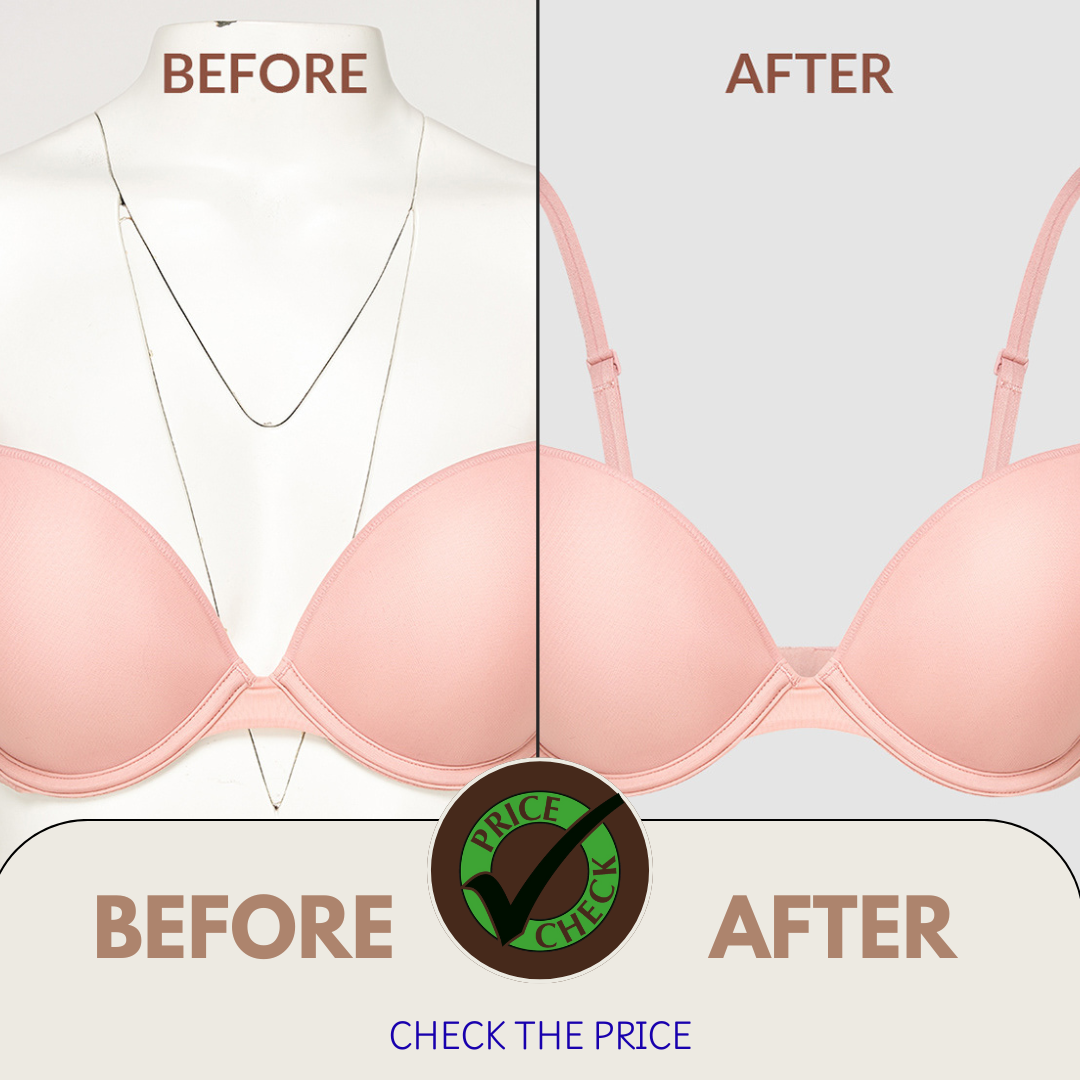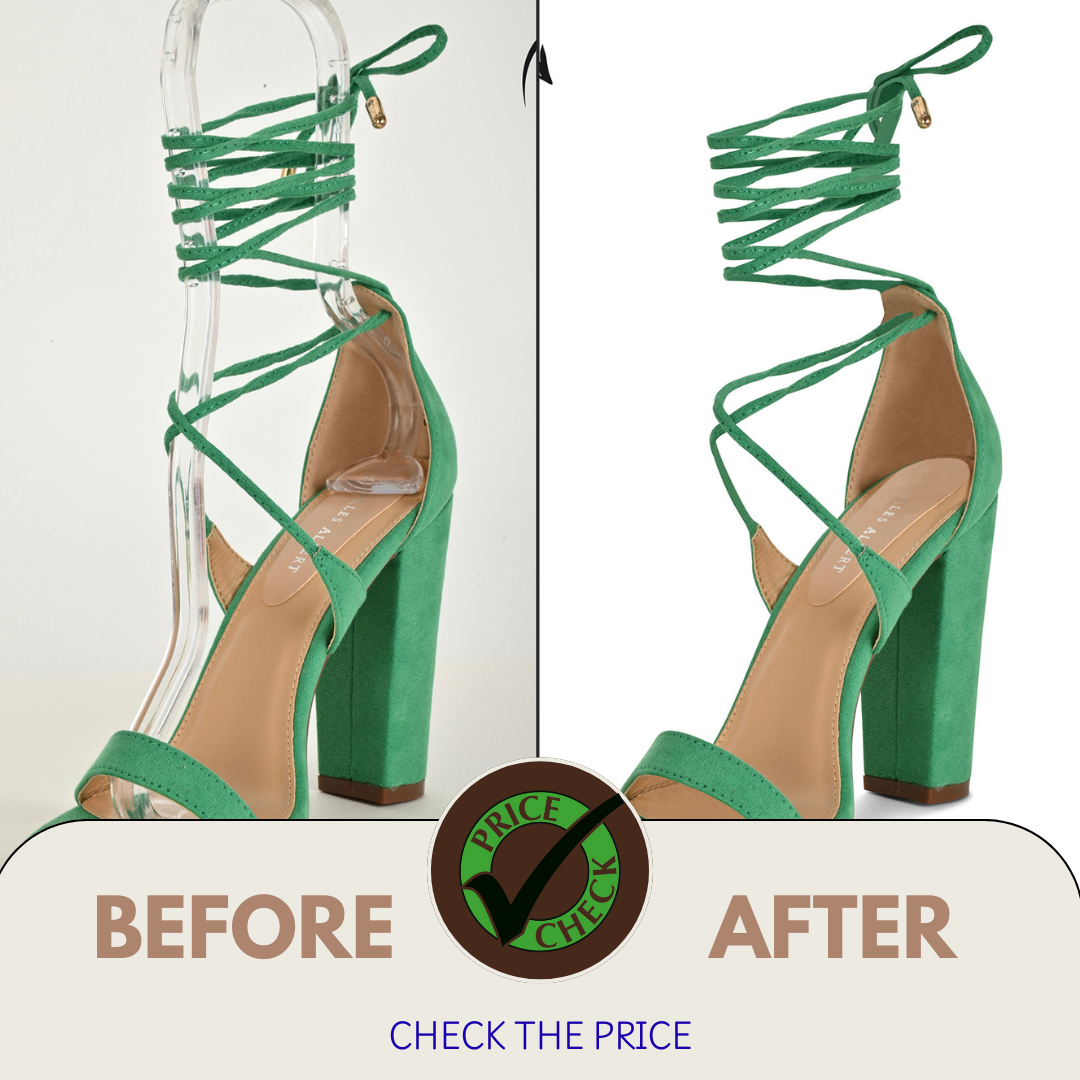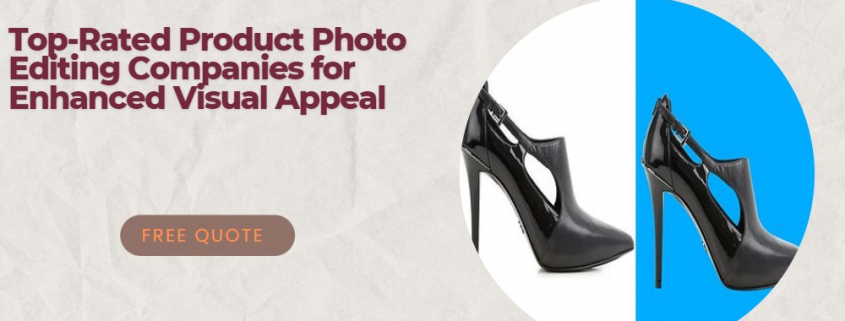
, , ,

What Is Photo Editing? A Beginner’s Guide to Editing Photos Like a Pro
What Is Photo Editing

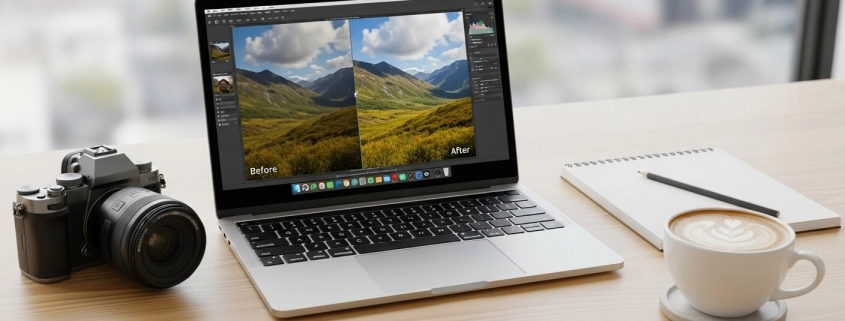
Photo editing means making photos better with software. You can crop, brighten, or remove mistakes. You can also adjust colors or add a creative style. Editing makes pictures more clear, sharp, and fun to look at. It also helps you tell stories with your photos.

Quick answer: Photo editing improves photos by fixing flaws and adding style.

Why Is Photo Editing Important?

  • Enhancement: Editing makes photos brighter and more vivid.
  • Correction: You can fix lighting, colors, or remove unwanted objects.
  • Creative expression: Editing shows your personal style and story.

Quick answer: Learn how a clipping path service can make photos look sharp and professional.

Beginner Photo Editing Techniques

If you are new, start simple:

  1. Crop and straighten – Cut out distractions and fix tilted lines.
  2. White balance – Fix strange colors so whites look natural.
  3. Exposure and contrast – Brighten photos and make details pop.
  4. Saturation and vibrance – Make colors richer or softer.
  5. Sharpening – Add detail and make textures clear.
  6. Save and share – Pick the right format for web or print.

Quick answer: For clean edits, try background removal services.

Tools & Software for Beginners

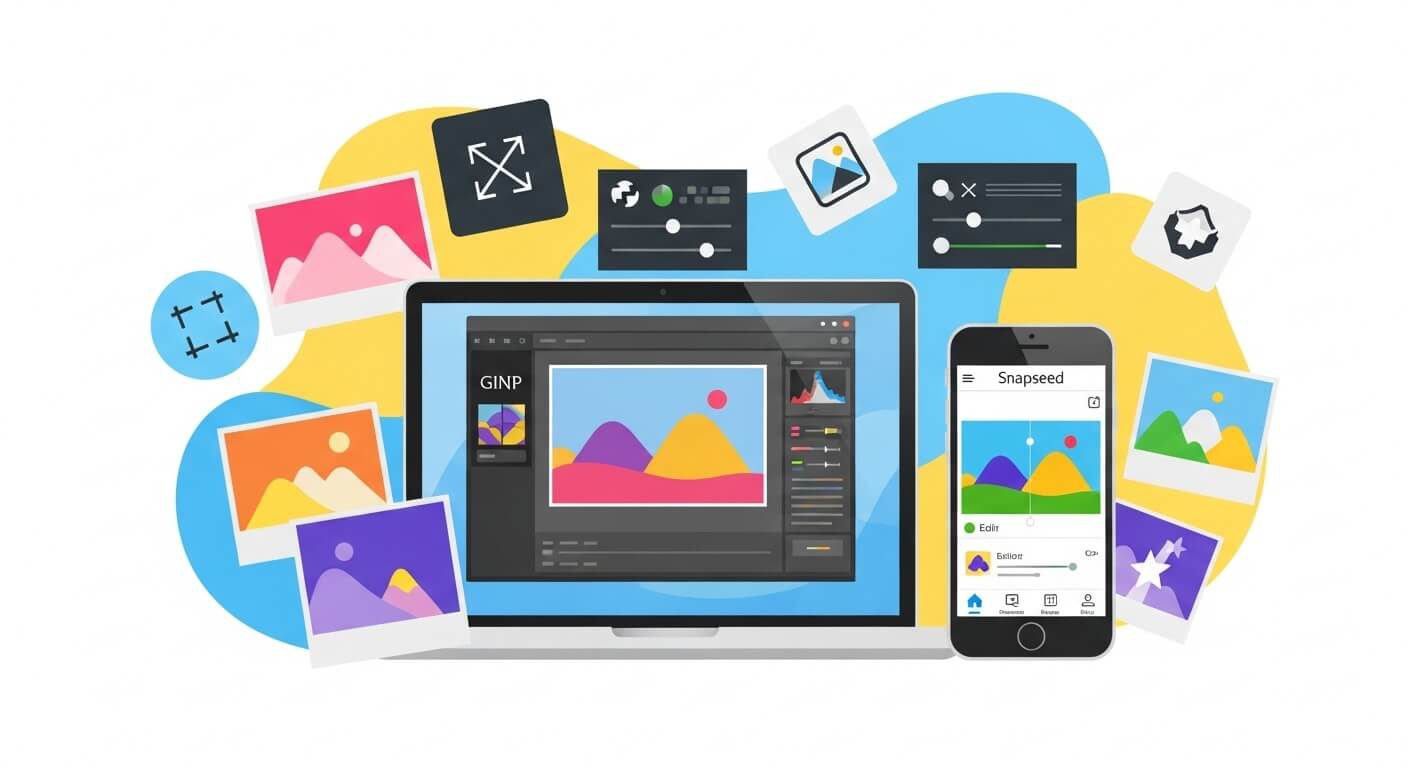
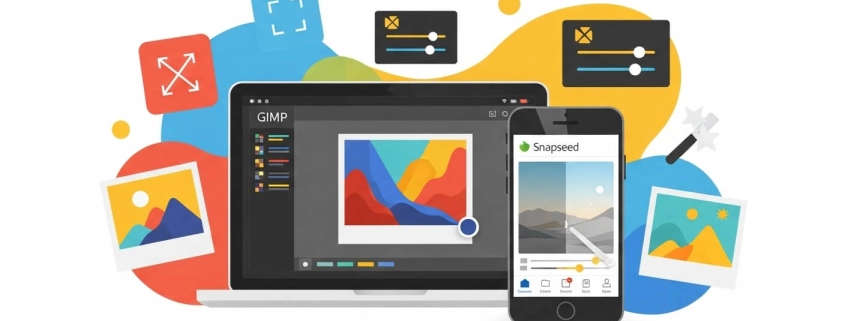
  • Free options: GIMP, Snapseed, Canva.
  • Easy paid tool: Adobe Lightroom.
  • Pro tools: Photoshop and Capture One.
  • AI help: Use the “auto” button to fix light and color fast.

Quick answer: If you need edits done for you, check photo retouching services.

How to Edit Photos Like a Pro

Follow this simple workflow:

  1. Organize your photos.
  2. Fix exposure first.
  3. Balance colors and tones.
  4. Crop and straighten.
  5. Sharpen details.
  6. Add your style.

Quick answer: Pro editors often use ghost mannequin services for fashion and product photos.

How to Learn Photo Editing

  • On laptop: Try GIMP, Snapseed, or Lightroom.
  • Watch tutorials: YouTube is full of free guides.
  • Practice daily: Even simple edits build skill.
  • Ask for help: Join online groups and forums.
  • Pro services: Use Expert Clipping for tasks like image masking services.

Quick answer: Learn editing with free apps, tutorials, daily practice, and Expert Clipping for help.

Improving Professional Skills

Want to step up? Try this:

  • Learn advanced retouching.
  • Practice masking and object removal.
  • Shoot in RAW for more control.
  • Use pro help like low-cost clipping path provider.

Quick answer: Improve skills by learning advanced edits, using RAW, and trying Expert Clipping.

Tips for New Photographers on Editing

  • Keep edits simple.
  • Test different apps.
  • Don’t overdo filters.
  • Find your unique style.
  • Shoot in RAW for more editing power.

Quick answer: Want extra inspiration? Visit our gallery for real editing samples.
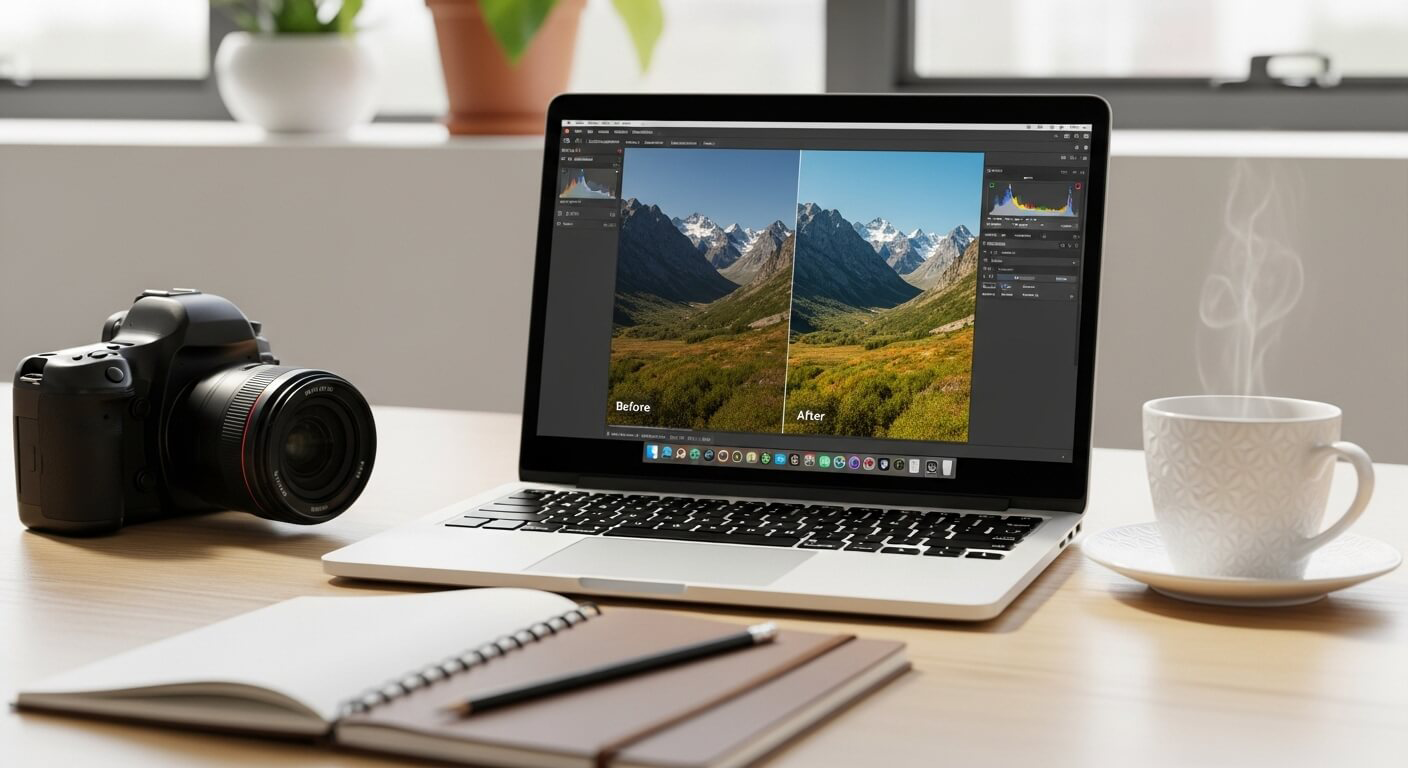
Photo Editing like a pro

FAQs

How do I edit my pictures like a pro?
Fix light, adjust colors, crop, sharpen, then add style.

What is a good photo editing program for beginners?
Try Snapseed, GIMP, or Lightroom.

How to start editing like a pro?
Learn basics, practice RAW editing, and add creative touches.

What do professionals use to edit photos?
Pros use Photoshop, Lightroom, and Capture One.

How to learn photo editing on a laptop?
Install beginner tools, watch tutorials, and practice often.

Conclusion

Photo editing is a skill anyone can learn. It helps you fix mistakes, make photos look better, and show your style. Start with free tools, practice daily, and try new techniques. When you need advanced help, Expert Clipping offers multi-clipping path services, ghost mannequin, and photo color change services.

Final tip: Stay consistent, keep practicing, and your photos will soon look professional.
, ,

How to Get Great Photo Edits Without Paying – Free Tools & Techniques

Photo Edits Without Paying

Want to make your photos look professional without spending money?
Good news — you don’t need expensive tools like Photoshop to create stunning edits. Many free photo editors can handle everything from quick touch-ups to advanced effects.

If you ever need expert-level results, try Expert Clipping’s clipping path services. Their team creates pixel-perfect cuts and smooth edges for any product photo.

Which photo editor is 100% free?

Several apps are completely free and never ask you to pay. The most popular ones include:

  • GIMP (desktop) – A robust Photoshop alternative with no hidden costs.
  • Snapseed (mobile) – A Google app with zero ads or subscriptions.
  • Photopea (web-based) – Free to use, though ad-supported.

Short Answer: GIMP and Snapseed are 100% free forever.

If you ever edit product photos, but need clean, sharp outlines, a photo clipping path service can help refine your edges perfectly.

Is there a free photo editing app that doesn’t require payment?

Yes! Snapseed is one of the best free photo editing apps with no subscriptions or locked features. Unlike some apps that advertise as free but push upgrades, Snapseed gives you professional-level tools without charging.

Short Answer: Snapseed is the best free, no-payment-ever app.

For background cleanup, you can also try background removal services if you want quick and flawless results.

Which is the best photo editing app for free?

The “best” app depends on your needs:

  • For phones: Snapseed (iOS/Android) – simple, powerful, and free.
  • For creative filters: VSCO – free filters with optional upgrades.
  • For design & social media: Canva – great for adding text and graphics.
  • For desktop users: GIMP – full-featured, like Photoshop.

Short Answer: Snapseed for mobile, GIMP for desktop.

And if you ever need to remove models from clothes, explore ghost mannequin services — perfect for eCommerce fashion photos.

What is the closest thing to Photoshop that’s free?

If you’re looking for a free Photoshop twin, try Photopea. It runs in your browser, supports .PSD files, and looks almost identical to Photoshop. On desktop, GIMP comes closest with its advanced layer and retouching tools.

Short Answer: Photopea (browser) and GIMP (desktop).

Want expert-level realism? Add depth and shine with drop shadow services or reflection shadow effects for a polished finish.

Free Editing Software Options

For Desktop

  1. GIMP (GNU Image Manipulation Program)
    • Best for: Complex edits, retouching, and layers.
    • Pros: 100% free, open-source, cross-platform.
    • Cons: Steeper learning curve.
  2. Photopea (Web-based)
    • Best for: Editing .PSD files online.
    • Pros: Looks and feels like Photoshop.
    • Cons: Ad-supported, slower than desktop apps.
  3. PhotoScape X
    • Best for: Both simple and advanced edits.
    • Pros: RAW editing, batch processing.
    • Cons: Interface can feel dated.

For Mobile (iOS & Android)

  1. Snapseed
    • Best for: Fast, professional-quality edits.
    • Pros: No ads, no hidden costs.
    • Features: Selective edits, healing tool, filters.
  2. Adobe Lightroom Mobile (Free version)
    • Best for: Detailed control of exposure and color.
    • Cons: Some advanced tools require a subscription.
  3. VSCO
    • Best for: Artistic, film-inspired looks.
    • Pros: Free filters and editing basics.
  4. Canva
    • Best for: Social media posts and simple edits.
    • Pros: Background remover, templates, and design tools.

5 Basics of Photo Editing You Can Learn for Free

No matter which app you use, mastering these basics will instantly improve your photos:

  1. Adjust brightness & contrast – Brings out details in highlights and shadows.
  2. Crop & straighten – Fix crooked horizons and improve framing.
  3. Correct white balance – Makes colors look natural and true to life.
  4. Tweak vibrance & saturation – Boost colors without making them fake.
  5. Remove blemishes – Use healing or clone tools for small distractions.

Short Answer: Even small tweaks in brightness, crop, and color balance can make a huge difference.

Need professional touch-ups? Try photo retouching services for spotless, natural results.

get Photo Edits Without Paying

Tips for Editing Like a Pro (For Free)

  • Start subtle – Avoid over-editing; less is often more.
  • Use adjustment layers (when available) – Non-destructive edits let you undo changes anytime.
  • Experiment – Try different apps and tools to see what fits your style.
  • Learn from tutorials – Free YouTube guides on GIMP and Photopea can speed up your learning.
  • Rely on Expert Clipping – for expert-level edits like color change services or image masking when you want clean and smooth results.

Short Answer: Practice, patience, and the right free tools will make your edits look professional.

,

Best Photo Editing Services: Simple Guide for Every User

Best Photo Editing Services

Choosing the best photo editing service can feel tricky. There are so many options, from free apps to pro-level tools like Photoshop. The good news? You don’t need to spend hours searching. Let’s break down the most popular editors by features, price, and quality so you can pick the one that fits your needs.

💰 How Much Should You Pay for Photo Editing?

Photo editing costs range from free to $30 a month.

  • Pro tools like Photoshop or Capture One: $10–$30/month.

  • One-time purchase options like Affinity Photo: about $70.

  • Free tools like GIMP and Darktable: $0, with lots of features.

👉 Quick Answer: Expect to pay $10–$30/month for pro tools, or grab Affinity Photo for a one-time fee.

📸 What Editor Do Most Photographers Use?

Most photographers prefer Adobe Lightroom. It’s fast, easy, and works across phones and computers. Plus, it organizes photos and adds AI edits.

👉 Quick Answer: Lightroom is the most popular choice for photographers.

If you are an eCommerce photographer, you may also need background removal services to clean up product photos before editing.

🏆 What Do Professionals Use Most?

Pros rely on Adobe Photoshop. It’s the top pick for retouching, digital art, and complex edits. If you see high-end ads or magazine covers, chances are Photoshop was used.

👉 Quick Answer: Photoshop is the most-used software by professionals.

Many brands also hire a clipping path service provider for bulk editing, especially when they need pixel-perfect cutouts for catalogs and online stores.

🌍 What is the Number One Photo Editor in the World?

Globally, Adobe Photoshop is still #1. It has the biggest user base and the most advanced tools.

👉 Quick Answer: The world’s top editor is Photoshop.

👶 Best Editing Software for Beginners

If you’re just starting, simple tools help you learn fast.

  • Polarr – simple and easy to use.

  • Photoshop Elements – has guided steps.

  • Canva – best for quick, casual edits.

👉 Quick Answer: Beginners should try Polarr or Photoshop Elements for easy side-by-side edits.

And if you sell clothes online, consider using a ghost mannequin service. It makes your apparel look pro, even without live models.

💻 Popular Editors and Their Prices

Here’s what people use and what they cost:

  • Adobe Photoshop – $22.99/month

  • Adobe Lightroom – $9.99/month

  • Capture One – $24/month or $299/year

  • DxO PhotoLab – from $139

  • ON1 Photo RAW Max – $99.99/year

  • Luminar Neo – $14.95/month or $79/year

  • Affinity Photo – $69.99 (one-time)

  • Darktable & GIMP – free

👉 Quick Answer: Free tools exist, but expect $10–$25/month for pro options.

🔒 Best Photo Editor Without a Subscription

Not a fan of monthly fees? You still have great options.

  • Affinity Photo – pro features, one-time cost.

  • DxO PhotoLab – pay once, upgrade if you want.

  • Darktable & GIMP – 100% free.

👉 Quick Answer: Affinity Photo is the best no-subscription editor.

Photo Editing Services

🥇 Best Photo Editing Services Compared

Professional Tools

  • Photoshop – perfect for pros, retouching, and art.

  • Capture One – strong color control and studio tools.

Advanced & Enthusiasts

  • Lightroom – great mobile-to-desktop workflow.

  • DxO PhotoLab – best image corrections.

  • ON1 Photo RAW Max – solid all-in-one editor.

Creative & AI-Powered

  • Luminar Neo – fun AI tools like sky replacement.

Budget-Friendly

  • Affinity Photo – one-time fee, full features.

  • Darktable & GIMP – free and powerful.

Beginner-Friendly

  • Polarr – simple layout.

  • Photoshop Elements – guided learning.

👉 Quick Answer: Photoshop for pros, Affinity for budget users, Polarr for beginners.

For more editing help, you can explore our image masking services or see examples in our gallery.

📌 Key Takeaways

  • Pay $10–$30/month for pro tools, or $70 once for Affinity Photo.

  • Lightroom is most loved by photographers.

  • Photoshop is still #1 worldwide.

  • Polarr and Photoshop Elements are best for beginners.

, , , ,

The Complete Guide to Clipping Path Services for Photographers

Clipping Path Services for Photographers

What is a Clipping Path & Subject Isolation

A clipping path service uses a closed vector line in Photoshop to cut out a subject from its background. The path keeps the subject inside and removes everything outside. This lets photographers isolate objects cleanly, especially for product photography or marketing use. Subject isolation makes it easy to reposition or layer objects, or place them on any background. It enhances clarity and professionalism by focusing viewer attention solely on the object.

Types / Complexity Levels of Clipping Paths

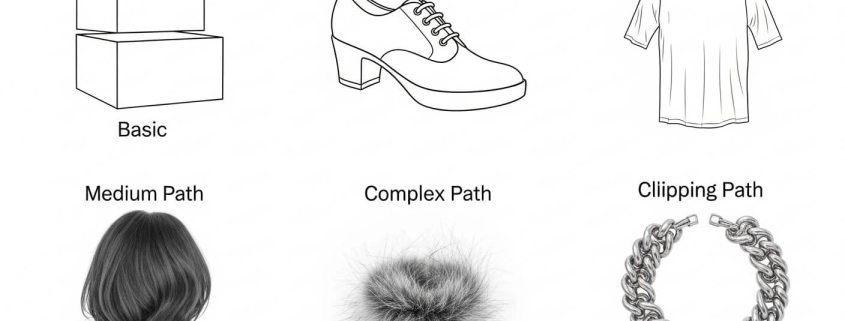
Clipping paths vary by complexity depending on object shape. A basic clipping path is used for simple, straight‐edged or gently curved objects (books, boxes, flat items). A medium path handles items with more curves or partial complexity (e.g. shoes, apparel edges). A complex clipping path involves many curves, holes, fine detail like hair, fur, jewelry. multi-clipping path services are used. Picking the right type ensures clean results without extra cost. Choosing the right complexity ensures precision without overpaying or wasting time.

How to Use / Create a Clipping Path

To clip a path, you typically use the Pen tool (or equivalent) in software like Photoshop. You trace the outline of the subject, creating anchor points and curves. Once the path is closed, you convert or apply it so that anything outside becomes masked, deleted, or transparent. For best results: zoom in, use more anchor points on curves, fewer on straight lines; Clipping paths are especially useful for background removal services when preparing product shots for catalogs or e-commerce.

Clipping Path vs Background Removal vs Image Masking

Clipping path, background removal, and image masking services are related but different. A clipping path is best for sharp edges. Masking is better for soft or see-through details like hair, fur, or smoke. Background removal is the bigger goal—making the subject clear and the backdrop invisible or replaced. Many providers use both clipping path and masking together for the best quality.

Product Photography, Color Correction, Ghost Mannequin & Retouching

In product photography, clipping path providers often add extra edits. These include color change services for accurate tones, ghost mannequin service for fashion images, and photo retouching services to fix flaws. These edits give products a clean, polished look that attracts buyers. For e-commerce, small changes like this can raise sales.

How to Get & Order Clipping Path / Background Removal Jobs

If you need clipping path work, first prepare your files and give clear notes on background, shadow, and final format. Then choose a clipping path company based on quality, speed, and price. Many offer a free trial or sample edit. Check delivery time, pricing, and portfolio before placing a bulk order.

Benefits & Use Cases

Businesses and photographers use photo clipping path services to get sharp, consistent product images. These are useful for e-commerce stores, catalogs, ads, and marketplaces like Amazon. Clean product shots build trust, improve brand style, and let you change backgrounds with ease.

Checklist for High-Quality Clipping Path Work

Here’s a checklist you can use / share to ensure good clipping path / photo editing:

  • Is the path clean and precise around curves and details?
  • Are fine details (hair, complex edges) treated well (masking if needed)?
  • Is the background fully removed or replaced cleanly?
  • Are colors accurate (white balance, exposure)?
  • Is file format delivered as needed (transparency preserved, layered PSD if required)?
  • Is the turnaround time acceptable?
  • Are revisions included / possible?
  • Is the pricing reasonable given complexity and volume?

Use this before choosing a service.

Common Mistakes & Comparisons

Mistakes happen when people use a clipping path where masking was better, ignore color matching, or skip natural shadows. A drop shadow service can make products look realistic. Compare providers: hand-drawn vs AI, local vs offshore, simple vs complex. Each has trade-offs between cost, speed, and quality.

FAQ Q&A Style Answers (160–200 characters)

Here are concise answers to your listed questions:

Question Answer
What is a clipping path? A clipping path is a vector outline in Photoshop (or similar) used to isolate a subject by removing or masking the background.
What is the basic clipping path? Basic clipping path covers simple shapes with straight edges or slight curves (e.g. boxes), often lowest cost and fast.
How to use clipping path? Use pen tool to draw path around subject → close path → apply mask / remove background / save as transparent format.
How do I clip a path? Trace the subject using anchor points with pen tool in Photoshop, refine curves, close the path, then remove what’s outside.
Learn how product photography and clipping path Product photography paired with clipping path yields consistent, clean images with background removed or replaced, ideal for catalogs.
How to get a clipping path and background removal job Choose an editing service, upload your images, give instructions (background, file format, style), ask for sample or trial edits.
Product Photo Retouching: A Complete Guide for Beginners Retouching includes correcting color, removing imperfections, smoothing textures + using clipping path & masking for edges.
How do I best extract the next picture and have it on a white background? Use clipping path to isolate subject + set background to white or transparent; ensure clean edges and color accurate to keep subject natural.
Removing background from photo Removing background makes subject stand out; done via clipping path or masking depending on detail; result often transparent or white.
Differences Between Background Removal and Clipping Path Background removal is the goal; clipping path is a precise method using vector paths. Masking is another method. Each has strengths.

Companies Table: Top Clipping Path / Photo-Editing Services (USA & International)

Here is a table of 10 companies offering clipping path & related services. Expert Clipping is listed first (per your request). Data includes approximate price, services, pros/cons. Use this for comparison in your article.

Company Based / HQ Price per Image Starting* Key Services Offered Pros / Notes
Expert Clipping USA from US$0.25 Clipping path, background removal, image masking, color correction, ghost mannequin. Known for handmade quality, free trial, supports large volumes. expertclipping.com+3expertclipping.com+3Offshore Clipping+3
Graphic Design Eye USA / International ~$0.20-$10 Clipping path, multi-path, background removal, masking, color correction, jewelry retouching. Great for complex work, affordable, reliable deliveries. Graphic Design Eye
Pixelz USA / Global ~$0.75-$20 Automated + manual clipping path, background removal, ghost mannequin, e-commerce post-production. Strong workflow, scalable, subscription plans. Graphic Design Eye+1
UK Clipping Path (UCP) UK ~$0.29-$20 Clipping path, advanced retouching, ghost mannequin, image masking, shadow effects. Good value, three-step QC, good for various objects. Graphic Design Eye
Path Edits USA & Bangladesh ~$0.39-$20 Clipping path, color correction, background removal, multi paths, retouching. Excellent for high volume, consistent quality. Graphic Design Eye+2Offshore Clipping+2
Color Experts International (CEI) USA / Bangladesh / UAE ~$0.49-$30 Masking, retouching, clipping path, ghost mannequin, color correction. Very experienced, trustworthy, handles tough tasks. Graphic Design Eye
Deepetch USA / Australia ~$0.70-$10 Hand-drawn clipping path, background removal, hair masking, e-commerce edits. Good reputation, vast experience, multiple image editing types. Graphic Design Eye+1
Creative Clipping Path Ltd Bangladesh / Global ~$0.49-$10 Clipping paths, image masking, shadow, retouching, color correction. Strong artistic team, good for international photo work. Graphic Design Eye+1
Offshore Clipping USA & Global from ~$0.29 Complex & simple clipping path, retouching, background removal, ghost mannequin. Offers 24/7 service, good for large orders, detailed work. Offshore Clipping
BackgroundRemovalServices.com Bangladesh / Global ~$0.50-$10 Background removal, clipping path, deep etching, masking. Affordable, fast delivery, suitable for bulk edits. Graphic Design Eye+1

What I Like

  • High precision: I’ve noticed clipping path services give my product shots razor-sharp edges, especially useful for catalog work.
  • Time saved: Outsourcing background removal has freed me to focus more on shooting than repetitive editing.
  • Flexibility: With clipping paths, I can easily switch backgrounds, apply shadows, or adjust colors without re-shooting. This adaptability is a game changer in both e-commerce and creative photography.

Summary: Clipping paths save time, deliver clean results, and add creative freedom.

What Could Be Better

  • Pricing gaps: Some services charge much higher for complex paths, which can feel inconsistent.
  • Turnaround delays: During peak seasons, even top providers may struggle to keep deadlines.
  • Automation limits: AI tools are improving but still miss the fine details—human touch remains essential for quality.

Summary: Pricing, turnaround, and automation challenges remain key areas to improve.

My Personal Experience with Clipping Path Services

I’ve worked with many providers, including Expert Clipping. Their hand-drawn paths gave me sharp results, especially for jewelry and fashion photos. Bulk orders were delivered on time, and the ghost mannequin editing made apparel look great. Free trials also helped me test before committing.

I’ve worked with clipping path providers on thousands of images, from fashion shoots to jewelry catalogs. Here’s what stood out:

  • Precise edges on complex items like necklaces.
  • Clean, fast delivery for bulk e-commerce projects.
  • Some providers offered free trials, which helped me test before committing.
  • Ghost mannequin editing made apparel shots look polished.
  • Color correction ensured accurate tones for US buyers.
  • Turnaround times ranged from hours to days, depending on provider.
  • Quality control varied, but top services maintained consistency.
  • Personal support mattered—services with 24/7 chat were far easier to work with.
  • I enjoyed how easy it was to repurpose clipped images for both print and digital ads.

Summary: My experience has been mostly positive, with professional outcomes and better workflow efficiency.

Comparing with Other Brands

I’ve also used Pixelz and Offshore Clipping in addition to Expert Clipping. While all three handled clipping paths, each had its own strengths: Pixelz leaned on automation for speed, Offshore Clipping offered affordability, and Expert Clipping impressed me with hand-drawn precision.

Expert Clipping vs Pixelz: Quick Comparison

Feature Expert Clipping Pixelz
Starting Price $0.25 per image $0.75 per image
Turnaround 6–24 hours 1–24 hours
Method 100% hand-drawn Hybrid AI + manual
Strength Precision + detail Scalability + speed
Best For Jewelry, complex shapes Large e-commerce orders

Summary: Expert Clipping is best for detailed work, while Pixelz suits bulk edits.

Recommendation

For detailed products like jewelry, choose a hand-drawn service such as Expert Clipping. For bulk catalogs, automated providers like Pixelz may suit better. If you want to explore tips and guides, check their clipping path tutorial.

Summary: Pick services based on detail needs vs speed and platform compliance.

FAQs for Clipping Path for Photographers

What is a clipping path?

A clipping path is a vector outline used in Photoshop to separate a subject from its background.

What is the basic clipping path?

A simple outline used for easy shapes like books, boxes, or round products.

How to use clipping path?

Draw with the Pen tool, close the path, then delete or mask the background.

How do I clip a path?

Trace around the subject, set as a clipping path, and save the cut-out image.

Is clipping path different from background removal?

Yes—clipping path is the method, background removal is the goal. Masking is another method for complex edges.

Conclusion

Clipping path services are key to professional product images. They isolate objects, enhance color, and allow flexible edits. Whether you run a small shop or a large catalog, using a trusted clipping agency ensures your photos are clean, consistent, and ready to sell.

, , , , ,

Boost Sales with DIY Product Photo Editing | Expert Clipping Path Services

DIY Product Photo Editing Tips for E-Commerce Sellers

“A picture is worth a thousand words.” – Napoleon Bonaparte

When it comes to online shopping, high quality images make or break a sale. Yet how do you differentiate yourself in a crowded e-commerce market without spending a million dollars? The answer: DIY product photo editing! If you know the right tips and tools, your product photos can become stunning visuals that will intrigue your customers and help you boost your conversions. If you’re a beginner or just want to improve your photo editing skills, these DIY photo editing tips will enable you to showcase your products in the best light. Let’s dive in!

Introduction: The Power of DIY Editing

Great visuals in the e-commerce world can mean a huge difference when competition is fierce and attention spans are short. Think about it: The first thing a shopper sees when they land on your product page is your image. They might scroll past without a second thought if it’s blurry or otherwise poorly lit. A high quality, well edited photo can engage them and make them buy. And the best part? To get professional looking photos, you don’t have to hire an expensive photographer. You can do it all yourself with DIY product photo editing tips.

Why Product Photography Matters

Building Trust with Visuals

The closest your customers can get to actually examining your product is a picture of it. Some images can be well lit, clear, and convey professionalism and trustworthiness, and others can be poorly edited, and customers can question your credibility.

Impact on Conversions

Product images are shown to directly affect conversion rates. In fact, we know that high quality images can increase sales by up to 30%! Thus, spend time and effort editing your photos and you will receive great results in the long run.

Essential Tools for DIY Photo Editing

Software Options

You don’t need to be a professional designer to create stunning product images. Here are a few tools to get you started:

  • Adobe Photoshop: The industry standard, offering powerful editing features (though it requires a subscription).
  • GIMP: A free alternative to Photoshop, offering many of the same features.
  • Canva: User-friendly and great for beginners, perfect for quick edits and simple designs.

Free vs. Paid Tools

While paid tools like Photoshop offer advanced features, free options like GIMP and Canva provide robust editing capabilities at no cost. The key is to choose the one that best fits your needs and skill level.

Step-by-Step DIY Editing Process

Preparing Your Image

First, you want to make sure your images are organized. Back up your work to prevent you from losing your work and keep your original files safe. Your camera images should be well lit and in focus.

Basic Adjustments

Start with simple adjustments:

  • Cropping: Cut away background or distractions that don’t add value.
  • Brightness and Contrast: Make these adjustments to make the product more stand out.
  • Sharpness: Make your product look crisp and clear.

Advanced Enhancements

Once the basics are covered, dive into more advanced edits:

  • Background Removal: It draws attention to your product.
  • Color Correction: Make sure the true colors of the product are shown.
  • Retouching: Remove dust or scratches on the product.

Optimizing for E-Commerce

Image Compression and Quality

But high quality images are important, and must be optimized for web use. With image compression, you are reducing file size without compromising on the quality, which means faster loading times of your product page.

Mobile Optimization

As more people shop on mobile devices, it’s more important than ever that your product images look good on smaller screens. Test your images on mobile before publishing them.

Tips for Consistency Across Product Photos

Lighting and Background Uniformity

Consistency is the key to selling your products. All photos are to be kept consistent with lighting. Just like with all product shots, use the same background colour for all of them for a cohesive online store.

Consistent Editing Style

Once you have a style for editing your product images (bright, minimalist or vibrant) stick to it in all product images to reinforce your brand.

Common Mistakes to Avoid

  • Over-editing: It’s tempting to apply filters galore, but don’t overdo it. Your product should still look real.
  • Ignoring Image Size and Quality: Images in low resolutions can ruin your brand’s credibility. Upload high quality, well optimized photos every time.
  • Neglecting Mobile Viewers: Images may look great on a desktop, but don’t forget to see how they will look on mobile devices.

Conclusion

The ability to DIY product photo editing is a valuable skill for every e-commerce seller to learn. With the right tools and techniques, you can put together eye catching images that will engage customers and get sales. No matter if you’re just starting or want to level up your skills, these tips will let you showcase your products in the best way, without having to work with professional photographers.

DIY Product Photo Editing

FAQs

  1. What is the best software for product photo editing?
  • The industry leader is Adobe Photoshop but free tools like GIMP and Canva are great alternatives if you’re on a budget.
  1. How do I remove the background from my product photos?
  • Easy background removal can be done with tools such as Photoshop’s Magic Wand or services like Canva’s Background Remover.
  1. How can I ensure my product images are mobile-friendly?
  • Test your images on mobile devices always before publishing. File sizes need to be small and look good on small screens.
  1. What adjustments should I make first when editing product photos?
  • Crop, adjust your brightness and contrast and sharpen your image to highlight product details.
  1. How can I make my product photos look more professional?
  • Be sure to use the same lighting, backgrounds and editing techniques on all your product images.
, , ,

Affordable Product Photo Editing Services for Small Businesses

Affordable Product Photo Editing Services for Small Businesses

Affordable Product Photo Editing Services for Small Businesses: Elevate Your E-commerce with Expert Clipping Path

“A picture is worth a thousand words.” – Napoleon Bonaparte

In the fast e-commerce world, it is important to capture your audience’s attention by having high quality images. For small businesses on a budget, however, professional photo editing services can feel like an expensive investment. However, what if we told you that there is a way, affordable product photo editing services, to be the game changer your business needs?

In this article, we’re going to take a closer look at how affordable product photo editing services for small businesses can help you to boost your product images, boost your online presence and boost your sales—without blowing your budget.

Introduction

Being a small business owner means you’re always trying to balance a lot of things and marketing often gets put on the back burner. In fact, there’s one thing you cannot afford to skimp on and that’s in your product photography. If you’re selling on your site or on platforms like Amazon or Etsy, you need high-quality product images.

Thankfully, the products photo editing services are becoming more and more affordable and so small businesses can enhance their images, build up their professional appearance and boost their sales without the big price tag.

Why Quality Product Photos Matter

First Impressions Matter

First interaction your customer has with your brand is called image of your product. A well edited, high quality image on a website, social media, or marketplace will grab attention and make potential buyers want to keep scrolling or clicking.

Professionalism That Builds Trust

Clear, high-quality product photos build trust with your customers. When they see professional-grade images, they know they’re dealing with a serious business that takes its product presentation seriously.

Challenges Small Businesses Face

Running a small business comes with its own set of challenges. Limited budgets, small teams, and the constant need to focus on the bottom line can leave little room for professional photography and editing services. However, with the right solutions in place, small businesses can still look big and professional.

The Power of Affordable Product Photo Editing

Small business product photo editing services are an affordable way to make the playing field even. Instead of hiring expensive photographers, outsourcing your photo editing needs to experts who will make your products look professional at a fraction of the cost.

Here’s why it’s worth considering:

  • Boost Product Appeal: Using background removal, color correction and shadow effects you will enhance the looks of your product images.
  • Time and Cost Savings: Instead of spending hours learning how to edit software, you can have fast, reliable results from experienced editors. It saves you both time and money.
  • Consistency Across Your Images: All your images will have a uniform polished look, giving your brand an appearance of unity and professionalism.

Affordable Product Photo Editing Services

Key Features to Look for in Photo Editing Services

When choosing an affordable product photo editing service, make sure they offer these essential features:

Feature

Why It Matters

Background Removal Clean and simple product background that focuses attention on your product.
Color Correction Accurate color representation that matches your product in real life.
Shadow Effects Adds depth to your product images, making them appear more realistic.
Image Resizing Optimizes your images for various platforms and marketplaces.

These features ensure your products stand out in a crowded digital marketplace.

Top Affordable Product Photo Editing Services

There are several reputable services that offer affordable product photo editing for small businesses. Let’s take a look at some top choices:

  • Pixc – Provides background removal and image enhancement at a reasonable cost.
  • Clipping Path Service – Clipping path and image manipulation is its specialty, offering high quality edits at affordable rates.
  • Fiverr – A platform that provides the cheapest editing services of simple retouching to advanced enhancements from freelancers.

These services provide professional results without the hefty price tag.

How to Choose the Best Photo Editing Service

When choosing a photo editing service for your small business, keep these tips in mind:

Assess Your Needs

Know what you want from the service. Are you looking to remove basic background or need something more complex like shadow creation, product retouching?

Check Reviews and Portfolios

A good service will also have a solid set of work and good customer reviews. You can always check out their previous edits to tell the quality.

Compare Pricing and Turnaround Time

Competitive prices are most services, but you need to compare prices and delivery times to make sure the service fits your needs.

Why Clipping Path Service is a Game-Changer

Clipping Path Service is one standout service for small businesses. As Expert Clipping Path provider, they provide high quality edits with very fast turnaround time. Their team of professionals is ready to help you with background removal, shadow effects or image retouching.

With their 24 hour support you never have to wait long for help. And, their easy to navigate platform makes it easy to request a free quote and get started.

Conclusion

Investing in affordable product photo editing is an investment that can provide a big return for small businesses. You can boost your product images, build trust with customers, and increase your sales, while staying within budget, if you have the right service. Therefore, why not start today?

FAQs

Q1: How much do affordable product photo editing services cost?

The editing services cost varies, but you can get services as low as $0.50 per image, based on the complexity of the edits.

Q2: How long does it take to receive my edited product photos?

Fast turnaround times are most of the services and some of them will deliver edited pictures within 24 hours.

Q3: What is Clipping Path Service, and why is it important?

Clipping Path Service is a clipping path and image enhancement service that provides high quality edits to enhance your product’s visual appeal.

Q4: How do I know which photo editing service is right for me?

Think about your business needs, budget and the service’s reputation. Reviews and portfolios will help you to see if the service is what you expect it to be.

Q5: Can photo editing services improve the look of my product images for online stores?

Yes! Having professional editing services improve lighting, remove distractions, and make sure product images are optimized for online stores can make a big difference to your product images.

, , , ,

Top-Rated Product Photo Editing Companies for Enhanced Visual Appeal

Product Photo Editing Companies

Introduction

At Expert Clipping, we take immense pride in being one of the leading product photo editing companies in the industry. With a team of highly skilled and creative professionals, we strive to provide top-notch photo editing services that help businesses enhance the visual appeal of their product images. In this article, we will explore the significance of product photo editing and why choosing the right editing company is crucial for achieving exceptional results.

Product Photo Editing Companies

Why Product Photo Editing Matters?

In today’s digital era, where online shopping has become the norm, high-quality product images play a vital role in capturing the attention of potential customers. Compelling visuals can significantly impact consumer perception and influence their purchasing decisions. This is where product photo editing steps in to transform ordinary images into stunning visual masterpieces.

The Art of Product Photo Editing

Product photo editing is an art form that requires a meticulous eye for detail and a deep understanding of various editing techniques. Our team of expert editors excels in harnessing these skills to deliver outstanding results. Whether it’s retouching, color correction, background removal, or adding special effects, we employ advanced editing tools and techniques to create visually captivating images that leave a lasting impression.

Retouching: Unveiling Perfection

In the world of e-commerce, flawless product images are paramount. Through meticulous retouching, we eliminate imperfections, blemishes, and unwanted distractions, ensuring that your products look their absolute best. Our skilled editors work diligently to enhance the clarity, texture, and overall visual appeal of your images.

Color Correction: Enhancing Vibrancy

Colors have a profound impact on consumer perception. Our color correction experts have an astute understanding of color theory, enabling them to bring out the true vibrancy and richness of your product images. From adjusting white balance to fine-tuning saturation and contrast levels, we ensure that your products appear vibrant and true to life.

Background Removal: Seamless Focus

A cluttered or distracting background can detract from the main subject. Our proficient editors utilize advanced techniques to remove unwanted backgrounds and replace them with clean, neutral, or customized settings. This allows your products to take center stage, ensuring maximum impact and creating a professional and cohesive look across your catalog.

Special Effects: Unleashing Creativity

Sometimes, products require an extra touch of creativity to stand out from the competition. Our editing experts can add special effects, unique filters, and artistic enhancements to your product images, making them visually striking and memorable. From subtle enhancements to bold and imaginative effects, we have the expertise to cater to diverse creative visions.

The Benefits of Choosing Expert Clipping

When it comes to choosing a product photo editing company, the stakes are high. Opting for a reputable and reliable service provider like [Our Company Name] offers numerous benefits, including:

  1. Unparalleled Quality: Our commitment to delivering exceptional quality sets us apart. We ensure that every image we edit undergoes a rigorous quality control process to guarantee the highest standards of excellence.
  2. Fast Turnaround Times: We understand the importance of meeting deadlines. Our streamlined workflow and efficient processes enable us to deliver edited images promptly, without compromising on quality.
  3. Customization: We recognize that every business has unique requirements. Our tailored solutions cater to your specific needs, allowing you to achieve the desired look and feel for your product images.
  4. Cost-Effectiveness: We offer competitive pricing packages that ensure excellent value for your investment. Our transparent pricing structure ensures that you only pay for the services you require.

Conclusion

In the fiercely competitive e-commerce landscape, the quality of product images can make or break a business. By entrusting your product photo editing needs to ExpertClipping.

, , , ,

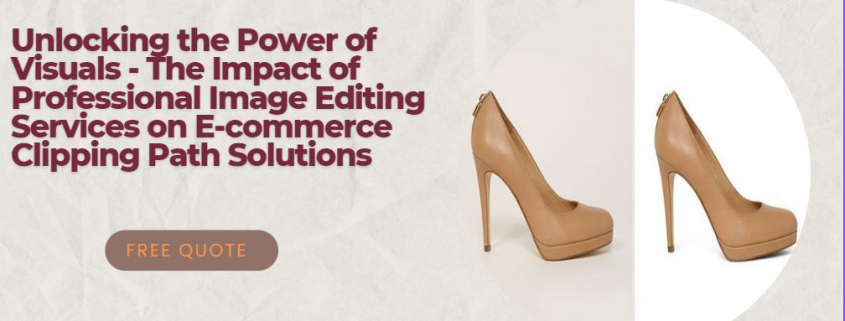
Unlocking the Power of Visuals | The Impact of Professional Image Editing Services on E-commerce Clipping Path Solutions

E-commerce image editing services

Introduction to professional image editing services

In today’s digital world, visuals are an essential part of online communication. They are particularly crucial in the e-commerce industry, where customers rely on product images to make informed purchasing decisions. High-quality, professionally edited images not only enhance the customer’s shopping experience but also contribute to a company’s brand image and credibility. This is where professional image editing services come into play.

An image editing service is a specialized service provider that offers advanced photo editing solutions to businesses and individuals. These services include retouching, resizing, optimizing, and enhancing images to meet the specific requirements of clients. With the growing importance of visuals in e-commerce, image editing services have become an indispensable tool for online businesses to create a lasting impression on their customers.

In this article, we will delve into the various aspects of professional image editing services, their impact on e-commerce, and how they can help businesses unlock the power of visuals.

I will do product photo editing and photo retouching for amazon, ebay,ecommerce, online, #online, #ecommerce, #ebay

The importance of visuals in e-commerce

Visuals play a crucial role in e-commerce. They serve as the primary source of information for customers when browsing through products online. High-quality images not only capture the attention of potential buyers but also help them understand the product’s features, quality, and overall appeal.

In the world of e-commerce, images are often the deciding factor for customers choosing between different products or sellers. A well-presented product with high-quality images is more likely to be selected over a similar product with poor visuals. Moreover, visuals contribute to a company’s brand image, which is essential for building trust and credibility with customers.

In essence, investing in professional image editing services is not just about creating aesthetically pleasing product images. It is also about improving the overall customer experience, building a strong brand image, and ultimately driving sales.

Types of image editing services for e-commerce

There are various types of image editing services available in the market, each catering to specific e-commerce needs. Some of the most commonly used services include:

  1. Background removal: This service involves removing the background from a product image, making it easier for customers to focus on the product itself. This is particularly important for e-commerce platforms, where product images need to have a consistent look and feel.
  2. Image retouching: Retouching involves enhancing product images by correcting imperfections, such as blemishes, scratches, or unwanted shadows. This service helps businesses showcase their products in the best possible light, ensuring that customers have a clear understanding of the product’s features and quality.
  3. Color correction: This service is essential for accurately representing product colors in images. Color correction ensures that the colors displayed in product images match the actual colors of the products, helping customers make informed purchasing decisions.
  4. Image resizing and optimization: This service involves resizing and optimizing product images to ensure that they load quickly on various devices and platforms. It is crucial for improving the overall user experience and reducing bounce rates.
  5. Clipping path solutions: Clipping path solutions involve isolating the product from its background and creating a precise outline around it. This service is particularly useful for e-commerce businesses that require images with transparent backgrounds, such as those used in catalogues or promotional materials.

I will do ecommerce product photo editing for online shop, #photo, #product, #ecommerce

The role of clipping path solutions in product photo editing

Clipping path solutions are an essential part of product photo editing in e-commerce. They involve creating a vector path around the product, which allows for precise background removal and seamless integration of the product image into various designs and layouts. This technique is particularly useful for e-commerce businesses that require images with transparent backgrounds, such as those used in catalogues, promotional materials, or online advertisements.

In addition to background removal, clipping path solutions can also be used for other image editing tasks, such as color correction, shadow removal, and image masking. By employing clipping path solutions, e-commerce businesses can ensure that their product images are consistent, professional, and ready for use across multiple platforms and marketing channels.

Benefits of using professional e-commerce image editing services

There are several benefits to using professional e-commerce image editing services, including:

  1. Improved product presentation: High-quality, professionally edited images showcase products in the best possible light, making them more appealing to potential customers.
  2. Increased customer trust: Well-presented product images contribute to a company’s brand image and credibility, helping to build trust with customers.
  3. Higher conversion rates: Optimized product images have been proven to increase conversion rates and boost sales.
  4. Time and cost savings: Outsourcing image editing tasks to professionals can save businesses time and resources, allowing them to focus on other aspects of their operations.
  5. Consistency: Professional image editing services ensure that product images maintain a consistent look and feel across different platforms and marketing channels.

How to choose the right image editing service provider

When selecting an image editing service provider, businesses should consider the following factors:

  1. Experience: Look for a service provider with a proven track record of working with e-commerce businesses and a strong understanding of industry-specific requirements.
  2. Quality: Review the provider’s portfolio to assess the quality of their work and ensure that it aligns with your brand image and standards.
  3. Turnaround time: Choose a provider that can deliver high-quality work within your required timeframe.
  4. Pricing: Compare pricing options and select a provider that offers competitive rates without compromising on quality.
  5. Customer support: Opt for a service provider that offers reliable customer support and is responsive to your needs and concerns.

The impact of optimized product images on customer engagement and sales

Optimized product images play a significant role in driving customer engagement and sales in e-commerce. High-quality, professionally edited images not only capture the attention of potential buyers but also help them understand the product’s features, quality, and overall appeal.

Research has shown that optimized product images can increase conversion rates by up to 50%. Moreover, a study conducted by Shopify revealed that online stores with high-quality product images had a 58% higher conversion rate than those with lower-quality images.

In essence, investing in professional image editing services can directly impact a business’s bottom line, making it a worthwhile endeavor for e-commerce companies looking to boost their online presence and sales.

Case studies: Successful e-commerce businesses using professional image editing services

Many successful e-commerce businesses have reaped the benefits of using professional image editing services. Here are two examples:

  1. ASOS: This popular online fashion retailer is known for its high-quality product images and visually appealing website. ASOS invests heavily in professional image editing services to ensure that its product images are consistent, engaging, and reflective of the brand’s identity.
  2. Wayfair: As one of the largest online furniture retailers, Wayfair relies on high-quality product images to showcase its extensive range of products. The company has partnered with professional image editing service providers to enhance and optimize its product images, resulting in increased customer engagement and sales.

Tips for working with a product image editing service

To ensure a smooth and efficient collaboration with a product image editing service, businesses should consider the following tips:

  1. Provide clear instructions: Be specific about your image editing requirements and provide detailed instructions to the service provider.
  2. Set realistic deadlines: Allow sufficient time for the service provider to deliver high-quality work while also meeting your deadlines.
  3. Communicate regularly: Maintain open lines of communication with the service provider to address any issues or concerns promptly.
  4. Provide feedback: Provide constructive feedback on the completed work to help the service provider improve and tailor their services to your needs.
  5. Establish a long-term relationship: Developing a long-term relationship with a reliable service provider can lead to more efficient workflows and better-quality results.

Conclusion: Unlocking the potential of visuals in e-commerce through professional image editing services

In conclusion, professional image editing services play a crucial role in the success of e-commerce businesses. By investing in high-quality visuals, companies can improve customer engagement, build trust, and ultimately drive sales. Businesses should consider partnering with a reliable image editing service provider to unlock the full potential of visuals in e-commerce and stay ahead of the competition.

, , , , , , ,

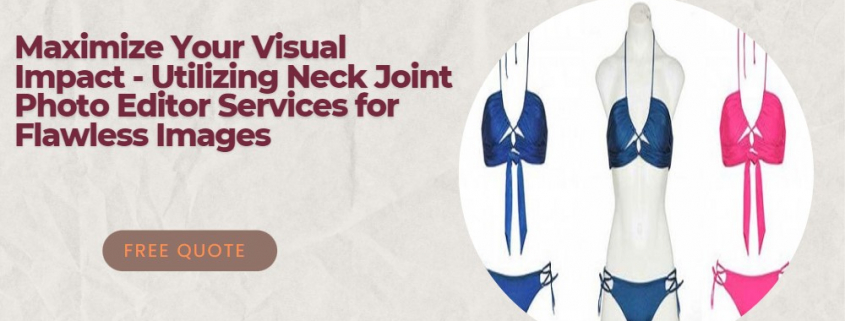
Maximize Your Visual Impact: Utilizing Neck Joint Photo Editor Services for Flawless Images

Neck Joint Photo Editor Services

Introduction to neck joint photo editor services

In the highly competitive world of marketing and branding, visual impact is crucial to catch your audience’s attention and make your products stand out. One essential aspect of creating a powerful visual statement is working with high-quality images that highlight your products’ best features. This is where neck joint photo editor services come into play.

Neck joint photo editor services specialize in manipulating images to create a seamless and professional appearance, particularly for garment and apparel businesses. These services are designed to showcase your products in the best possible light, emphasizing their unique features and details while maintaining a clean and polished look. This article will discuss the importance of visual impact in marketing and branding, the role of photo editing in creating flawless images, and how to find the best photo editing services near you.

Neck Joint Photo Editor Services

The importance of visual impact in marketing and branding

Visual impact is a crucial aspect of marketing and branding, as it can make or break a customer’s impression of your product. In today’s digital age, consumers are exposed to countless images daily, and a visually striking design can help your product stand out from the competition. A strong visual impact can evoke emotions, create a lasting impression, and ultimately influence purchasing decisions.

Several factors contribute to creating a powerful visual impact, including composition, color, texture, and lighting. However, the quality of your images is perhaps the most critical factor in determining whether your visual branding will be successful. High-quality images not only showcase your product’s best features but also help establish trust and credibility with your customers. This is why investing in professional photo editing services is essential for businesses that want to maximize their visual impact.

The role of photo editing in creating flawless images

Photo editing plays a vital role in creating flawless images that contribute to a strong visual impact. While a skilled photographer can capture stunning images, photo editing is necessary to refine these images and make them suitable for marketing and branding purposes. Photo editing can correct imperfections, enhance colors, adjust lighting, remove unwanted objects, and create a consistent visual style.

Different types of photo editing services cater to various industries and specific needs, such as product photography, fashion photography, and real estate photography. Among these services, neck joint photo editing is particularly relevant for the garment and apparel industry. This specialized service involves manipulating images of clothing items to create a seamless and professional appearance, which is essential for showcasing fashion products online and in print materials.

best Neck Joint Photo Editor Services

Different types of photo editing services

There are several types of photo editing services available, each catering to specific needs and industries. Some of the most common photo editing services include:

Product photo editing: This service focuses on enhancing product images for e-commerce websites and catalogs, ensuring that the products are displayed in the best possible light. This may include color correction, background removal, and adding shadows or reflections.

Fashion photo editing: Fashion photo editing involves retouching images of models and clothing items, enhancing the overall visual impact of the image. This may include skin retouching, color correction, and adjusting the lighting and contrast.

Real estate photo editing: This service is specifically tailored for property images, enhancing the visual appeal of real estate listings. Common tasks include correcting perspective, adjusting lighting and colors, and adding or removing objects to improve the overall composition.

Portrait photo editing: Portrait photo editing services focus on enhancing images of individuals or groups, ensuring that the subjects look their best. This may include retouching, color correction, and background removal.

Neck joint photo editing: As mentioned earlier, neck joint photo editing is a specialized service for the garment and apparel industry, which involves manipulating images to create a seamless and professional appearance.

Professional photo editor: Key features and benefits

A professional photo editor offers several key features and benefits that can help businesses maximize their visual impact. Some of these features and benefits include:

Expertise and experience: A professional photo editor has the necessary skills and experience to handle a wide range of photo editing tasks, ensuring that your images are of the highest quality.

Advanced tools and techniques: Professional photo editors use the latest tools and techniques to edit images, allowing for precise adjustments and enhancements.

Consistent visual style: By working with a professional photo editor, you can ensure that your images maintain a consistent visual style, which is essential for building a strong brand identity.

Fast turnaround time: Professional photo editors are efficient and can deliver high-quality edited images within a short timeframe, allowing your business to keep up with the fast-paced world of marketing and branding.

Cost-effective solution: Outsourcing photo editing tasks to a professional can save your business time and resources, allowing you to focus on other aspects of your marketing and branding efforts.

How to find the best photo editing services near me

Finding the best photo editing services near you may seem like a daunting task, but there are a few tips that can help you in your search. Here are some steps to follow when looking for a reliable photo editor service:

Ask for recommendations: One of the best ways to find a reputable photo editing service is by asking for recommendations from friends, colleagues, or industry peers. They may have worked with a professional photo editor in the past and can provide valuable insights into their experience.

Search online: Conducting an online search is another effective way to find photo editing services near you. You can use keywords such as “photo editing near me,” “photo editors near me,” or “professional photo editing services near me” to find local businesses offering these services.

Check reviews and testimonials: Before choosing a photo editor service, it’s essential to read reviews and testimonials from previous clients. This can give you an idea of the quality of their work and their level of customer satisfaction.

Review portfolios: A professional photo editor’s portfolio showcases their skills and expertise, allowing you to assess whether their style aligns with your needs. Make sure to review the portfolio thoroughly, paying particular attention to their work in your industry or niche.

Request a quote: Once you’ve shortlisted potential photo editing services, request a quote to compare their pricing and offerings. This will help you find a photo editor near you that fits your budget and requirements.

Tips for selecting a reliable photo editor service

Selecting a reliable photo editor service is essential for ensuring that your images are of the highest quality and contribute to a strong visual impact. Here are some tips to keep in mind when choosing a photo editor service:

Assess their expertise: Look for a photo editor service with experience in your specific industry or niche, as this indicates that they understand your unique requirements and can deliver the desired results.

Check their turnaround time: It’s essential to choose a photo editor service with a fast turnaround time, as this can help you keep up with the fast-paced world of marketing and branding.

Look for a transparent pricing structure: A reliable photo editor service should have a transparent pricing structure, allowing you to understand the costs involved and budget accordingly.

Ensure they offer a satisfaction guarantee: A satisfaction guarantee indicates that the photo editor service is confident in the quality of their work and is committed to meeting your expectations.

Consider their communication skills: Effective communication is crucial when working with a photo editor service, as this ensures that your needs and expectations are clearly understood.

ghost mannequin services

The process of neck joint photo editing

Neck joint photo editing is a specialized process that involves several steps to create a seamless and professional appearance for images of clothing items. Here’s a brief overview of the process:

Image preparation: The first step in neck joint photo editing is preparing the images for editing. This may involve resizing, cropping, or rotating the images as necessary.

Background removal: Next, the background of the image is removed, allowing the clothing item to be placed on a clean, white background, which is essential for e-commerce websites and catalogs.

Neck joint manipulation: The neck joint of the clothing item is then manipulated to create a seamless and natural appearance. This may involve adjusting the position of the collar, sleeves, or other elements to ensure that the garment looks realistic and visually appealing.

Color correction and enhancement: Finally, the image is color corrected and enhanced to ensure that it accurately represents the clothing item’s colors and textures. This may involve adjusting the brightness, contrast, and saturation levels, as well as applying filters and effects to create the desired visual impact.

The cost of hiring professional photo editing services near me

The cost of hiring professional photo editing services near you can vary depending on several factors, including the complexity of the editing tasks, the number of images, and the turnaround time required. Some photo editor services offer fixed pricing packages, while others charge on an hourly or per-image basis.

To get a better idea of the costs involved, it’s essential to request a quote from potential photo editing services near you. Keep in mind that the cheapest option may not always be the best choice, as the quality of their work may not meet your expectations. Instead, look for a photo editor near you that offers a balance of quality, expertise, and affordability.

Conclusion: Maximizing visual impact with neck joint photo editor services

In conclusion, neck joint photo editor services play a crucial role in creating flawless images that contribute to a strong visual impact. By investing in professional photo editing services, you can ensure that your images showcase your products in the best possible light, allowing your business to stand out from the competition.

When searching for a reliable photo editor service, remember to ask for recommendations, check reviews and testimonials, review portfolios, and request aquote to compare pricing and offerings. Also, keep in mind the importance of assessing their expertise, checking their turnaround time, looking for a transparent pricing structure, ensuring they offer a satisfaction guarantee, and considering their communication skills.

Neck joint photo editing is a specialized process that involves several steps, including image preparation, background removal, neck joint manipulation, and color correction and enhancement. This service is particularly relevant for the garment and apparel industry, where showcasing clothing items in the best possible light is essential for marketing and branding efforts.

The cost of hiring professional photo editing services near you can vary, but it’s essential to find a photo editor near you that offers a balance of quality, expertise, and affordability. By maximizing your visual impact with neck joint photo editor services, you can create a lasting impression on your customers, establish trust and credibility, and ultimately drive sales for your business.

, ,

Transform Your Photos with Ease The Top Photo Editor for Background Changes

Top Photo Editor Background Change

Transform Your Photos with Ease: The Top Photo Editor for Background Changes

‍As a photography enthusiast, I have always been fascinated by the power of photo editing. It is amazing how a simple edit can completely transform an image, making it more vibrant, attractive, and visually appealing.

If you are interested in exploring the world of photo editing, you have come to the right place. In this article, I will introduce you to the top photo editor for background changes. But before diving into the details of the editor, let’s first understand what photo editing is and why it is important.

Top Photo Editor Background Change

Introduction to Photo Editing

Photo editing is the process of manipulating and enhancing digital images using specialized software. It allows you to alter the appearance of an image, making it more visually appealing and attractive. Photo editing involves a wide range of techniques, such as adjusting brightness, contrast, color balance, and saturation, removing blemishes, adding filters or effects, and changing the background.

Photo editing has become an essential part of photography, whether you are a professional photographer, an amateur, or just someone who loves taking photos. It allows you to turn ordinary photos into extraordinary ones, and it gives you the freedom to express your creativity and imagination.

What is a Photo Editor?

A photo editor is a software application that allows you to edit and manipulate digital images. It provides you with a wide range of tools and features that enable you to adjust and enhance your photos according to your preferences. Photo editors are available in various forms, including desktop software, mobile apps, and online tools.

Benefits of Using a Photo Editor

Using a photo editor offers several benefits, such as:

  1. Enhancing image quality: A photo editor allows you to improve the quality of your photos by adjusting brightness, contrast, color balance, and other parameters.
  2. Removing blemishes: With a photo editor, you can remove unwanted objects, blemishes, or imperfections from your photos, making them more perfect.
  3. Changing the background: One of the most popular photo editing techniques is changing the background of an image. This can completely transform the look and feel of a photo, making it more attractive and eye-catching.
  4. Adding effects: A photo editor allows you to add various effects to your photos, such as filters, textures, and frames. This can give your photos a unique and artistic touch.
  5. Saving time and effort: Photo editing can be a time-consuming task, but with a photo editor, you can easily apply edits to multiple photos at once, saving you time and effort.

Different Types of Photo Editors

There are different types of photo editors, each with its own set of features and capabilities. The most common types include:

  1. Desktop software: This type of photo editor is installed on your computer and provides advanced editing features, such as layers, masks, and brushes. Examples of desktop software include Adobe Photoshop, GIMP, and Corel PaintShop Pro.
  2. Mobile apps: Mobile photo editors are designed for smartphones and tablets and offer a range of features, such as filters, borders, and text overlays. Examples of mobile photo editors include VSCO, Snapseed, and Adobe Lightroom.
  3. Online tools: Online photo editors are cloud-based and can be accessed from any device with an internet connection. They offer a range of features, such as basic editing tools, filters, and effects. Examples of online photo editors include Canva, Pixlr, and Fotor.

Top Features to Look for in a Photo Editor

When choosing a photo editor, there are several features you should consider, such as:

  1. User-friendly interface: A good photo editor should have a simple and intuitive interface that is easy to navigate.
  2. Editing tools: Look for a photo editor that offers a wide range of editing tools, such as cropping, resizing, and adjusting exposure.
  3. Filters and effects: A photo editor should have a range of filters and effects that you can apply to your photos to give them a unique look and feel.
  4. Background removal: If you want to change the background of your photos, look for a photo editor that has a dedicated background removal tool.
  5. Saving and exporting options: A good photo editor should allow you to save your edited photos in different formats and sizes and export them to various social media platforms.

The Best Photo Editor for Background Changes – An Overview

While there are many photo editors available, only a few specialize in background changes. The best photo editor for background changes is undoubtedly Adobe Photoshop.

Photoshop is a desktop software that offers advanced editing tools and features. It has a dedicated background removal tool called the Magic Wand tool, which allows you to select and remove the background of an image with ease. Photoshop also offers a wide range of filters, effects, and other editing tools that enable you to create stunning photos.

However, Photoshop can be quite expensive, and it has a steep learning curve, making it unsuitable for beginners. If you are looking for a more affordable and user-friendly alternative, there are several online photo editors that specialize in background changes.

Top Photo Editor

How to Use the Photo Editor for Background Changes

Using a photo editor for background changes is a simple process. Here are the steps to follow:

  1. Open the photo editor and upload your photo.
  2. Use the background removal tool to select and remove the background of your photo.
  3. Apply filters or effects to your photo to enhance its appearance.
  4. Save your edited photo in the desired format and size.

Advantages of Using an Online Photo Editor

Online photo editors have several advantages over desktop software, such as:

  1. Accessibility: Online photo editors can be accessed from any device with an internet connection, making them more convenient and accessible.
  2. Affordability: Online photo editors are usually more affordable than desktop software and offer a range of pricing options, including free trials and subscriptions.
  3. User-friendly interface: Online photo editors are designed to be user-friendly, with simple and intuitive interfaces that are easy to navigate.
  4. Collaboration: Online photo editors allow you to collaborate with others in real-time, making it easier to work on projects together.

The Best Online Photo Editors for Background Changes

If you are looking for an online photo editor that specializes in background changes, here are some of the best options:

  1. Canva: Canva is a popular online design tool that offers a range of photo editing features, including background removal. It has a simple and intuitive interface and offers a wide range of filters and effects.
  2. Pixlr: Pixlr is a free online photo editor that offers a range of tools and features, including photo background removal. It also has a desktop version that offers advanced editing capabilities.
  3. Fotor: Fotor is a user-friendly online photo editor that offers a dedicated background removal tool. It has a range of filters and effects and allows you to save your edited photos in various formats.

Conclusion – Why the Top Photo Editor for Background Changes is a Game Changer

In conclusion, photo editing is an essential tool for anyone interested in photography. It allows you to transform your photos and express your creativity and imagination. When it comes to background changes, the top photo editor is undoubtedly Photoshop, but there are several more affordable and user-friendly alternatives, such as online photo editors like Canva, Pixlr, and Fotor.

Using a photo editor for background changes is a simple and effective way to enhance your photos and make them more visually appealing. So, what are you waiting for? Try out the top photo editor for background changes and transform your photos with ease!

Photo Editor Background Change