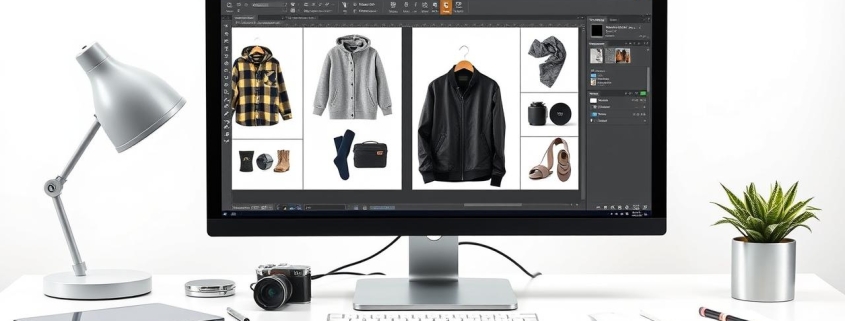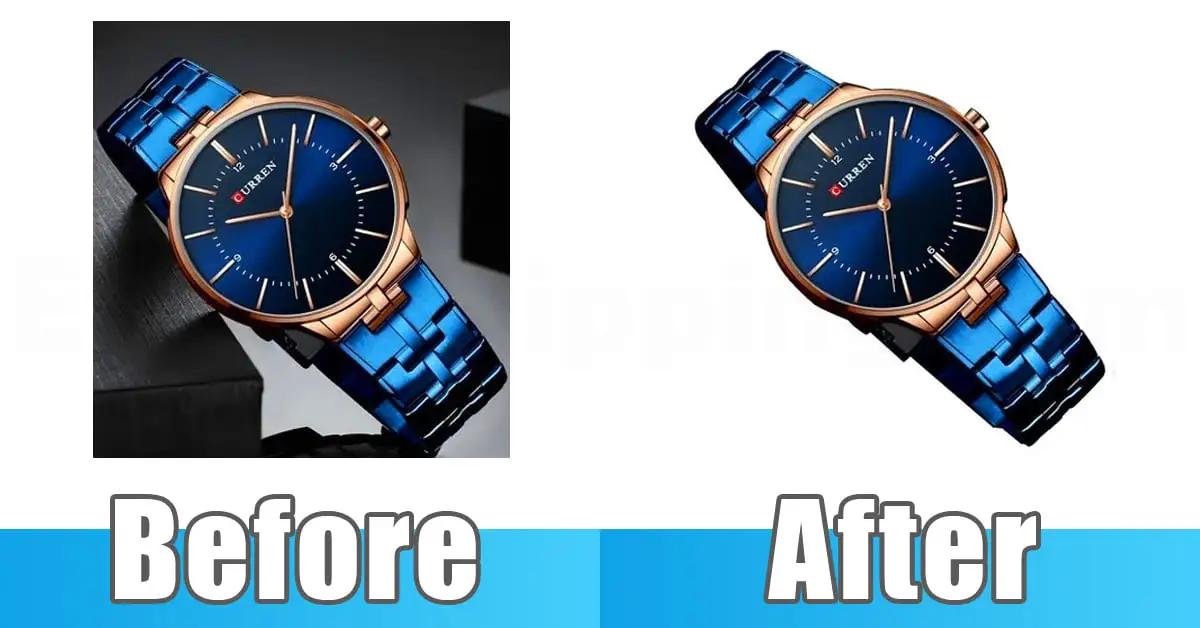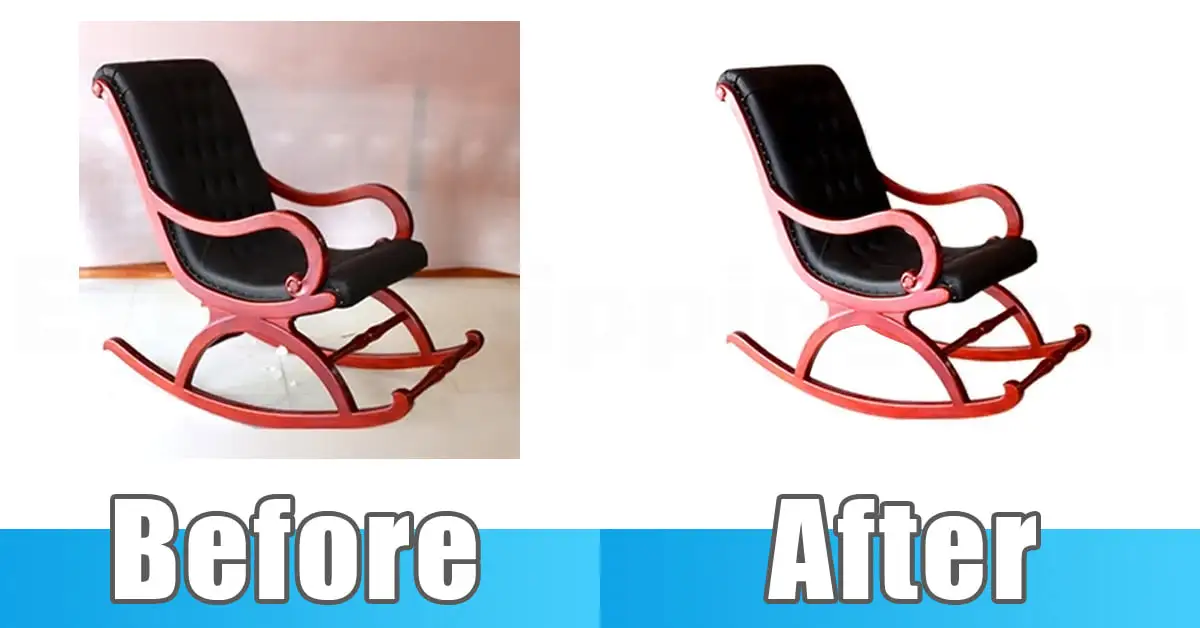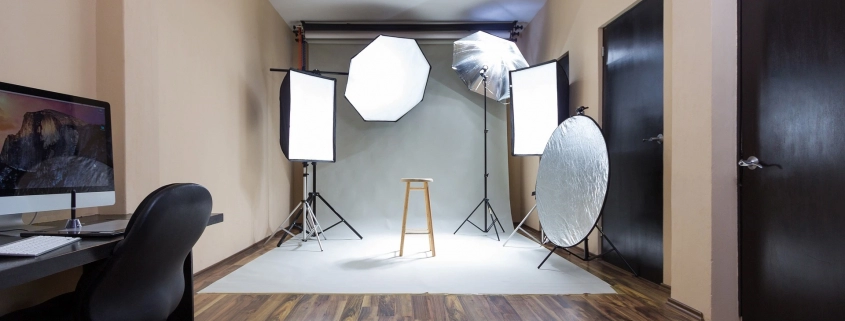
How to Combine Paths in Photoshop

How to Combine Paths in Photoshop
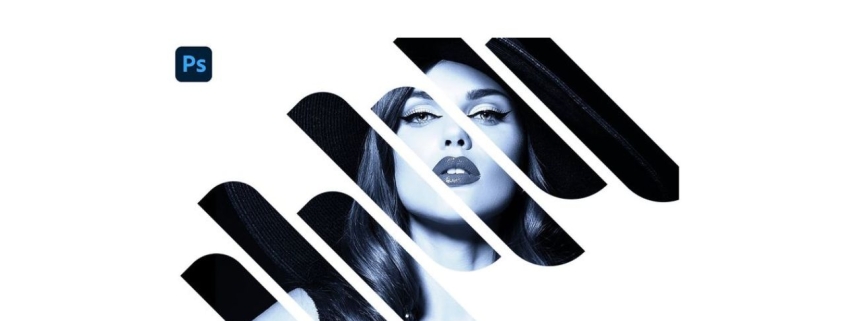
Ever find yourself drowning in anchor points while editing a product photo? Yeah, I’ve been there too. Let me walk you through how to combine paths in Photoshop a simple move that can save your sanity and speed up your workflow.

What Are Paths in Photoshop?

Quick Definition for Beginners

In Photoshop, a path is a line or shape made with anchor points. Think of it like a wire frame you draw around something. You don’t see it in the final image, but it tells Photoshop where to act—like where to cut or where to apply an effect.

Quick answer: Want a deeper dive? Here’s a full guide on what a path is in Photoshop.

Why Paths Matter in Real Projects

I use paths almost every day for clipping product photos. They’re precise, clean, and let me tweak edges without damaging the original image. If you’re editing for eCommerce or fashion, mastering paths is a must.

Types of Paths You Can Combine

Work Paths

These are temporary paths that Photoshop makes. They’re great for quick edits but disappear if you don’t save them.

Shape Paths

These are vector paths that define shapes. You can combine them to make complex logos or icons.

Clipping Paths

Used mostly for isolating objects, especially in product photography. Clients love them because they make images web-ready.

Why Combine Paths Anyway?

A Real-Life Story: Saving Time on Product Edits

Once, I had a batch of 50 shoe photos. Each had laces, shadows, and edge highlights. Creating separate paths was messy. Combining them gave me one clean, editable shape like wrapping all your groceries in one bag instead of juggling five.

Learn how to reshape and cut out product images the right way.

Short answer: Combining paths helps you manage complex selections and speed up repetitive edits.

Common Use Cases

  • Merging two shapes into one
  • Creating cutouts with multiple parts
  • Building masks for advanced retouching

Tools You Need to Combine Paths

Pen Tool

The trusty Pen Tool is your main weapon. It creates the paths you’ll later combine. I call it the scalpel of Photoshop sharp and precise.

Path Selection Tool

This lets you move, select, or combine paths. Shortcut: Press A on your keyboard. You’ll use it a lot.

Step-by-Step: How to Combine Paths in Photoshop

Step 1: Open the Paths Panel

Go to Window > Paths. This is your control center. If it’s not visible, you won’t get far.

Quick tip: Always name your paths so you don’t mix them up later.

Step 2: Select the Paths You Want to Merge

Hold down Ctrl (Cmd on Mac) and click each path in the Paths panel. They’ll highlight together.

Note: This only works if the paths are saved—not temporary Work Paths.

Step 3: Use the Combine Button

Go to the Path Operations in the top toolbar (it appears when you select paths). Choose “Combine Shapes.” Boom! One unified path.

Shortcut alert: You can also right-click and pick “Combine Shapes” from the menu.

Step 4: Save or Convert Your Path

After combining, you can turn it into a selection (Ctrl/Cmd + Enter) or a vector mask. Always save it in the panel if you plan to reuse it.

Bonus Tip: Combine Without Losing Shapes

Use Shape Layers Instead of Raster

When working with shapes, always check that they’re on vector shape layers. Combining raster paths is like trying to glue sand together—messy and irreversible.

Pro move: Use the Shape Tool + Path Operations for cleaner results.

Common Mistakes to Avoid

Forgetting to Save the Path

Work Paths disappear if you click away. Right-click > “Save Path” every time. It’s like hitting “Save” on a Word doc.

Merging Paths in the Wrong Order

Photoshop follows the order you select paths. Choose them in the sequence you want them to merge or else you might lose smaller details.

Pro Tips from My Editing Desk

Grouping Paths for Future Use

Group your paths in folders (Layer Groups) and name them clearly. I name mine after clients or project types: Shoes_MainPath, Sunglasses_EdgeCut, etc.

Keyboard Shortcuts That Save You Hours

  • A = Path Selection Tool
  • Ctrl/Cmd + Enter = Convert Path to Selection
  • Alt/Option + Click = Subtract a Path
  • Shift + Click = Add to Path

Final Thoughts

Combining paths in Photoshop is one of those small skills that makes a big difference. Once you’ve done it a few times, it feels as natural as brushing your teeth. And trust me, your workflow will thank you.

Whether you’re prepping photos for Amazon, creating logos, or just trying to clean up a messy shape—you’ll be glad you learned this trick.

FAQs

Q1: Can I undo a combined path?
Yes! Just press Ctrl + Z (Cmd + Z) to undo immediately. Or go to Edit > Step Backward.

Q2: Does combining paths reduce quality?
Nope. Paths are vectors, so combining doesn’t affect resolution or sharpness.

Q3: Can I combine a path with a selection?
Sort of. Convert your path to a selection first, then modify it. But technically, paths and selections are different things.

Q4: What happens if my path disappears after combining?
You probably didn’t save it. Always hit “Save Path” before combining to keep a backup.

Q5: Is this different from merging shape layers?
Yes! Merging shape layers flattens them. Combining paths keeps them editable and non-destructive.

What Is a Path in Photoshop? (And Why It’s Your Secret Design Superpower)

What Is a Path in Photoshop

You know that moment when you’re trying to cut something out in Photoshop and it turns into a jagged mess? Yeah, I’ve been there too. It’s frustrating, right? That’s when I discovered paths—and let me tell you, it changed everything.

So, here’s the quick answer:
A path in Photoshop is a smooth outline made of anchor points and curves. It’s used to create clean shapes, selections, or guides without messing with the actual image.

Now, let me walk you through it like I would if we were chatting at a coffee shop. Promise it’ll be simple, clear, and maybe even a little fun.

The First Time I Used Paths (and Totally Screwed Up)

The first time I opened the Pen Tool, I thought, “What even is this thing?” I clicked once, then again, and suddenly there were weird handles everywhere. I panicked. Closed Photoshop. Drank tea.

But here’s what I didn’t know: paths are like the pencil outlines you draw before painting. They don’t change anything just guide your edits. That means no pressure. You can mess up all you want, and nothing breaks.

Why Paths Are So Dang Useful

Let’s keep it real Photoshop has about 300 tools, and most of them feel like overkill when all you want is a clean outline. But paths? They’re your go-to for three big reasons:

1. Super Precision

Quick tip: If you need perfect curves or straight lines, paths are the way. Unlike the lasso or quick selection tools, you’re not guessing. You control every point.

2. No Pixel Damage

This is a lifesaver. You can move, reshape, delete without harming your image. It’s like having a sketch layer in your digital art that never touches your final design.

3. Crazy Versatile

Paths work with text, shapes, masks, selections… they’re like duct tape for designers. You can use them to build logos or shape a model’s hairline perfectly.

So, What Tools Actually Make Paths?

Let’s demystify the toolbar. When you’re dealing with paths, these are your BFFs:

Pen Tool (a.k.a. The MVP)

  • Regular Pen Tool: Click to make straight lines. Click and drag for curves. It’s precise, like plotting a treasure map.
  • Free form Pen Tool: This one’s for the sketchers. Just draw like you’re using a pencil Photoshop cleans it up for you.

Path Selection Tool

Click a path to move it. Think of it like picking up a cutout and sliding it across the table.

Direct Selection Tool

This one lets you move the dots (anchor points) and curves one by one. Super handy for tweaking just a corner or curve.

Types of Paths (Yep, There’s More Than One)

This tripped me up for a while. Not all paths are created equal. Here’s a cheat sheet:

  • Work Path: Temporary. Great for quick experiments. But save it, or it’s gone when you blink.
  • Saved Path: Permanent. Click the Paths panel > double-click your path > name it. Done.
  • Clipping Path: If you’re sending stuff to print or exporting to In Design, this one hides parts of the image outside the path.

Photoshop paths can be temporary (work paths) or saved (named paths), and can even act as masks (clipping paths).

How to Make a Path (Step-by-Step, No Headaches)

Okay, let’s walk through this slowly:

  1. Pick the Pen Tool (shortcut = P).
  2. Click your first anchor point.
  3. Click again to make a line. Want a curve? Click and drag.
  4. Keep clicking until you’ve drawn your shape.
  5. Close it by clicking the first point or hit Esc to leave it open.

Boom! You’ve got a path.

Editing a Path (Like a Pro)

Here’s where the magic happens. You can change every dot and curve. It’s like sculpting with invisible clay.

  • Need more points? Use the Add Anchor Point Tool.
  • Too many points? Trim it with the Delete Anchor Point Tool.
  • Curves a bit off? The Direct Selection Tool lets you drag those handles for perfect arcs.

Hold Ctrl (Cmd on Mac) to temporarily switch to the Direct Selection Tool. It’s a great shortcut when editing paths.

Want a Selection Instead? Convert That Path

One of my favorite Photoshop hacks: Right-click the path and choose “Make Selection.” You get a super clean selection, way better than the Magic Wand or Lasso tools.

Great for cutting things out or creating detailed masks without jaggy edges.

Put Text on a Path (This Is So Cool)

Ever wanted text to wrap around a circle or zigzag like a lightning bolt? Paths make that happen.

  • Draw your path first.
  • Select the Text Tool, hover over the path, and click.
  • Now just start typing.

It looks professional and is way easier than it sounds.

Paths vs. Layers vs. Masks (Here’s When to Use What)

If you’re confused about when to use a path, a layer, or a mask—join the club. Here’s the breakdown:

  • Use a Path when you want control and precision.
  • Use a Layer Mask when you want to hide parts of a layer without deleting them.
  • Use a Vector Mask when you need sharp, scalable shapes.

Paths offer control, layer masks offer flexibility, and vector masks offer sharpness. Choose based on what you need.

Common Mistakes (So You Don’t Have to Make Them)

Let’s save you some frustration:

  • Not saving work paths: Always double-click and name it!
  • Too many anchor points: Less is more. Your path will look smoother.
  • Wrong selection tool: Direct Selection = edit points. Path Selection = move the whole thing.

Tips From My Sketchbook

Here are a few things I wish I knew earlier:

  • Zoom in. The closer you get, the better you place points.
  • Hold Shift to snap angles or keep lines straight.
  • Use guides. They’re your secret weapon for symmetry.

In a Nutshell: Paths Are Photoshop’s Power Tool

If you want to level up in Photoshop, learning paths is a must. They’re clean, flexible, and give you control that other tools just can’t. They take some practice, but once it clicks, it clicks.

Just like learning to ride a bike—it feels weird at first, but soon you’re cruising.

FAQs

  • What exactly is a path in Photoshop?
    A path is a smooth outline made of anchor points and curves, used for shapes, text, or selections without altering pixels.
  • How is a path different from a shape?
    A path is just the outline. A shape includes fill and stroke and sits on its own layer.
  • Can I turn a path into something printable?
    Yes! Use clipping paths for print layouts or define a custom shape from your path.
  • What if I lose my path?
    Check the Paths panel. If it’s a work path and not saved, it might be gone. Always save important paths!
  • 5. Do I need a drawing tablet to use paths well?
    Not at all! Paths are about clicking and dragging, not drawing freehand. A mouse works just fine.
,

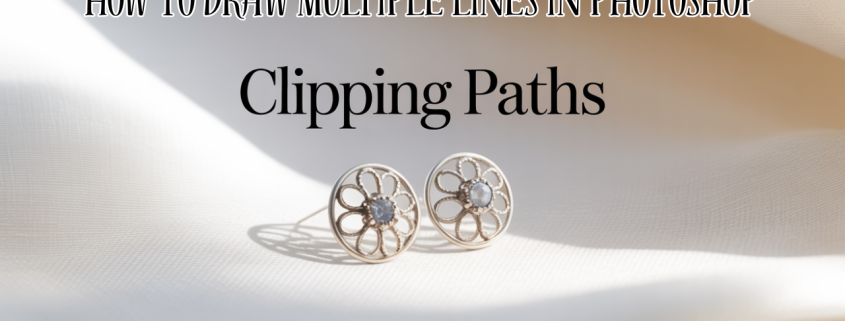
How to Draw Multiple Lines in Photoshop

DRAW MULTIPLE LINES IN PHOTOSHOP

Introduction

Let me tell you a quick story.

A few years ago, I had a client who sold handmade jewelry online. Her product photos were beautiful, but the cluttered backgrounds? Not so much. We worked together on editing her images with clipping paths and pure white backgrounds. Within a month, her sales doubled. Not because the jewelry changed but because the photos finally did them justice.

Professional image editing, like clipping paths, makes products stand out and boosts sales by enhancing visual clarity.

What Is Multiple Lines in Photoshop and Why It Matters

Think of a clipping path like a pair of scissors in Photoshop. It’s how we trace around an object, cut it out cleanly, and place it wherever we want—like magic scissors, but for pixels.

Why does this matter? Well, if you’re selling anything online, your photos are your first impression. You wouldn’t show up to a job interview in pajamas, right? The same goes for your product images.

A clipping path cleanly removes a background, creating polished product photos perfect for eCommerce platforms.

My Experience With Multiple Lines in Photoshop

I’ve been working with photo editing for [X] years now, and I’ve seen the difference it makes especially in e-commerce and advertising. I remember one time a real estate agent sent me property images that were dull and full of shadows. After some background cleanup and shadow adjustments, his listings looked like magazine spreads.

Real-world editing helps photos feel professional, trustworthy, and ready for any platform especially when it’s done by hand.

Who Needs This? (And Why It’s a Game Changer)

If you’re a:

  • Photographer
  • Online seller
  • Digital marketer
  • Print designer

you’ve probably struggled with messy backgrounds, inconsistent lighting, or that one annoying object you wish wasn’t in the shot. This is where services like clipping paths, background removal, or retouching save the day.

Clipping path services are ideal for anyone who wants clean, professional images without distractions.

Behind the Scenes: How It’s Done

We use the Pen Tool in Photoshop to carefully trace the edges of the subject. It’s not AI magic it’s hand-drawn precision. Yes, it takes time. Yes, it’s worth it.

And no, quick auto tools don’t always cut it. Trust me, I’ve fixed too many “auto-clipped” disasters to count.

Clipping paths are hand-drawn for precision unlike quick auto tools, they deliver clean, sharp results every time.

Real Results: Before and After Stories

I once worked on a batch of 500 images for a fashion brand’s new season launch. The original photos had inconsistent lighting and rough cutouts. After clean clipping paths, consistent shadows, and a pure white background, their online catalog looked like it came straight out of Vogue.

They emailed me later saying their return rate dropped because customers finally saw the product as it really was.

Better visuals not only attract customers they build trust and reduce product returns.

Common Mistakes to Avoid

One big mistake? Relying too much on AI. Don’t get me wrong AI is great for speed. But when it comes to product images, you still need a human eye. Also, don’t forget shadows! Removing them completely can make your product look like it’s floating.

Avoid overusing AI or removing all shadows photos should feel clean, not fake.

Let’s Keep It Simple: Key Takeaways

  • Clipping paths help isolate and enhance your product.
  • Manual editing always beats sloppy automation.
  • Consistent visuals improve trust and conversion.
  • Invest in quality your brand deserves it.

Clean product images are a smart investment they improve trust, brand image, and sales.

Final Thoughts: From Me to You

If you’re still unsure whether you need this, here’s what I’ll say—your product is already great. Let’s make sure your photos show that. You don’t need fancy equipment. Just the right edits.

I’ve helped everyone from solo Etsy sellers to large brands. And if there’s one thing I’ve learned? Clean visuals speak louder than words.

Sometimes, all your product needs to shine is a little editing love from someone who gets it.

FAQs

What is a clipping path?
A clipping path is a way to cut out an object from a photo using a manual tracing method in Photoshop.

How does background removal help sales?
Clean backgrounds help customers focus on the product, which increases trust and sales.

Is manual editing better than AI?
Yes, manual editing offers more precision and quality than automated tools.

How much does clipping path service cost?
Prices start from $0.25 per image, depending on complexity and volume.

,

Best Clipping Path Service for E-commerce Photos

Clipping Path Service for Ecommerce

Did you know that high quality images can increase e-commerce sales by up to 75%. In this digital age, making a good first impression is very important. That’s why we provide the best clipping path service for e-commerce photos.

The aim of our service is to enhance image quality and appeal. We ensure that every detail of your products is shown. That way your products look good against any background.

We offer bespoke image background removal services for each client. It makes visuals that attract customers.


Key Takeaways

  • Images can have a huge impact on e-commerce sales.
  • Crisp and clean images are our clipping path services.
  • It is essential to have expert photo editing to attract people to your products.
  • We provide all the tailored solutions to suit the needs of the specific client.
  • The removal of image background improves appearance and professionalism.

Understanding Clipping Path Services

A clipping path is a special shape in the world of photo editing that outlines part of an image. This is very important for the task such as changing backgrounds. This way we can pick what parts of the photo we want to see and make sure the important parts are seen.

What is a Clipping Path?

Special tools are used by editors to make clipping paths. It allows them to choose parts of an image easily. That’s great for making products look good in photos and helping them sell better online.

A lot of e-commerce photo editing uses clipping paths. They can make product images look professional enough for websites.

Importance of Clipping Path in E-commerce

The right photo can influence a customer to choose you. Clear and attractive product images are important in e-commerce where it’s very competitive. They keep customers interested and can also result in more sales.

Here, clipping paths are very important. They help make the images look sharp and polished, just what online shoppers want.

Why Choose Our Clipping Path Service

Top notch e commerce photo editing is our clipping path service. We’ve got a lot of experience and know quality. We know how important good visuals are to get customers. We are ready to help your brand with the best service possible.

Expertise in Professional Photo Editing

We have been in expert photo editing for years. We have been through this experience and thus can provide the top clipping path service for e commerce photos. We have advanced techniques to ensure all images are perfect.

This means your audience will be attracted to your product images. They’ll be key to getting your customers to engage.

High-Quality Clipping Path Definition

We pay close attention to every detail when we have a high quality clipping path. Each cutout is perfect, pixel by pixel. It allows your products to stand out in any online store.

We make sure your images look professional because of our commitment to quality. This increases your brand’s credibility and attraction.

Best Clipping Path Service for E-commerce Photos

Every detail is important in e-commerce. For e-commerce needs, we have a top notch clipping path service. Having custom product photo editing solutions available for you, we make sure each product photo will showcase your brands quality. Potential customers are grabbed by this.

Tailored Solutions for E-commerce Needs

Every business is different and we know that. That’s why we provide custom e-commerce photo editing solutions. We know your brand and your audience, so we create images that your audience will connect with. It increases your products’ visual appeal and puts you ahead of your competition.

Quick Turnaround Times for Your Business

Time is everything in e-commerce. But we’re fast, without compromising on quality. We help you meet deadlines, whether it’s for a product launch or a seasonal campaign. With our quick and quality photo editing, you always have a strong online presence and meet customer needs.

Benefits of Using Expert Clipping Path

An expert clipping path can help us greatly with our product images. In e-commerce, better product presentation is key to high quality visuals. Our brand looks good because professional photo editing makes images clear and attractive.

Enhancing Product Presentation

Our product images stand out because we are investing in expert clipping path services. The benefits include:

  • Highlights the product with clear backgrounds
  • Brighter images color correction
  • Unifying the style across all products and significantly strengthening a brand identity

It helps improve product presentation and helps us to connect with customers better.

Impact on Customer Engagement and Sales

Studies show that high-quality images attract more customers. Expert clipping path techniques lead to:

  1. More customer trust in our brand
  2. People are more likely to buy good looking products
  3. More people reached, more social media shares

These improvements have greatly improved our sales and our brand loyalty. If we concentrate on professional photo editing, we can increase our sales and keep the customers returning.

expert clipping path

How Our Photo Editing Process Works

On top of that, we have a detailed photo editing process to get top notch results. Background removal is what it is about, to make your products pop in e-commerce. It guarantees that your products are noticed.

Step-by-Step Overview

Our photo editing process has several steps:

  1. Initial Image Submission: Through our easy to use platform, clients send images to us.
  2. Image Background Removal: Removing backgrounds carefully, our experts make images look professional.
  3. Clipping Path Creation: For precise isolation, we generate exact clipping paths around products.
  4. Photo Retouching: We tweak colors, sharpen the images, we fix flaws to make it better.
  5. Final Review: We check every image to make sure it is up to our standards.
  6. Delivery: The final images are delivered quickly for any e-commerce site.

Quality Control Measures in Place

At every step we have strict quality control. Our process includes:

  • Each project is checked by a quality control team.
  • We look over images over and over again to catch and fix any issues.
  • So we use client feedback to improve our work.

We make sure images meet or exceed client expectations. It increases product visibility and sales.

Conclusion

Today’s fast moving e-commerce world cannot do without professional clipping path services. They help draw customers to what they have to offer in the best light. For a great shopping experience, it is important to choose the best clipping path service for e-commerce photos.

When you work with ExpertClippingPath, your brand gets top notch results. Each client is custom made for our photo editing. This guarantees that your visuals will be well connected to your audience.

The digital market is becoming more and more competitive. Quality clipping path services can help your products stand out when you invest in it. We can help you to show your products in the best possible way. It will arouse customers’ interest and boost your sales. If you want to know how we can help your business thrive, contact us today.

,

Professional Car Clipping Path Services For Auto Industry

Car Clipping Path Services

“Quality means doing it right when no one is looking.” – Henry Ford

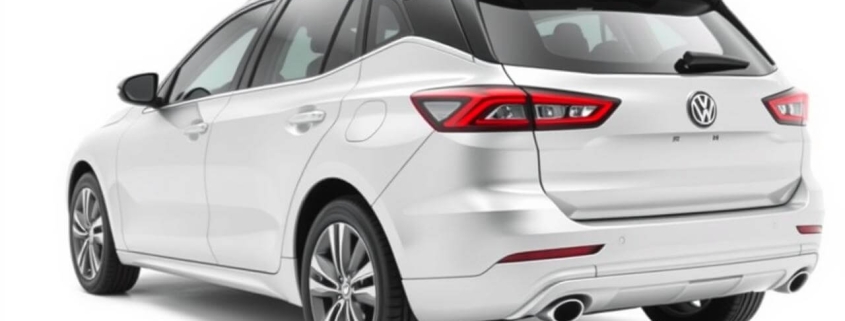
Professional clipping path service is very important in the competitive world of cars. They help make vehicles look better online. More cars are sold online, so background removal and photo editing is crucial. Good pictures increase your chances of turning more people into buyers and shaping what they think of your brand.

Releasing backgrounds and correcting colors are important services. They make your brand look better and build trust. These services can help you to make your cars online better and distinguish you in the market.

Key Takeaways

  • The delivery time for car image editing services is 16 – 24 hours.
  • You can edit up to 20 images a day with professional services.
  • A free trial is often available for first 10 images to see the quality of work.
  • Bulk orders naturally qualify for discounts, which makes it cheap to order even a large quantity of them.
  • The service quality is appreciated and receives positive feedback with 100% customer satisfaction guaranteed.

Understanding Car Clipping Path Services

Key for the auto industry are car clipping path services. They remove the background of the vehicle images and make it look better. It’s important in a competitive market.

Car photo editing can really help, depending on how professional you want your car to look. The services are used by dealerships and retailers to attract more customers. Along with this, they also get more clicks on their listings.

Definition and Importance

Vehicle images backgrounds are removed by car clipping path services. That makes the vehicle unique. It’s a vital service.

These images are very popular among marketers on Amazon and eBay platforms. It helps boost sales by up to three times. Pictures really do sell.

Car Clipping Path Services Work.

But it begins with editors who are skilled and use software such as Photoshop. They make a very precise outline on the vehicle. It allows them to remove the background easily.

They then make the image better with color correction and adjusting brightness to their liking. They also remove any flaws. The image is more appealing when you use different colors on different parts of the vehicle.

Product photos should always be high resolution. This also makes sure that they attract the attention of the customer.


Aspect Details
Importance Increase engagement and improve click-through rates
Market Preference 70% prefer clipped photos in e-commerce
Sales Impact Up to 3x sales value increase from professional images
Engagement Effect Attractive vehicle images lead to more traffic and higher sales
Service Variety Includes simple, multi, and complex clipping paths

Benefits of Utilizing Professional Car Clipping Path Services

Benefits of using professional car clipping path services to car businesses are huge. More people are interested in better images. Smart car photo editing can also help you sell more cars. To increase visual marketing, car companies need to know these points.

Enhanced Image Quality

Regular car pictures become amazing with professional editing. It fixes colors, removes blemishes and improves lighting. For online visibility, this makes images look top notch.

If you have more people choosing based on what they see, you need consistent, high quality images. It makes your brand seem reliable and trustworthy.

Increased Sales and Conversions

Good car photos make cars more appealing and engaging. Quick editing means you can update your listings and ads fast. It’s also cheaper than taking lots of photos, so you can spend money elsewhere.

With eye-catching images that highlight a car’s best features, you can draw in more buyers. This leads to more sales and happy customers.

Benefit Description Impact on Business
Enhanced Image Quality Professional editing improves visuals, removing imperfections and enhancing colors. Builds trust and engages consumers.
Increased Sales High-quality images attract more potential buyers. Directly correlates with higher conversion rates.
Cost-Effectiveness Reduces the need for expensive photo shoots. Optimizes resource allocation.
Quick Turnaround Fast updates to marketing materials. Maintains competitive edge in a fast-paced market.

Key Features of Car Clipping Path Services

The auto industry has found a game changer in the form of car clipping path services. They help vehicle images look better and more professional. It’s very important for online listings, ads, and promotional material.

Background Removal Techniques

This is why removing the background from car images is needed. It gets rid of distractions. To make the car sharp, I am using car image masking and clipping paths.

This allows car dealers to show cars on custom backgrounds. It makes the car stand out. They can process over 1,500 images a day and will have a turnaround time of 16 – 24 hours.

Color Correction Capabilities

It’s more than changing backgrounds, it’s color correction. It makes sure that car images show the right colors. The image is better by adjusting brightness, saturation, and contrast and keeps the brand look consistent.

This detail attracts buyers. It displays cars at their best.

Shadow Creation and Enhancement

Car images added with shadows pop. This gives the car a real look and depth. Drop shadows and reflection shadows work extremely well on new backgrounds.

It makes the car images look more lifelike.

Feature Description Benefits
Background Removal Separation of vehicle from non-appealing backgrounds using advanced masking techniques. Improves image focus and visual appeal.
Color Correction Adjustments to hue, saturation, brightness, and contrast for realistic representation. Enhances attractiveness and brand consistency.
Shadow Creation Addition of drop and reflection shadows to convey realism. Provides depth and context, making images more inviting.

How to Choose the Right Car Clipping Path Company

Deciding on a car clipping path company is a huge decision. A right one can mean a lot on your car photo editing projects. You first look at their experience and services. It will make you aware of whether they can do the job well.

Factors to Consider When Selecting a Service Provider

  • Experience: Check out companies that specialize in car clipping path services. They should have a good reputation in the car industry.
  • Portfolio: See if they’ve done any car photo editing work in the past and see if they can remove backgrounds.
  • Turnaround Time: If you have to pick a company that can complete the project in 24 hours.
  • Pricing Structure: Get prices from other companies. For simple images, costs range from about $0.29 to $0.79.
  • Data Security: Always make sure they protect your images and data while they edit.

Questions to Ask Before Committing

Before you decide, ask important questions to understand what the service provider can do:

  • What software do you use for automotive image editing? This affects the quality and speed of the editing.
  • Can you provide examples of previous work? Seeing their past projects will show their car photo editing skills.
  • What is your average turnaround time for projects? This is key to meeting your project deadlines.
  • Do you offer a satisfaction guarantee? Knowing you can get help if you’re not happy is important.
  • Do you provide free trials or samples? Companies like Clipping Path Associate offer this to let you try their services.

Types of Image Editing Associated with Car Clipping Path Services

For car clipping path services, it’s good to know different image editing types. Each one has its own purpose. In a crowded market, they help make your car photos stand out.

Automotive Image Retouching

Car photo retouching is a part of automotive image editing. It will remove stuff like dust and scratches from your vehicle images making your vehicle images look better. The key for online marketing is a good retouched image that grabs attention.

Vehicle Background Removal

The biggest part of car clipping path services is removing the background of a vehicle. It uses precise paths to remove unwanted parts behind the car. It helps the car look better and makes the car more interesting to buyers.

Car Image Masking Techniques

Getting a clean cutout of vehicles in photos is important, and that’s where car image masking comes in. Cars with complex shapes, this is great. With good masking, you can move the car to different backgrounds and enhance your marketing on different platforms.

Type of Editing Description Benefits
Automotive Image Retouching Enhancements to remove distractions and imperfections from images. Improved visual appeal, attracting more potential buyers.
Vehicle Background Removal Eliminates unwanted backgrounds to focus on the car. Creates a compelling image that enhances marketing effectiveness.
Car Image Masking Techniques Provides precise cut-outs using advanced masking methods. Offers versatility for redesigning images across media.

Why Clipping Path Experts Stand Out in the Industry

The difference between amateur and professional in the world of automotive image editing is huge. The clipping path experts are experienced and skilled. High quality car photo editing is what they are.

Experience and Expertise

Car clipping path service providing companies have teams of experienced people for automotive photo retouching. It’s because of their deep knowledge that they can take care of big projects without a glitch. That means they can offer you their services in a way that will help your images stand out.

Customer Satisfaction Guarantee

All reputable clipping path experts are about making customers happy. They take your feedback and make adjustments until you are happy. This commitment creates trust and develops long term relations, meaning quality and reliability in your image editing business.

automotive image editing

Service Features Benefits
Fast Turnaround Times Improved efficiency for your projects
24/7 Customer Support Quick communication and problem resolution
Free Trials Opportunity to assess quality without commitment
Proven Track Record Confidence in selecting a reliable provider
Flexible Pricing Models Cost-effective solutions for various needs

Conclusion

The automotive industry needs to invest in professional car clipping path services. With e-commerce, high quality images with clear background increase engagement. They help your online vehicle presentation to be better and bring in more sales and have a good online presence.

Photo editors are skilled and can give exact clipping paths, removing any jagged edges and halo effect. It makes sure your images look clean and natural. From complex objects to simple shapes, these services provide top notch results for a lot of fields like photography and graphic design.

Car clipping path services help you choose the perfect clipping path for your inventory which makes your inventory look beautiful and draws more customers. This is a strategic means to grow your business. With the right image editing support, every detail counts, so it’s vital for your success.

Essential Clipping Path Tools, Jobs & Shortcuts Guide

Clipping Path Jobs

Have you ever wondered how stunning visuals are created? Image editing is more than pixels. It’s about *transformative creativity*. Anyone who wants to sharpen their aesthetic vision needs to know about clipping paths.

It doesn’t matter if you’re just starting out or you’ve got a few years under your belt, with the right tools and techniques, any image can be made to stand out. In this guide, I will show you where to find clipping path jobs, shortcuts, and even free tools. These resources can enable your image editing skills to be at a next level and your projects look professional.

Key Takeaways

  • The importance of clipping paths in image editing.
  • Looking for clipping path jobs and career options.
  • Learning shortcuts to speed up your work in Photoshop.
  • Finding best free clipping path tools for beginners.
  • Finding the best clipping path software for professional needs.
  • Finding the best clipping path services for your projects.

Understanding Clipping Paths and Their Importance

In modern image editing, especially with Photoshop a clipping path is key. A vector path or shape is a way to isolate parts of an image. So you can change the details without changing the whole picture. The way images are used in projects depends on the precision of a clipping path.

What is a Clipping Path?

A closed vector path that enables you to choose what to reveal from an image, a clipping path. This is essential for cut outs, either for graphics or product images. Understanding its role in graphic design is helpful to know better image editing. Having said that, clipping paths are easier to use with Adobe Photoshop and give you clean edges and professional looks.

Clipping Paths in Image Editing: Applications

Image editing has many uses for clipping paths. They are used in:

Product Photography: To display products with same background.
E-commerce Image Editing: In order to make images that grab buyers’ attention.
Graphic Design: To create unique images for ads.
Visual Marketing: To make images good for ads and branding.

Having these uses in mind helps you to use clipping paths effectively in your work. It makes your projects more impactful and professional.

Clipping Path Jobs: Opportunities and Roles

Clipping paths careers are available in many fields. With more of the businesses requiring clipping path services, it is increasing, especially in e-commerce and ads. If you know about these different clipping path jobs, you can get many career opportunities.

Types of Clipping Path Jobs.
Image Editor
Graphic Designer
Photo Retoucher
Freelance Clipping Path Service Provider
Agencies use Clipping Path Manager
Skills Needed for Clipping Path Professionals

If you want to do well in the clipping path jobs, you must have certain skills. You’ll need to be good with graphic design software, like Photoshop and Illustrator. You also have to pay close attention to detail to provide top notch results.

Learn composition and color theory and your work will be noticeable. You also need to know how to apply different clipping techniques. Building a solid portfolio showcasing your skills can make you land your dream job.

Clipping Path Shortcut Techniques for Efficiency

Learning to edit images quickly in Photoshop often means using clipping path shortcuts. These shortcuts make your work faster and more precise. Knowing which shortcuts to use is key to making your work flow better.

Essential Shortcuts in Photoshop for Clipping Paths

Knowing the right Photoshop shortcuts can make creating clipping paths much quicker. Some important ones include:

  • Ctrl + Click: This shortcut lets you pick a layer easily.
  • Ctrl + J: Duplication of your current selection is simple with this shortcut.
  • Pen Tool (P): Learning this tool is crucial for making accurate paths.

Using these shortcuts helps you edit images more efficiently. You won’t get stuck on the same tasks over and over.

Streamlining Your Workflow with Clipping Path Shortcuts

It’s important to have a smooth workflow especially when you’re editing a lot of images. However doing the same thing over and over again can actually save a lot of time. Batch processing also helps you work faster. Here are some tips to make your workflow better:

  • Automate routine tasks set up Photoshop actions.
  • To apply the same edits to many images use batch processing.
  • Check out more Photoshop shortcuts to work even faster.

With these methods you can save time on clipping paths. That means you can concentrate more on your creative ideas.

Free Clipping Path Tools You Can Use

For beginners and tight budget watchers, free clipping path tools are excellent. But they don’t cost a lot, and you can trim, isolate, and edit images. GIMP, Inkscape and Clipping Magic are very popular tools because of their clipping path features. For a good starting point for your projects, they’re a good place to start.

Top Free Tools for Clipping Paths

Here are some top free tools for clipping paths:

GIMP: A powerful image manipulation alternative to Photoshop that is open source.
Inkscape: A detailed clipping paths vector graphics editor.
Clipping Magic: An online tool that helps to remove the image background with easy to use interface.
Paint.NET: A basic clipping path function image editor that is lightweight.
Photopea: Clipping paths are ideal with a browser based editor that mimics Adobe Photoshop.
Free Clipping Path Tools Limitations

However, free clipping path tools have their limits. Users often face:

Reduced Precision: Detailed work is more difficult when the free tools don’t have the same level of accuracy that professional software has.
Feature Restrictions: Complex projects may be hobbled by limitations or absence of advanced features.
Watermarks and Export Limits: Some online clipping path services watermark images, and a few others limit the file export format and size.
Poor Customer Support: Users may not get help or guidance when they have technical issues because they are unable to find the help or guidance they need.

Managing your workflow well is knowing these challenges in clipping path. When you understand the limitations of free tools you will make the better choice for your image editing.


Best Clipping Path Software for Professionals

When searching for the best clipping path software, you need to bear a few things in mind. They include compatibility with lots of file formats, easy to use interfaces, advanced selection tools and batch processing. Adobe Photoshop and Corel DRAW are very popular in term of their powerful tools, which are perfect for professional work.

Best Clipping Path Software Features to Consider

When checking out different software, keep these important features in mind:

It is compatible with different file formats so that you can work with different projects.
An easy to navigate and learn quickly interface.
Advanced selection tools that make it easy to clip out your subject from totally unorganized images.
The ability to edit many images at once in batch.

Comparative Analysis of the Leading Clipping Path Software

It’s important to know the differences between popular clipping path software. Here’s a comparison to help you see their strengths and weaknesses:

Software Features Cost Support
Adobe Photoshop Comprehensive editing tools, advanced selection features Subscription-based Excellent community and technical support
CorelDRAW Vector-based editing, user-friendly interface One-time purchase Strong online resources and tutorials
GIMP Open-source, basic selection tools Free Limited community support

This comparison shows Adobe Photoshop has unmatched features and support but a high cost. GIMP is a budget-friendly choice but has some limitations. Choosing the right software based on your needs will improve your image editing work.

Clipping Path Services: Choosing the Right Company

However, when you search for clipping path services, you need to have this in your mind. This will help you find a company that will meet your needs. Pay attention to price, quality, how quickly they work and what other people have to say about them.

A good company will have lots of experience and be professional. They also need to have strong quality checks. They distinguish themselves from others.

How to Pick a Clipping Path Service

It’s not a simple decision to choose the right company. Here are the main things to look at:

Pricing: Also, make sure that the price doesn’t go beyond your budget yet you’ll get the quality.
Quality: Look at their portfolio, and see what kind of quality their work is.
Turnaround Time: Find out how fast they can deliver, especially if you need it fast.
Customer Reviews: Get a sense of satisfaction by reading what others have to say.
Professionalism: See what their customer service can do and how they talk to their customers as this is probably the most important part of it.

Top Clipping Path Services for a Variety of Requirements

Clipping path services are offered by many companies. As a top choice for photographers, marketers, and businesses, Expert Clipping is the way to go. Comparing services will help you to find the best fit for your project.

Not only will this improve your project, but it will also get you working with reliable providers. It’s a win-win situation.


clipping path services

Company Services Offered Pricing Turnaround Time Customer Rating
Expert Clipping Basic to advanced clipping paths Competitive 24-48 hours 4.8/5
Clipping Path India (pathedits) Simple and complex cut-outs Affordable Less than 24 hours 4.5/5
Fiverr Clipping Path Services Customizable packages Varies Varies 4.7/5
Clipping Expert High-quality background removals Moderate 48 hours 4.6/5

Conclusion

If you’re in image editing, understanding clipping paths is imperative. It is better and faster than your work. Learning shortcuts and tools will put you ahead in the world of image editing.

With services such as expertclipping, your work will look top notch. The services assure that your work is both efficient and fantastic. It helps your projects stand out.

If you use the knowledge and resources we’ve covered, you’ll become and thrive in your creative work. Clip paths are important to learn image editing.

FAQ

What is a clipping path?

A path or shape within an image is a clipping path. You can edit a part of the image without affecting the rest. In tools like Adobe Photoshop it is important for making precise cut outs and improving images.

How are clipping paths used?

There are many areas where we use clipping paths, such as product photography and e-commerce. Graphic design and marketing also use them. They help keep visuals consistent and make clear backgrounds in promotional items.

What kind of job opportunities do we have in clipping path service?

Services like clipping path services involve job such as image editing, graphic design, and photo retouching. In e-commerce and advertising, freelancers and agencies need people who know how to clip paths.

What does a clipping path professional require?

If you would like to do well with clipping path jobs, then you have to be familiar with graphic design software such as Photoshop or Illustrator. You also have to pay attention to detail, and know composition and color theory. It’s also important to show your work in a portfolio.

How can we speed up our workflow when we create clipping paths?

Shortcuts in Photoshop like “Ctrl + Click” for layer selection can help you be more efficient. Actions and batch processing also help you streamline your workflow saving time.

Are there free tools to clip paths?

Of course, free tools like GIMP, Inkscape, and online platforms like Clipping Magic are available. Basic clipping path needs are good, especially for beginners.

How do free clipping path tools limit their capabilities?

Tools that are free have fewer features, and are less precise. They may also have watermarks and limited customer support. Before using these limits for your projects, you must know them.

How should I select clipping path software?

Search for software using a large number of file formats and with a user friendly interface. It should also have advanced selection tools and batch processing. Professional clipping path jobs are done with Adobe Photoshop.

Choosing the right clipping path company is not an easy task.

When choosing a clipping path company, look into their pricing, quality and how fast they work. Second, look and see if they have experience in projects like yours and check their customer reviews.

What are the best clipping path services available?

Tailored clipping path services for photographers, marketers, and businesses are offered by the best clipping path services. Check out reviews and samples to get the best fit for your needs.

Professional Jewelry Clipping Path Services for Photos

jewelry clipping path

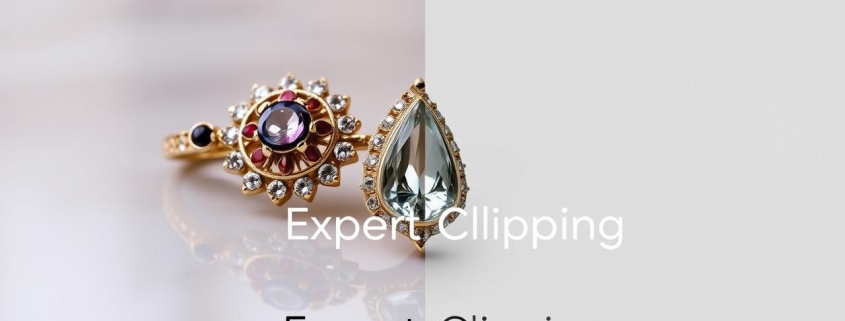
In e commerce, how things look is extremely important. It is true, especially for jewelry. A jewelry clipping path is a key way to improve your images. These paths will help make your jewelry photos look great and get peoples attention.

Precise cuts make your jewelry photos really pop. This really makes your marketing and sales efforts much stronger. If you’re in retail or photography, using jewelry photo editing services is a must to make a big impact online.


Key Takeaways

  • The jewelry clipping path improves the visual appearance of product images.
  • ECommerce success depends on professional jewelry editing.
  • Clipping paths of high quality add to the polished and enticing nature of images.
  • Cut outs of images can really boost jewelry photography.
  • Effective online marketing requires investment in these services.

The Importance of Jewelry Clipping Path in E-commerce

If you sell in the e-commerce world, it is very important how your products look. Jewelry clipping path is essential to make your jewelry images become more attractive. This makes sure your products are seen as best as they can be, to attract the attention of potential buyers.

Enhancing Visual Appeal for Product Listings

Product listings require high quality images. The jewelry is shown off clearly and they connect with the customers emotionally. Jewelry clipping path helps your items stand out and looking great against any background. It makes your listings more attractive and inviting.

Impact on Customer Buying Decisions

Having good jewelry image cut outs can make all the difference in what customers buy. The studies show that the products with great images sell more. Quality products lead to more sales and fewer returns, and people think quality images mean quality products.

When customers know what they are buying, they are happier. That’s why they come back for more.

Image Quality Customer Engagement Sales Performance
High Increased Improved
Moderate Average Stable
Low Decreased Poor

Getting professional editing for your jewelry images can really help your brand. It’s not just about looks; it’s a smart move that can change how customers see your business. In a competitive market, focusing on image quality is a must.

Understanding Jewelry Clipping Path Techniques

Clipping path is the key in the world of jewelry photo editing. Jewelry styles and features are suited to different paths. These differences help us pick the best method for your needs.

Types of Clipping Paths for Jewelry Images

Simple or complex paths may be needed to create jewelry images. It’s good for items with clean lines, they don’t need to deal with a lot of detail. Detailed or shiny items need complex paths, where accuracy is important.

Each method shows the jewelry’s beauty. It guarantees that the final images are stunning.

Precision in Jewelry Image Cut-Out

Jewelry photo editing is very important, especially when you have to cut out. Precision editing should get you clean edges so that the jewelry pops. It’s also perfect for online stores because proper masking techniques also improve image quality.

The combination of clipping and masking produces visually interesting results. These visuals catch the eye of potential buyers.

jewelry image masking

Clipping Path Type Best Suited For Characteristics
Simple Path Basic jewelry items Straight lines, minimal detail
Complex Path Intricate designs Curved edges, reflective surfaces
Jewelry Image Masking All jewelry types Enhances precision, adds depth

Benefits of Professional Jewelry Clipping Path Services

There are a lot of advantages when you use professional jewelry clipping path services for your online jewelry shop. Their jewelry images look great and are easy to edit. This means that your jewelry images will really pop.

High-Quality Results for Your E-commerce Jewelry Images

When it comes to choosing top notch clipping path services your jewelry images will be sharp and detailed. This professional jewelry editing will make your images look better and create trust with your buyers. A great image can make a sale into reality.

Time Efficiency and Consistency in Jewelry Post-Production

Quick and consistent output is the name of the game in the jewelry e commerce world. Professional retouching services allow you to work on other business tasks and keep up with quality images at the same time. When you get your images edited professionally, you know they’re all going to look the same. It is important for a strong brand image.

Benefits Professional Jewelry Editing Impact on Marketing
High-Quality Visuals Enhanced detail and clarity Increased customer engagement
Time-Saving Focus on core business activities Faster product launches
Consistency Uniformity across image catalog Stronger brand identity

Choosing the Right Jewelry Clipping Path Service Provider

For your online jewelry business, it’s important to find the right jewelry clipping path service. What you need is a team that knows how to edit jewelry photos well. It should pick up the fine details and textures that make jewellery so distinctive. These are some things to think about when you’re choosing.

What to Look for in Professional Jewelry Editing

  • Portfolio Quality: Check their past work to see if it is what you want. Having a good portfolio shows they can deal with different types and styles of jewelry.
  • Turnaround Times: The speed with which they work is important to your business. They must be able to meet your deadlines without losing quality.
  • Customer Testimonials: Get feedback from past clients. If they have good reviews, they are reliable and professional and that is what you need for your photo editing.
  • Technology and Techniques: Then, also ask them how they go about clipping paths. The latest technology can make your images look better and more detailed.
  • Transparency in Pricing: A good provider will be able to tell you exactly how much they charge. This will help you to plan your budget.

Conclusion

In the world of e-commerce, the importance of professional jewelry clipping path services is huge. These services help make your jewelry images pop, grabbing the attention of shoppers. With precise editing, your products look better, which leads to more sales.

We’ve talked about why jewelry retouching services are key. Clean, high-quality images make your brand look professional and trustworthy. In a crowded market, top-notch clipping path services can set your business apart.

When showing off your jewelry online, remember the power of good editing. Well-edited images can boost your sales. Look into professional clipping path services to make sure your images connect with your audience and help your online success.

FAQ

What is a jewelry clipping path?

Jewelry clipping path is the way to edit jewelry images. The items are cut out of the background, it makes sure. Jewelry looks better in online stores because of this.

How does a high-quality clipping path impact jewelry photos?

Jewelry photos look better with a good clipping path. It removes the background distractions. This way, the jewelry is clear to see and will attract more buyers.

Why are professional jewelry editing services important for e-commerce?

Online stores need professional editing services. Their job is to make sure products look good and are shown accurately. This in turn can help sell more and reduce returns.

What techniques are used in jewelry image masking?

Jewelry image masking is the advanced editing to show the detail of the jewelry. It makes sure it looks good online, and it keeps its beauty.

How do professional jewelry retouching services improve product photography?

By fixing details and colors, professional retouching makes jewelry photos better. It removes flaws. It makes the jewelry more beautiful and more craftmanship.

What should I look for when choosing a jewelry clipping path service provider?

See what people say, how fast they work and look at their portfolio. So your sure they deal with jewelry and have clear price. They should be able to make jewelry photos look great.

,

How Clipping Services Can Transform Your Digital Presence

How Clipping Services Can Transform Your Digital Presence

Introduction to Clippings Path Services

For a digital marketer, I am always searching for opportunities to make my clients’ digital presence strong and get more customers. One of the most successful approaches used is the application of high-resolution images. With the visual culture that is so widespread today, consumers are attracted to moving pictures that have a story and convey feelings. Nevertheless, getting and manipulating such photos often takes too much time and effort. Clippings path services fill the gap there.

clipping services

The Importance of High-Quality Images in Digital Marketing

In the busy digital environment where people’s attention span is short and the competition is stiff, it is vital to stand out among the crowd. One of the effective ways is to use the good quality images in your digital marketing activities. Visual images are important for your website, social media posts, and online ads to make a positive impact on your audience and to help your brand deliver its message well.

High-quality visuals don’t only capture attention but also build up trust and reputation. When consumers experience professionally made images, they think that the brand is reliable and trustworthy. While on the other hand, low-quality or insufficiently edited images can give the impression of unprofessional, that’s why customers may doubt the quality of your goods and services. Thus, making sure the images are of a high standard is an investment in the reputation of your brand.

Benefits of Using Clippings Path Services

We now know the importance of high-resolution images, so let’s discuss how Clippings Path Service can improve your online presence. Clipping path services includes three steps: removing the background from an image, isolating the subject, and creating transparent background. This method is a great tool to select the subject with any background. This gives you the whole control of the visual composition.

One of the major advantages of using clippings path services is that it helps to make visually attractive images, which are brand-specific and follow the style and message of your brand. You take the viewer’s focus off the background by hiding the distracting elements and put the emphasis on the subject which makes a clean and professional look. This high degree of control over the layout of the image enables you to communicate the brand’s story as well as values successfully.

Clipping paths services have another advantage and that is flexibility. With transparent backgrounds, you can blend your subject with various backgrounds for different platforms or contexts when the image is used. This flexibility is the key to the coherence of branding across all channels and the optimization of images for each of the particular platforms.

How Clipping Services Can Enhance Your Digital Presence

With the help of clipping paths, your digital presence can undergo a phenomenon of transformation. By putting high-quality photos to use and utilizing clippings path services, you will get a visually cohesive brand identity that will be appealing for your prospective customers. Visual branding consistency is a key factor in brand recognition and developing a strong recall for the brand.

Consequently, clipping path services can make you stand above the crowd. In a competitive digital space, visuals that are unique and eye-catching can attract the attention of people and make your brand more recognizable. Through the investment in the high-quality professional headers, you can make a difference from your competitors who may be using the generic or low-quality visuals.

Additionally, the clipping path services can bring more comfort to your website or e-commerce platform user interface. When you remove the distracting backgrounds and focus on the subject, you create a clean and visual experience for your visitors. That will result in more attendance, longer time on your website, and eventually, more conversions.

Choosing the Best Clipping Service Provider

Clipping service provider selection is not a straightforward process as there are quite a few things to take into account. First of all, you should look for a company that has a specialization in clippings path and a good history of delivering excellent results. Go for testimonials or case studies from the previous clients to get an idea of the provider capabilities.

Another important aspect is delivery time. Speed is key when it comes to digital marketing in a fast-paced world. You require a clipping service provider that can deliver top-class quality images within a reasonable time frame, so as to meet your marketing deadlines.

In addition to this, look at the level of support offered by the clipping service company. Communication is important in the working relationship with the service provider so confirm that they are responsive and pay attention to your needs. A good provider will listen to your requirements and will give you some tips or advices to help you to reach your goals.

Expert Tips for Using Clipping Services Effectively

To get the most out of your clipping services, here are some expert tips to keep in mind:

Provide clear instructions: If you want to request for clipping, be particular about what you need and what you want to achieve. Clearly articulate on what particular achievement you want the image to deliver and the specific details you need the clipping service provider to implement.

Maintain consistency: Make sure you have consistent visual style for your brand and provide it to clipping service provider. This will make sure that any images they provide are in line with your brand identity and therefore enhance the cohesiveness of your visual identity.

Collaborate with your design team: Include designers in the clipping process for the final images to make sure they all fit into a unified design strategy. Influence of collaboration between your marketing and design teams results into more effective and visually pleasing images.

Case Studies of Businesses that have Transformed their Digital Presence with Clipping Services

To illustrate the transformative power of clipping services, let’s take a look at some real-life case studies:

Case Study 1 – E-commerce Fashion Brand: A fashion brand that was experiencing difficulties in differentiating itself from others in a highly competitive market took a decision to invest in clipping paths. The use of professional images with a white background helped them to create a website that is not only attractive but also presents their products well. The latter led to better engagement and more conversions.

Case Study 2 – Social Media Influencer: An Instagram influencer who is into travel decided to upgrade the quality of their feed. Using clipping paths which enabled them to remove distracting backgrounds and make the subjects stand out they came up with a consistent and visually appealing feed. This consequently led to an increase in the follower’s count and engagement rate.

Conclusion: The Impact of Clipping Services on Your Digital Marketing Efforts

Digital presence services can be one important element in the process of transformation of your digital presence and the improvement of digital marketing in the end. Using professional images and employing clipping path services, you will have an attractive and consistent brand identity that will help you to attract and maintain the trust of your audience.

Consider things such as the service provider’s specialization, turnaround time, and customer support when choosing a clipping service provider. You can realize if you put into practice the tips given by the experts and you work as a team with the designer you will get the best results in your clipping services and make the visuals have a connection with your audience.

So if you want to have the digital presence improved, do not make a mistake to underestimate the ability of media clipping services. Make sure to go over the best clipping services and take your digital marketing to the next level.

,

Best Clipping Path Service Provider

Best Clipping Path Service Provider

Do you find yourself spending endless hours on mundane photo editing chores?Look no further! Presenting the finest clipping path service provider that will change the way you work with images. Using modern technology and a team of professionals, we promise to provide you with pixel-perfect results in no time. If you need to cut out backgrounds, make image masks or apply special effects our clipping path service is ideal for photographers and e-commerce businesses as well as graphic designers.

Our brand is characterized with outstanding details and customer satisfaction. We know the need to deliver work on time, every time. With our help, you can concentrate on your best and leave the clipping path needs to us who will handle them with great accuracy. Our easy integration with the most popular photo editing software guarantees a smooth and convenient process. Never compromise with anything but the best! Select our company for the clipping path service and step up your photo editing.

What is a Clipping Path?

A clipping path is a technique used in image editing to either get rid of the background or isolate any particular part. It entails tracing a loop around the desired area, which can then be used to cut out or eliminate the subject from its background and even apply various effects. This method is widely employed in e-commerce, photography and advertising as well as graphic design for improving the appearance of images and achieving a professional effect.

Manually or with the help of software tools, clipping paths can be made. The manual clipping paths need trained professionals who meticulously trace the outline of an object with a pen tool, whereas software tools do this automatically by using algorithms to detect edges and create paths. The decision between manual and automated clipping path techniques is based on the level of complexity in an image as well as the desired accuracy.

A clipping path can greatly improve the quality of your images. Through elimination of the distracting backgrounds and isolating the subject, a clear professional look is achieved that captures attention from viewers. The use of clipping path is not limited to any specific industry. Whether you are a photographer looking forward to improving your portfolio, an e-commerce business trying hard for better sales or even if you happen to be working on the creative project as a graphic designer; it can help achieve what is desired out of such work.

Best Clipping Path Service Provider ec01

Importance of High-Quality Images in Businesses

In the digital era where visual content is of paramount importance in capturing and retaining customers, quality images are now more critical than ever. Images play a critical role in the success of any business, whether you are operating an e-commerce store, photography studio or creative agency.

Regarding e-commerce companies, the pictures need to be of high quality due to products that are showcased in a best possible manner. Product images that are clean, sharp, and aesthetically pleasing can help build trust among customers which in turn increases the conversion rates. Contrastingly, poor quality or poorly edited images can give a bad impression and repel potential clients.

As for photographers, the quality of their portfolio determines directly how likely they will get hired to take on assignments or sell his/her work. Pictures that are professionally done, edited and attractive can help the photographers to stand out from competition so as attracting clients.

Likewise, graphic designers use quality pictures to come up with attractive designs for their customers. From web design to marketing materials, or from branding identity projects – all come down to the quality of images used in them.

In all these cases, the use of a professional clipping path service provider can greatly improve the quality of final images. With their skills and advanced editing tools, they can make images more attractive by eliminating distracting backgrounds as well as ensure uniformity of appearance.

Benefits of Using a Professional Clipping Path Service Provider

The use of a professional clipping path service provider comes with several advantages to businesses and individuals who want their images improved. Here are some of the key benefits:A small percentage of the population is able to afford this way of life, but most people cannot.

Time-saving: By outsourcing the clipping path requirements to a professional service provider, you save time that could be used for other vital projects. You do not have to spend hours for repetitive photo editing tasks; instead you can rely on professionals who will get the job done in a matter of minutes with high quality and precision.

High-quality results: The professional clipping path service providers have skilled professionals and modern software tools to ensure accurate detailing accuracy besides getting high-quality pixel perfect results. They have the knowledge to deal with complicated images and maintain uniformity in quality for all projects.

Cost-effective: Though appears to be cheaper if images are edited in-house, the time and labour spent on manual editing soon becomes costly. By outsourcing to a professional service provider, you are able to tap into their knowledge and efficiency which in turn helps save money over time.

Seamless integration: The professional clipping path service providers realize the need for seamless integration with popular photo editing programmes. They can process different file formats and give out polished images that are ready to be implemented in various platforms or applications.

Customization and flexibility: Each project is different with its own set of requirements. The professional service providers provide tailor-made services to suit your specific needs. Regardless of whether you need a straightforward background elimination or intricate picture covering, they can adjust their administrations to meet your needs.

The use of a professional clipping path service provider allows you to improve the quality of your images, save time and money while increasing brand image.

Factors to Consider When Choosing a Clipping Path Service Provider

It is also important that you select an appropriate clipping path service provider to ensure that your edited photos turn out excellently. Here are some factors to consider when making your decision:The fact that the young people refer to their attempts at negligence as ‘hobby stings’ makes it clear that there is a need for treatment.

Experience and expertise: Find a service provider with successful experience and presence in the industry. Their portfolio and client testimonials can be used as a way of measuring the quality in which they work on projects because many types require their understanding.

Quality assurance: Make sure that the service provider has an effective quality assurance mechanism to ensure relevant customer satisfaction. Question them regarding quality control and the guarantee promises they make.

Turnaround time: The pace of life and business leaves little room for idle discussion. Ensure the service provider has capacity to deliver your project in a timely manner without affecting quality. Inquire about their average turnaround time and how well they can cope with urgent directives.

Communication and collaboration: Multiparty cooperation can only work if the parties communicate properly. Select a service provider who is open to suggestions, willing to listen and engage towards your desired results. Ensure that they have an appropriate customer service department to respond to any questions or issues in the event of their occurrence.

Data security and confidentiality: However as you outsource your image editing requirements, make sure that data and intellectual property are safe. Find a provider that has strong security procedures and engenders trust.

Pricing: Though this should not be the only determining factor, pricing is an important consideration of a service provider. Compare quotes from other providers and judge the value they can provide for that price. Just keep in mind, however that quality and expertise should trump price.

Considering these points, you can reach a conclusion and select the service provider according to your needs.

best clipping path service company

Top Qualities to Look for in a Clipping Path Service Provider

As there are plenty of clipping path service providers across the market, picking up a right person can be quite challenging. To help you make an informed decision, here are some top qualities to look for in a service provider:Well, due to varying factors such as economic incapacity or other priority concerns that lie between a business owner an d his people.

Quality of work: Quality of work provided by the service provider is very much important. Locate vendors with portfolios demonstrating their competence and precision. Rate them for their skill to process difficult images and sustain results.

Expertise in image editing: A quality service provider needs to know everything about image editing techniques and tools. They should be dynamic to the latest happenings in the sector and also they need expertise of handling various projects.

Customer reviews and testimonials: Check reviews and testimonials of the past clients to understand what other were able to receive upon using this or that service provider. One should identify those providers who have good feedbacks and exemplary results.

Communication and responsiveness: Good communication should also form part of a profitable relationship. Find a company that is customer-centric, responds rapidly to clients’ complaints and questions; however, never forgets about preliminary analysis of your problem/launch time or budgetary impossibility. They are supposed to respond to your queries and do frequent reports on the progress of her project.

Flexibility and customization: No Project is the same and therefore your service provider should be able to match services precise necessity provided. Seek services that are easy to customize and providers ready to do everything possible even the impossible so as you may get specific solutions.

Value for money: Cost is not the only factor that should be taken into consideration but one must consider value for money. Analyze the pricing mechanism of a service provider, check out their services and skills with which they work in. Seek providers that have competitive pricing but not on the quality of services rendered.

Comparison of Different Clipping Path Service Providers

Because there are many clipping path service providers in the market, it means one has to compare their features so that when choosing a better option among them he or she will be able make decisions at ease. Here are some key factors to consider when comparing different providers:
  • A-the scar can’t be seen and you won’t have anymore pain. The only thing that will change is the tan on your back, so there cannot be any better results!
  • B – this girl had her surgery in India because these operations are very risky; what would happen if anything goes wrong while she sleeps.

Quality of work: Carry out an evaluation of the quality of work delivered by each service provider through portfolio and client testimonials. Search for vendors that will repeatably perform quality results.

Range of services: The scope of the provided services must be reviewed for it to work within your corporate environment. Search for providers that provide image editing services such as background removal, black and white photo masking color correction etc.

Turnaround time: Editing image projects are valid only in terms of time. Compare turnaround times for each provider and the tune of emergency requests. Check well for providers that can work you within the period of your interest.

Pricing: Different vendors have their pricing schemes; compare those to get the best value for your money. Assessing the joint value, evaluate with regard to work quality, knowledge and extra services.

Communication and customer support: The key element for a successful partnership worth noting is communication. Assess the accessibility of each service provider, and that they are responsive to working together. Search for providers that provide assigns support and are the ones who initiate in addressing your issues.

Data security and confidentiality: Therefore, while seeking an image editing service provider that you can outsource your needs to it is essential for one’s security and privacy are given priority. Evaluate the security systems provided by each provider and their willingness to retain your data privacy.

Comparing these factors will help you know those clipping path service providers who can handle your needs and meet the expected standards.

How to Determine the Best Clipping Path Service Provider for Your Business

Selecting the right clipping path service provider for your business is a process that involves taking into account what you need and where to emphasize more. Here are some steps to help you make the right decision:The second argument is that the use of computers in schools will lead to a reduction

Define your needs: First, clearly identify your image editing requirements and priorities. Identify the kind and amount of projects you need help with, including any special needs or due dates.

Research and shortlist: Perform extensive research on possible clipping path service providers. Search for suppliers whose name is known, has positive reviews from the customers and a portfolio that demonstrates their skills.

Assess their expertise: Assess the competence of each per selected provider by analyzing their portfolio and client reviews. Seek providers that have worked on projects similar to yours and delivered quality results.

Request samples: Ask every service provider to submit samples of their work. Evaluate the quality of their editing, attention to detail and complexity handling. This will give you a feel of the outcomes to expect.

Consider communication and collaboration: Successful partnerships require effective communication. Assess the responsiveness and accessibility of every service provider. Seek out providers who are receptive to feedback, cooperative in working with you and proactive concerning your issues.

Evaluate pricing and turnaround time: Compare their pricing policies and delivery time frames. Evaluate the value for money you obtain and see if it fits your budget as well as project needs.

Determine compatibility: A long-term partnership requires trust and compatibility. Evaluate whether the service provider understands your vision, values and objectives. Find providers who are ready to go that extra mile in providing customized solutions.

Consider customer support: Assess the customer service provided by every supplier.Look for providers who offer dedicated support channels and are responsive to your queries and concerns.

By following these steps, you can evaluate different clipping path service providers and choose the one that best fits your business needs.

Best Clipping Path Service Provider ec 02

Pricing and Turnaround Time Considerations

The cost and the time it takes to deliver are determinants in selecting a clipping path service provider. While the exact pricing will vary depending on the provider and the complexity of the project, here are some general factors to consider:The fact that the office was located in a quiet neighborhood made it easier for her to focus on work.

Complexity of the image: The image’s complexity, such as the number of subjects and intricate details in addition to precision needed can affect pricing. This may cost more when the image needed is complex and requires sophisticated masking or multiple clipping paths.

Volume of work: The service providers usually provide subsidized rates for large orders. If you have many images to edit, consider bargaining for a package deal in order to reduce costs.

Urgency of the project: For those who have tight deadlines or need urgent deliveries, some service providers may ask for extra fees in rush orders. Discuss your timeline needs early on to avoid any last minute surprises.

Additional services: Some service providers offer other services like color correction, retouching or special effects. If these services are related to your project, look at their cost.

Regarding turnaround time, make sure to be clear about the deadlines and your expectations towards the service provider. Factors that can impact the turnaround time include:This is the case because it reduces its capacity to produce goods and services.

Project complexity: It may take a considerable amount of time to complete complex images or projects that require various editing techniques. The timeline of the expected process should be discussed with a service provider and make sure they can meet your deadlines.

Volume of work: The turnaround time may be longer if you have a lot of images that need to be edited. Talk about the estimated delivery time in relation to workload and see that it complies with your project needs.

Communication and feedback: Timely communication and feedback from your side can help speed up the editing process. Answer queries or questions for clarification promptly to avoid any delay.

,

Unveiling the Magic of Pro Photography: Mastering Client Education & the Power of Clipping Path

Welcome to the captivating realm of professional photography. In this realm, every click tells a story. Each image is a masterpiece crafted with precision and expertise. As photographers, we often face the challenge of showing clients the value of our work. Some clients may not understand our craft. In this blog post, we’ll explore common hurdles photographers face. We will reveal useful solutions. We will highlight the importance of “best clipping path service“. It improves the visual impact.

Unveiling the Magic of Pro PhotographyThe Client Perspective: Unveiling the Mysterious World of Professional Photography


1. Many clients see photography as simple, but it’s not. They don’t realize the technical and artistic skill it requires to stunning visuals.

Solution: Start by illustrating the complexity through visuals. Share side-by-side comparisons that show how professional photography can transform a subject. These comparisons highlight the differences in composition, lighting, and post-processing techniques.

2. Clients may not grasp the significance of using top-notch equipment. The role it plays is vital in achieving exceptional results.

Solution: Educate clients about the tools of the trade. Develop informative resources. Conduct client meetings. Explain the impact of professional-grade equipment on the final product.

Strategies for Effective Client Education: A Photographer’s Guide

1.       Create an Informative Website: Your website is the window into your world. Create a site that showcases your portfolio and teaches about professional photography.

We introduce a clipping path to enhance the visual appeal of images. It creates clean and precise outlines.

2. Client meetings and consultations are either face-to-face or virtual. These meetings allow you to connect with clients and understand their needs. You can also educate them about the details of your craft.

The best clipping path service isolates subjects from backgrounds. It allows for versatile applications in marketing materials and online content.

3. Engage your audience through webinars on interactive online platforms. Break down technical aspects and composition techniques in a simple way.

The Clipping Path Connection showcases interactive examples. It demonstrates how a clipping path can transform an image. It emphasizes the impact on product photography, e-commerce visuals, and more.

The Role of the “Best Clipping Path Service” in Elevating Your Craft

1. A top-notch clipping path service guarantees precision. It also ensures attention to detail. This service allows you to integrate subjects into different settings or backgrounds.

2. Clipping paths make it easier to adapt images for different applications. You can use them in marketing collateral, e-commerce platforms, or any medium. They are versatile and must a clean, isolated subject.

3. By outsourcing the clipping path service, photographers can save time. They can focus more on the creative aspects of their work.

Conclusion: Empowering Clients, Elevating Your Craft

Client education is crucial in professional photography to foster appreciation. It is the key to understanding the artistry and skill in each photograph. Integrate the top clipping path service into your workflow. Communicate its impact. This elevates the visual appeal of your creations. It also empowers clients to understand and value professional photography. So, let’s embark on this journey together, capturing excellence one click at a time!