
How to Remove White Eyes in Photos (Expert Guide by Expert Clipping)
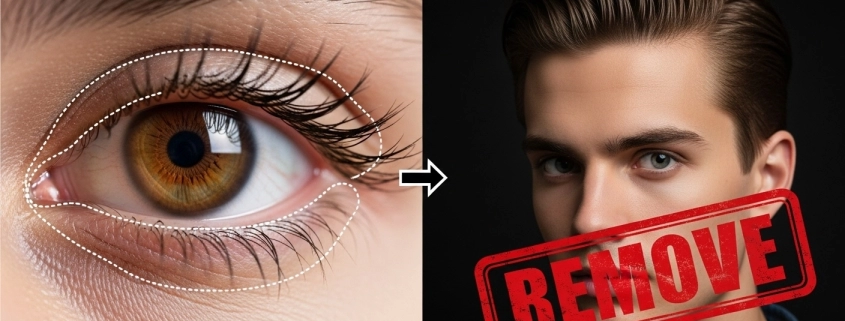
White eyes in photos happen when the camera flash reflects off the retina. In pets, it’s often due to a shiny layer inside their eyes. You can fix this with Photoshop tools like Burn, Clone, or Brush. Online editors and mobile apps can help too. For the cleanest results, Expert Clipping’s professional photo retouching services remove white eyes while keeping every natural detail. Turnaround is fast, and you can even start with a free trial.
What Causes White Eyes in Flash Photography?
White eyes appear when flash light enters the pupil directly and reflects back to the camera lens. In pets, it’s often caused by a reflective layer in their eyes.
Quick Tip: Avoid direct flash bounce it off a ceiling or use natural light.
Why Do Eyes Look White in Some Pictures?
White eyes are more common in low light because pupils dilate, allowing more flash to enter. If the subject looks directly at the camera, the effect is stronger.
Pro Insight: In wedding shoots, we often position lights at a 45° angle to avoid this.
Which Camera Settings Prevent White Eyes in Photos?
- Raise ISO to reduce flash need.
- Use a slower shutter speed for more ambient light.
- Use off-camera or bounce flash.
| Setting | Why It Helps | Expert Tip |
| ISO 800+ | Less flash needed | Keep noise low with post-editing |
| Shutter 1/60 | More ambient light | Steady hand or tripod needed |
| Off-camera flash | Changes reflection angle | Works best at events |
How Can I Fix White Eyes Without Reshooting the Photo?
Use photo editing software like Photoshop, Lightroom, or free online editors.
Checklist for a Quick Fix:
- Zoom into the eye
- Select the white area
- Sample a natural iris color
- Paint or clone over the white
Best Software to Remove White Eyes
| Tool | Free/Paid | Skill Level | Why Use It |
| Photoshop | Paid | Advanced | Full control, pro results |
| GIMP | Free | Intermediate | Open-source alternative |
| YouCam Perfect | Free/Paid | Beginner | Mobile-friendly auto-fix |
| Expert Clipping | Paid | None | Done-for-you, pixel-perfect |
💡 CTA: Request Your First 3 Images Free — See how Expert Clipping restores natural eyes in minutes.
How to Fix White Eyes in Photos Using Photoshop
Short Answer: Use the Burn Tool to darken the pupil, then the Brush Tool to blend colors.
Step-by-Step:
- Open your photo.
- Select the Burn Tool, set range to Midtones, exposure to 30%.
- Carefully darken the white area.
- Use Brush Tool to paint sampled iris color.
- Adjust opacity for a natural look.
For other tricky edits, see our hair masking in Photoshop guide — perfect for fine details.
Which Online Services Offer White-Eye Removal?
Many online editors like Fotor, Pixlr, and Photopea can help. But for bulk or high-precision work, Expert Clipping delivers faster and cleaner results.
💡 CTA: Get Instant Cost Estimate — Save more with bulk photo subscriptions.
How to Correct White Eyes in Pet Photography
Pets often have stronger reflections. In Photoshop, use the Pet Eye tool (in Elements) or manually paint over the glare.
Tip: In shoots, raise the room light before using flash — it reduces pupil dilation.
Fixing White Eyes for Weddings and Large Batches
For 100+ images, manual edits can be slow. We use automated masking + manual touch-ups for consistency.
💡 CTA: Subscribe & save on bulk photo editing — perfect for pros.
Quick FAQ Snippets for Voice Search & Featured Snippets
- Q: How to remove white eyes in photos online free?
A: Use free tools like Photopea or Fotor. Upload, select the white area, and recolor to natural tones. - Q: Can you fix white eyes in iPhone photos?
A: Yes. Use the Photos app for basic fixes or Snapseed for advanced control. - Q: Why do my eyes reflect white in photos?
A: Flash reflection on a dilated pupil or pet’s reflective eye layer.
Customer Review Spotlight
“I had 200 wedding photos with white eyes. Expert Clipping fixed them in less than 24 hours, and the results were flawless. The eyes looked natural, not fake. Highly recommend!” – Sarah K., Wedding Photographer