
Is Clipping Path Service Suitable for Product Photography? (Yes, And Here’s Why It Changes Everything)
Yes clipping paths make product photos clean, simple, and ready to sell.
If you sell shoes, bags, electronics, clothing, or almost anything online, you know one thing: your images decide whether people click or scroll away. I’ve edited thousands of product photos, and I’ve seen the same pattern again and again clean background + sharp edges = more trust and more sales.
This is where a Clipping Path Service becomes a game-changer. It helps remove distractions, gives your images a consistent look, and makes your products stand out. In fact, most top brands and big marketplaces use clipping paths every day, even if they never talk about it publicly.
What Is a Clipping Path Service?
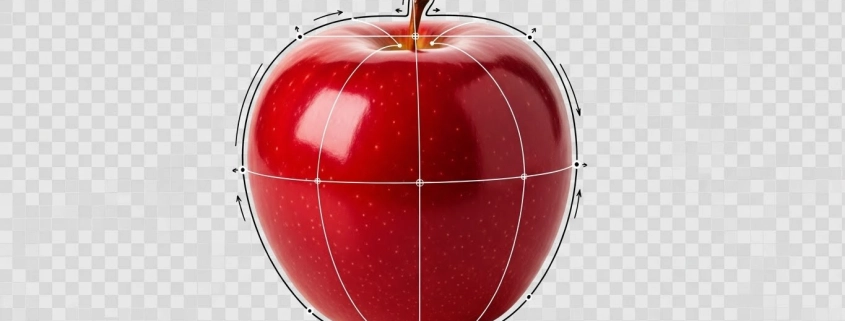
A clipping path is a hand-drawn outline around an object using the Photoshop Pen Tool to remove or replace the background.
A Clipping Path Service is simply a precise way to separate your product from its background. Think of it like cutting a shoe out of paper with tiny scissors but doing it digitally with perfect smoothness.
Related keywords naturally fit here:
Clipping Path, Photo Clipping Path, Image Clipping Path, Photoshop Clipping Path, Clipping Path Outsourcing.
It’s 100% manual, which means much higher accuracy than AI tools.
Why Product Photography Needs Clean Edges
Clean edges make your product look sharp and professional.
Ever seen a product photo with fuzzy or jagged edges? It instantly looks cheap. Customers trust photos that look crisp because they feel “real.” Clean edges also help when:
-
Uploading to Amazon, eBay, or Shopify
-
Placing the product on a white background
-
Designing ads or banners
For shoes, bags, electronics, and jewelry, the edge detail matters even more.
How Clipping Paths Improve Product Photos
They remove distractions and make the product the center of attention.
Here’s what a clipping path does for your product photos:
-
Removes messy or uneven backgrounds
-
Keeps shape, angles, and edges accurate
-
Makes the product “pop” on any background
-
Helps create consistent product listings
-
Works perfectly with shadows and reflections
It’s one of the simplest ways to enhance product photography without re-shooting anything.
Manual vs. Automatic Background Removal
Manual clipping paths always win for accuracy.
Automatic tools like Remove.bg are great for quick social posts, but when you need:
✔ Accurate curves
✔ Clean edges
✔ No missing parts
✔ No blurry borders
…manual Photoshop Clipping Path is the only reliable method.
AI tools often struggle with:
-
Shoes with lace details
-
Transparent materials
-
Fur textures
-
Inner holes
-
Shiny or reflective surfaces
That’s why professional editors still use the manual Pen Tool.
Why Photoshop Clipping Path Beats All Other Methods
It’s the most precise way to cut out any product.
The Photoshop Pen Tool lets editors zoom in up to 3200% to draw clean, natural curves. This gives a result no AI tool can match, especially for footwear, bags, and fashion products.
It also allows:
-
Edge refinement
-
Path smoothing
-
Multiple product paths
-
Natural shape preservation
This is why every major Clipping Path Company still relies on Photoshop.
When to Use Clipping Path for Shoes & Footwear Photos
Use clipping paths for all shoe photos that need clean backgrounds.
If you’re a footwear seller, you already know shoes are not the easiest to photograph. There are:
-
Laces
-
Curves
-
Soles
-
Textures
-
Shadows
A clipping path helps isolate these details without losing quality. That’s why it’s widely used by:
-
E-commerce shoe sellers
-
Footwear brands
-
Online marketplaces
-
Creative agencies
It keeps your product looking sharp, consistent, and premium.
How Clipping Path Helps Online Sellers
It makes your product images look more professional and trustworthy.
If you sell on:
✔ Amazon
✔ Etsy
✔ eBay
✔ Walmart
✔ Shopify
…you already know that a clean background is required. A clipping path ensures your product meets every guideline while looking its best.
This leads to:
-
More clicks
-
Better conversions
-
Fewer returns
-
Stronger brand image
Clean images = more trust. More trust = more sales.
Why eCommerce Platforms Prefer Clipping Path Images
Online marketplaces want clear, distraction-free photos.
Platforms like Amazon and eBay have strict background rules. Most require a white or transparent background. A clipping path lets you meet these rules in seconds.
Plus, it helps with:
-
Faster loading pages
-
Consistent store layout
-
Better A/B testing
-
Higher ad performance
This is why top sellers use clipping paths for every listing.
Clipping Path for Creative & Advertising Agencies
Agencies use clipping paths to build cleaner designs.
Agencies love clipping paths because they let designers place a product anywhere — on banners, posters, catalogs, or ads.
Designers use clipped images to:
-
Add custom backgrounds
-
Create shadows
-
Build lifestyle scenes
-
Make social media ads
-
Prepare print materials
Without a clipping path, designs look messy and unprofessional.
Clipping Path Outsourcing: Is It Worth It?
Yes outsourcing saves time and keeps quality consistent.
If you handle hundreds or thousands of photos, outsourcing offers:
-
Faster turnaround
-
Lower cost
-
Professional results
-
Bulk processing
-
24/7 support
Companies like Expert Clipping specialize in:
-
Background removal
-
Shadow creation
-
Product retouching
-
Color correction
-
Ghost mannequin
And they even offer free trials so you can test the quality first.
Product Image Editing Services Expert Clipping Offers
Expert Clipping provides complete product image editing for all industries.
Here are their main services:
-
Clipping Path Service
-
Background Removal Service
-
Product Retouching
-
Shadow & Reflection Creation
-
Ghost Mannequin
-
Color Correction
-
Image Masking
-
Bulk product image editing
Their editors work manually with the Pen Tool and deliver high accuracy for shoes, fashion, and eCommerce brands.
How a Good Clipping Path Company Works Behind the Scenes
Skilled editors manually draw paths to ensure perfect edges.
A reliable Clipping Path Company uses:
-
Expert designers
-
Multi-level QC checks
-
High-resolution monitors
-
Professional color management
A typical workflow includes:
-
Importing RAW images
-
Drawing clipping paths
-
Smoothing and refining edges
-
Adding shadows
-
Exporting in the required format
Everything is checked before final delivery.
Mistakes Editors Make When Doing Clipping Paths
Common mistakes can ruin the product shape or quality.
Some mistakes include:
-
Over-smoothing edges
-
Missing product details
-
Cropping too close
-
Leaving rough cuts
-
Using auto tools instead of manual paths
A professional service avoids all of these by using strict QC processes.
Should You Try a Free Trial Before Outsourcing?
Yes always test quality before placing bulk orders.
A free trial helps you check:
-
Edge quality
-
Precision
-
Consistency
-
Turnaround time
Most companies, including Expert Clipping, offer free trials so you can judge their work before trusting them with your brand.
Final Verdict: Is Clipping Path Service Right for You?
Yes if you work with product photos, you need clipping paths.
If you’re in:
-
E-commerce
-
Footwear
-
Fashion
-
Retail
-
Dropshipping
-
Photography
-
Advertising
-
Printing
-
Online marketplaces
…a Clipping Path Service gives you cleaner images, better sales, and a more trusted brand. It improves product photography fast and effectively.