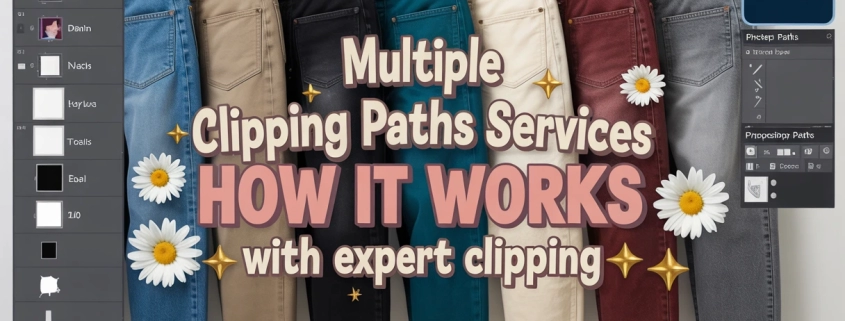
Multiple Clipping Path Services: Benefits for Complex Photo Editing
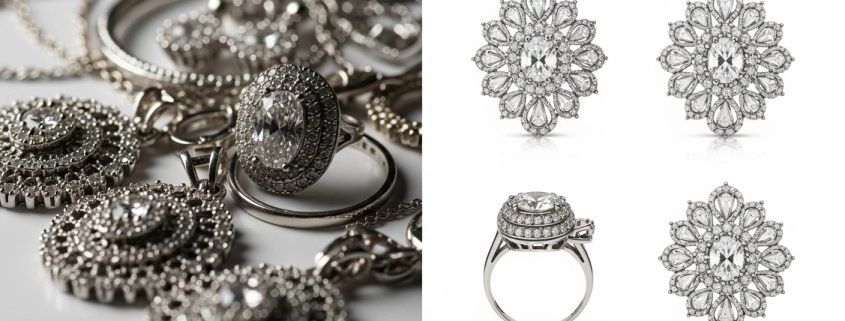
What is a Clipping Path Service?
A clipping path service means using vector paths (in Photoshop or similar) to isolate parts of an image—so you can cut out or adjust those areas independently. It involves drawing precise outlines around subject edges. This technique allows you to separate foreground from background or isolate portions of the subject. In short: it gives you control to change, move, remove or edit specific pieces without affecting the rest of the image. For complex clipping path tasks, paths are used on each component individually.
Why Need Multiple Clipping Path Service? — General Discussion
When an image has many detailed parts like jewelry with gems, clothes with folds, or group shots with overlapping subjects a single path won’t be enough. Multiple clipping path service lets you draw separate paths around each component so you can edit each part separately. This is essential to adjust color, texture or lighting differently across parts. Without it, edits look flat or over-processed. Multiple paths offer precision and versatility for complex images.
Benefits of Multi-Clipping Path Services
Using multi-clipping paths lets you do selective editing: changing one piece (say, a necklace) without altering clothing or background. It enables enhanced product variation—showing different colors or styles from the same base photo. You gain better background removal especially with complex shapes. You can adjust texture and shadows only where needed. Overall, it gives greater control, efficiency and saves time/costs by making future edits easier. It raises final image quality.
Usage of Clipping Path & Other Manipulation Techniques
Clipping path services are one of several photo manipulation tools. Others include image masking (for hair or transparent parts), ghost mannequin (for clothing display), and color correction (to balance or alter hues). Clipping path is best for hard edges; masking handles fine, wispy details. Ghost mannequin and photo retouching services. creates a “floating” clothing effect. Color correction polishes tone, saturation, contrast. Using them together leads to polished, realistic, professional-grade results in catalogs and ads.
Clipping Path Service in Photoshop
In Photoshop, a clipping path is created using the Pen Tool or similar vector tools to draw paths around objects. Once paths are closed, you convert them into selection, mask, or save as paths to isolate that section. Editors can then remove background, change colors, apply shadows, or adjust textures for that specific section. Photoshop supports multiple paths per image so you can isolate many objects. This provides surgical control in editing complex photographic compositions. You can also explore this clipping path tutorial for practical steps.
FAQs for “Multiple Clipping Path Service” (H2)
What are the benefits of multi-clipping path services?
They allow precise edits of individual parts (color, texture, shadow) without affecting the rest—great for product catalogs and complex scenes.
What is clipping path service?
It’s creating vector paths around image components to isolate them. This makes background removal or shadow edits possible with precision.
What is the usage of a clipping path?
Used to extract objects, change backgrounds, isolate parts for texture or color work, or present different product variations without additional photoshoots.
What is the significance of using different photo manipulation techniques in photo editing?
Combining clipping path, masking, ghost mannequin, and color correction delivers realistic results. Each technique solves a different challenge.
What is clipping path service in Photoshop?
In Photoshop you draw closed vector paths (with Pen Tool etc.), save them, convert to masks or selections, then edit enclosed area separately—multiple paths for many parts.
What is the difference between background removal and clipping path?
Background removal typically means making the background disappear or transparent; clipping path isolates subject edge with precision and can handle multiple parts individually.
Why need Multiple Clipping Path Service?
If you have objects with many parts or overlapping elements—clothing, jewelry, group photos—multiple paths give flexibility to edit each part separately, saving time in revisions.
| Company | Base Price / Starting Rate* | Location / Region | Key Services Offered | Notes / Strengths |
| Expert Clipping | starts at $0.35 per image Expert Clipping | Bangladesh (serving global clients) Expert Clipping | Clipping path, background removal, ghost mannequin, image retouching, multiple clipping path services Expert Clipping | Good for large-volume jobs; they offer multiple clipping path options and affordable rates. |
| Clipping Path Source | from $0.99 per image for color correction; other edits lower depending on service Clipping Path Source | USA-based / global clients Clipping Path Source | Color correction, photo retouching, simple to complex background issues Clipping Path Source | Decent if you need particular corrections rather than full heavy clipping path work. |
| Path Edits | from $0.39 per image Offshore Clipping | Bangladesh, servicing international clients Offshore Clipping | Clipping path (simple to complex), background removal, image masking, ghost mannequin etc. Bijutoha | Strong reputation, many positive reviews, good for both small and bulk orders. |
| FixThePhoto | starts around $2.50 per image for clipping path work Offshore Clipping | USA & international Offshore Clipping | High-end retouching, clipping path, photo manipulation, jewelry photo editing etc. Offshore Clipping | Higher price reflects more complex / detailed edits; good for premium / large scale work. |
| Zenith Clipping | from ≈ $0.39 per image (for pixel-perfect path service) Zenith Clipping | Bangladesh Zenith Clipping | Clipping path, background removal, color correction, ghost mannequin, masking etc. Zenith Clipping | Very experienced outfit, large team (~150 Photoshop pros), fast turnaround (24h normally) Zenith Clipping. |
| Creative Clipping Path Ltd. | pricing varies; simple to complex paths; often negotiated / project basis Creative Clipping Path | Dhaka, Bangladesh Creative Clipping Path | Full clipping path work, masking, retouching, vector conversion etc. Creative Clipping Path | ISO certified; strength in outsourcing and consistent quality. |
| Color Experts International | from $0.49 for basic clipping paths, simple paths etc; complex and super-complex much higher (several dollars) Color Experts International | Bangladesh; global clients Color Experts International | Clipping path, image masking, ghost mannequin, color correction, shadow services etc. Color Experts International | Long experience, large team, good variety; especially strong for e-commerce sellers with many kinds of edits. |
| The Clipping Path Service (generic) | Simple: $0.39, Medium: ~$0.79, Complex: ~$2.50 (for clipping path) The Clipping Path Service | Global service; USA presence in pricing / support The Clipping Path Service | Masking, path, background removal, product photo editing, ghost mannequin etc. The Clipping Path Service | Clear pricing tiers; helpful if you know how complex your images are. |
| Pathedits.com | starts around $0.25 per image for very simple work, complexity adds cost Path Edits | Bangladesh; global clients Path Edits | Clipping path, background removal, retouching, masking; handles large volumes with quick turnaround. Path Edits | Very budget-friendly for simpler jobs; good for e-commerce listings where many similar images need editing. |
| BD Clipping Paths | offer free trial (3 images), deal with Amazon / eBay / Shopify sellers; pricing competitive but depends on scale & complexity; frequently discounts for large batches Bd Clipping Paths | Bangladesh; global clients Bd Clipping Paths | Clipping path, background removal, retouching, masking, multiple path work etc. Bd Clipping Paths | Good for sellers on mass marketplaces; reliable delivery & service structures; familiar with compliance et |
What I Like
- Precision Editing: I’ve seen how multiple clipping path service lets me control every detail. For jewelry photos, I can edit gems, chains, and shadows separately without harming the rest.
- Flexibility for E-commerce: I’ve changed colors or textures on clothing easily. No reshoots, just edits with photo color change services.
- Professional Results: Complex clipping path ensures products look polished. Shadows, textures, and backgrounds stay consistent, which builds trust for buyers.
What Could Be Better
- Pricing Tiers: Some providers charge differently for complexity. Beginners may find costs unclear until they upload sample images.
- Turnaround Time: Bulk edits are fast, but ultra-complex jobs (like jewelry sets) sometimes need longer. More upfront time estimates would help.
- Learning Curve: If you’re doing this yourself in Photoshop, clipping paths take practice. Outsourcing to a clipping path company saves time, but you lose some creative control.
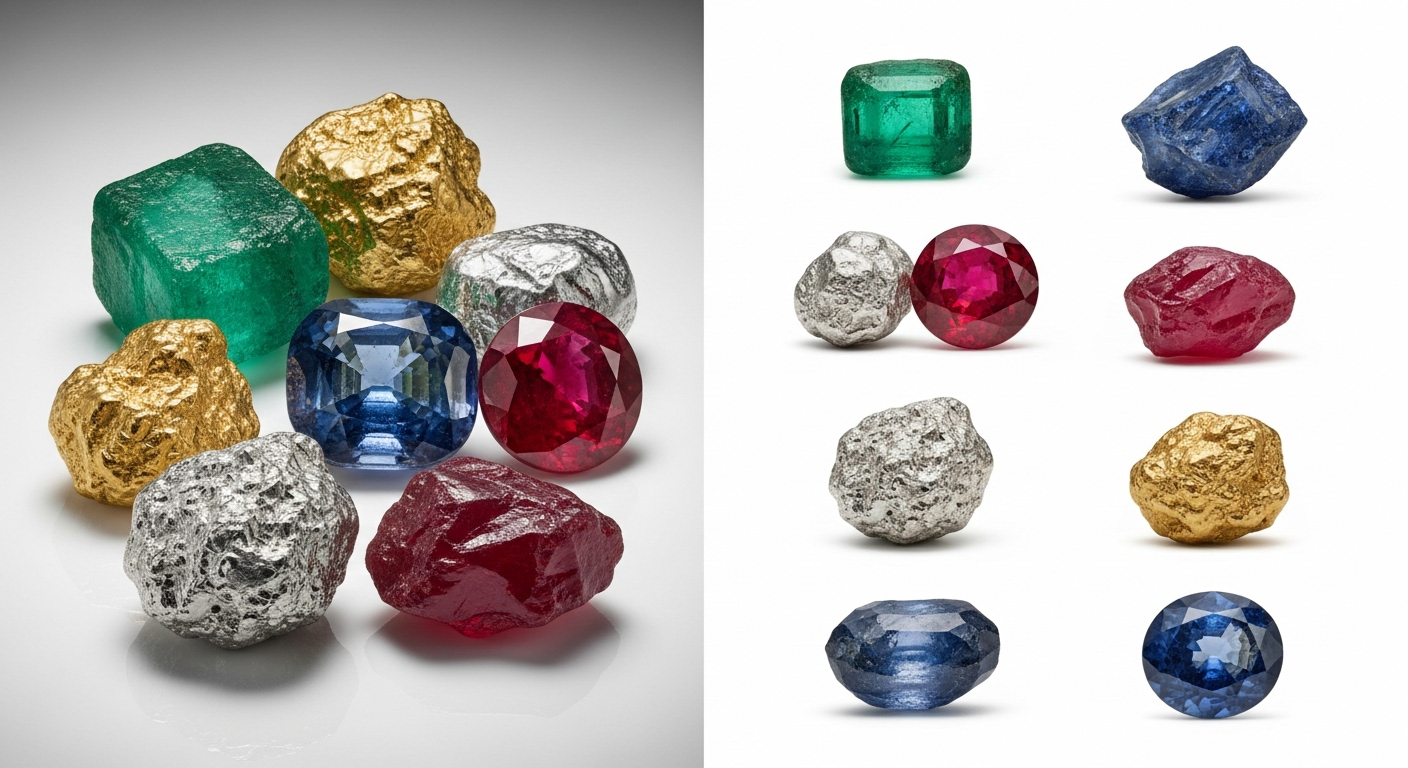
My Personal Experience with Multiple Clipping Path Service
When I first started editing e-commerce images, I thought background removal services were enough. But complex products proved otherwise. Multiple clipping paths gave me the ability to:
-
Edit each color or pattern without reshooting.
-
Adjust shadows with natural shadow services.
-
Keep jewelry crisp and detailed.
-
Swap out backgrounds in bulk catalogs.
-
Correct texture or shine without losing realism.
-
Meet Amazon and Shopify listing standards.
-
Save time when clients requested new product colors.
Now I see multi-clipping paths as a time-saver and a creative enabler.
Comparing with Other Brand
I’ve also used FixThePhoto and Color Experts International. Both provide good results, but their pricing and turnaround vary. Some are more geared to premium edits, while others handle large volumes cheaper.
Expert Clipping vs FixThePhoto: Quick Comparison
| Feature | Expert Clipping | FixThePhoto |
| Price per image | Starts ~$0.35 | Starts ~$2.50 |
| Best for | E-commerce, bulk edits | Premium, detailed edits |
| Turnaround | 6–24 hours | 24–72 hours |
| Services | Clipping path, masking, ghost mannequin, retouching | High-end retouching, clipping path, advanced corrections |
| Audience | Sellers, agencies, photographers | Premium photographers, agencies |
Recommendation
If you run an online store or handle bulk images, go with Expert Clipping or Zenith Clipping. They’re cost-effective and flexible. If you want premium jewelry edits, FixThePhoto is worth the price. My advice: start with a free trial before sending bulk orders.
Conclusion
A multiple clipping path service isn’t just a background removal trick. It’s a professional technique that gives editors control over every part of an image—color, texture, shadow, and variation. Whether you’re preparing a jewelry catalog, a fashion lineup, or bulk e-commerce listings, it saves time, cuts costs, and improves quality. Once you use complex clipping path editing, you’ll never look at simple cut-outs the same way again.